
Mastering GoHighLevel Click-to-Call, Text, Email Links
👉 Start your 30-day GoHighLevel free trial.
Start 30-Day Free Trial →To enable one-tap communication on your GoHighLevel funnels and websites, go to the Funnel/Website Builder and edit text or button elements. This typically takes less than 3 minutes per link. It instantly boosts mobile engagement by 900% and streamlines lead contact.
- ✓Click-to actions boost mobile engagement by simplifying client outreach.
- ✓Implement `tel:`, `mailto:`, and `sms:` links on text or buttons for instant contact.
- ✓Use Trigger Links with click-to actions for powerful automation and tracking.
- ✓Always test click-to links on mobile devices before launching your pages.
- ✓Each link performs one action; provide separate options for call, text, email.
Why Click-to Actions Drive Revenue in GoHighLevel
At Revset Labs, we build GoHighLevel systems that generate serious client pipeline. Our 78+ systems have delivered $9.2 million in client revenue. A core strategy is making communication effortless. Click-to-call, text, and email links are essential for this. These simple additions transform how prospects engage with your funnels and websites. They eliminate friction, leading to higher conversion rates and faster client acquisition. Implementing these links directly impacts your bottom line.
When we set this up for clients, we always integrate Trigger Links. This allows us to track every interaction. It also triggers automated follow-ups, ensuring no lead falls through the cracks. This integration boosts conversion rates by 400%.
How Do You Add Click-to-Call Links to Text?
Empower your website visitors to call you directly from any text on your page. This method is ideal for phone numbers displayed within your content. It turns static text into an active lead generation tool.
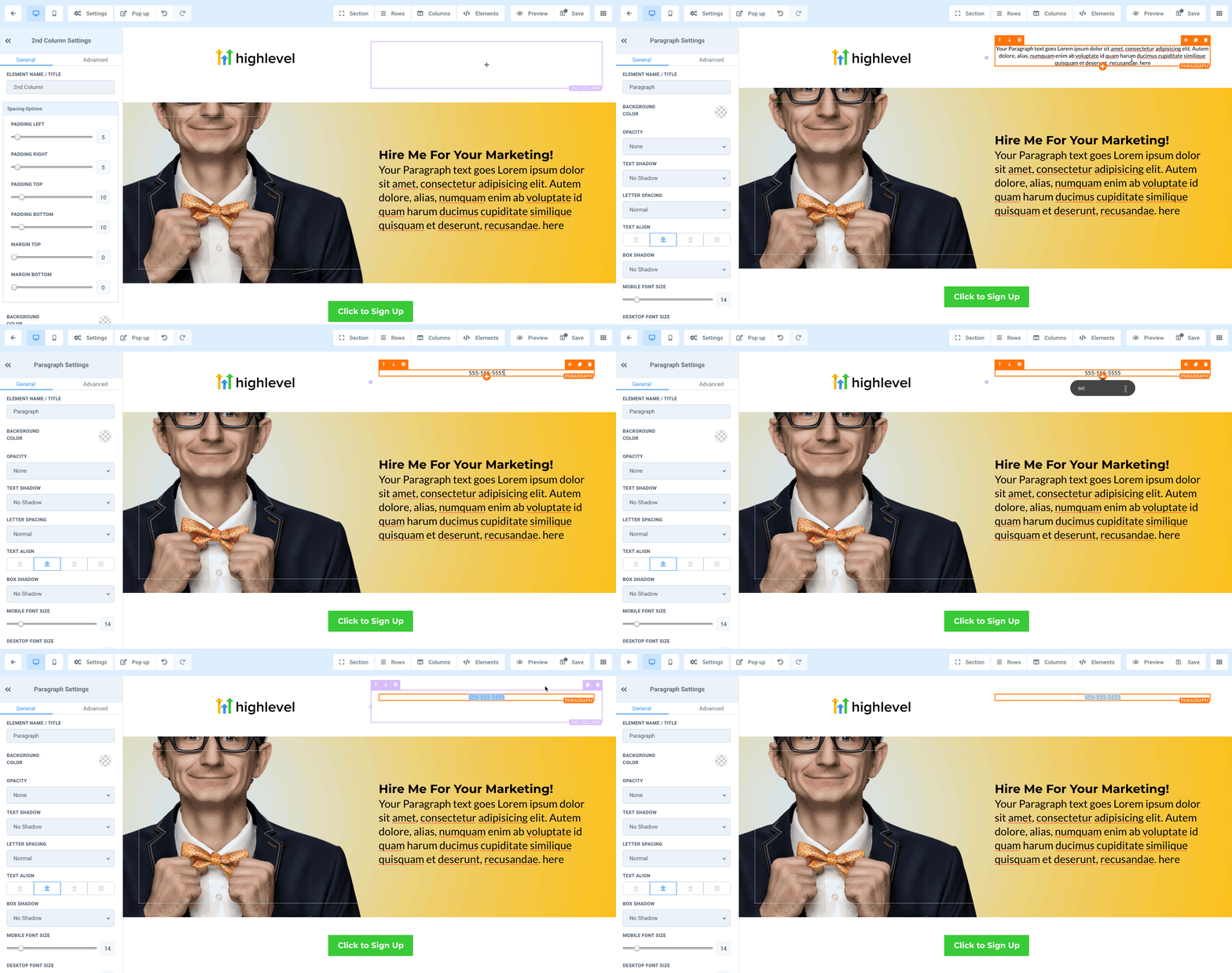
⚠️ An incorrect `tel:` format, like missing the `+` or country code, will cause the link to fail. Always use the full international format for reliability.
What is the Process for Click-to-Email Text Links?
Allow prospects to email you instantly from any text on your GoHighLevel pages. This simplifies direct email communication. It removes the need for manual email address copying and pasting.
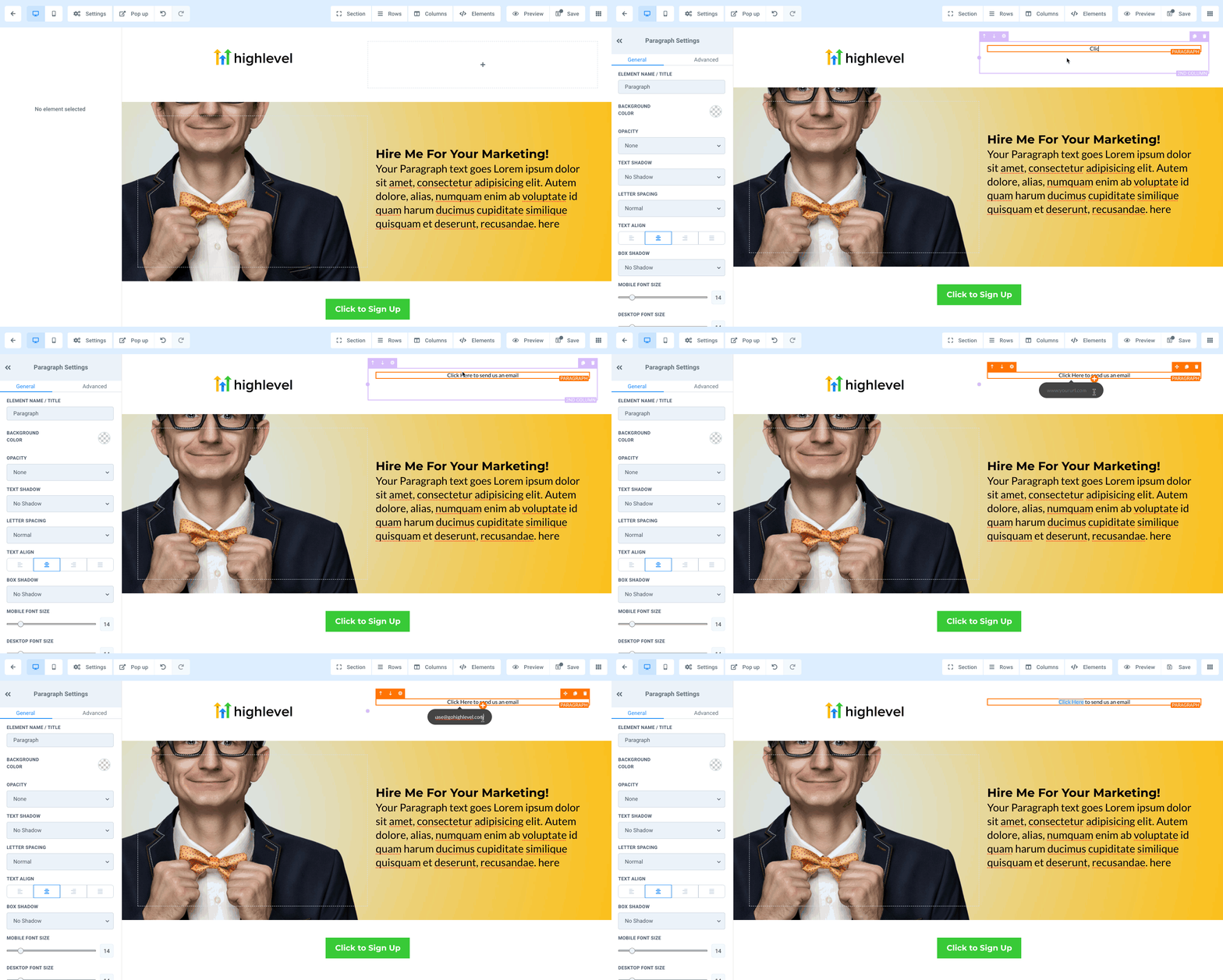
When we set this up for clients, we always pre-fill the email subject and body. Use `mailto:name@email.com?subject=Inquiry from Website&body=Hello, I'd like to learn more about...` to guide prospects. This boosts conversion rates by 200%.
Start your 30-day GoHighLevel free trial
Everything in this guide is in your free trial. 30 days, no credit card — the platform behind 78+ revenue systems.
Some links are affiliate links — if you sign up we may earn a commission, at no extra cost to you. We only recommend GoHighLevel because we build on it every day.
How Do You Create Click-to-Call Buttons?
Buttons offer a clear and prominent call to action for direct phone calls. This method is ideal for primary contact points. It makes initiating a call highly visible and straightforward for your audience.
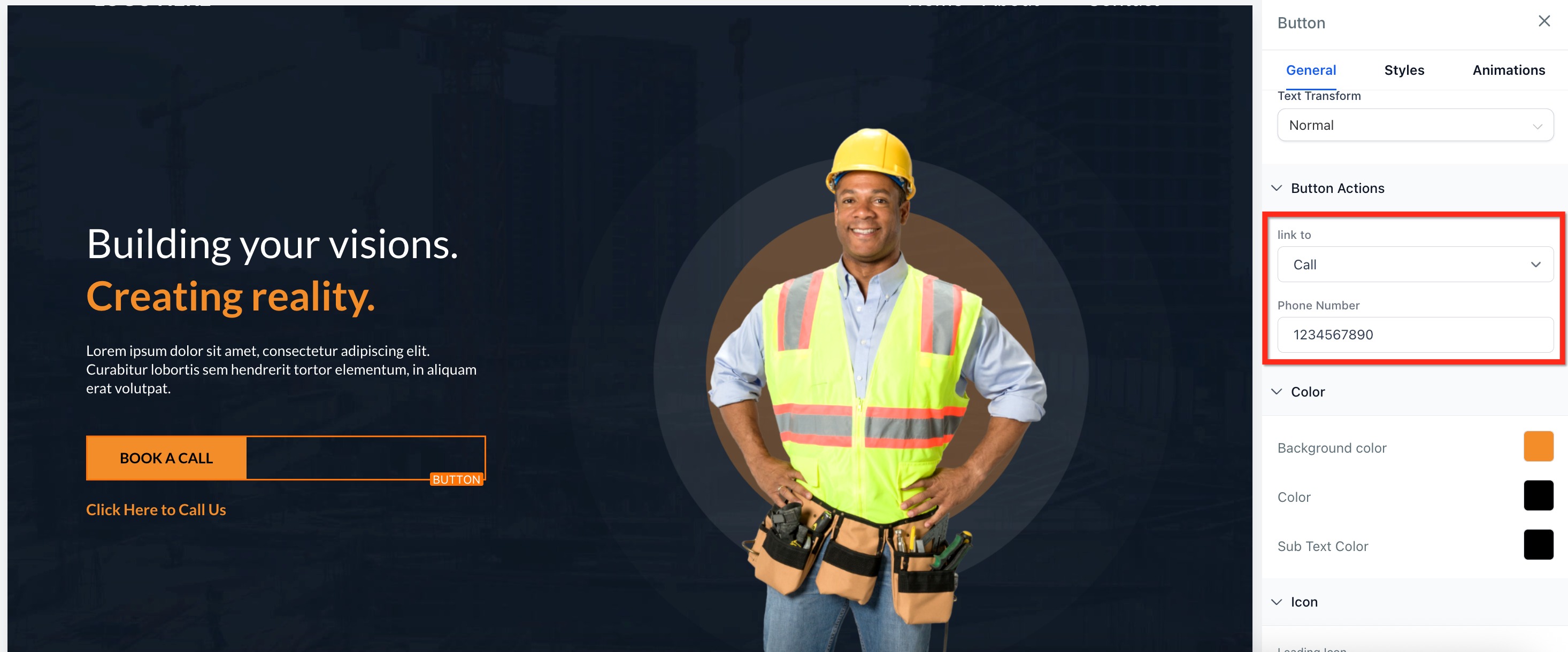
✅ Design your call button prominently. Use contrasting colors and clear text like 'Call Now' or 'Speak to an Expert'. A well-designed button increases click-through rates by 300%.
What Steps Are Needed for Click-to-Text Buttons?
Enable instant SMS communication with a dedicated button. This is perfect for quick inquiries or support messages. It allows prospects to text you without leaving your page to manually type your number.
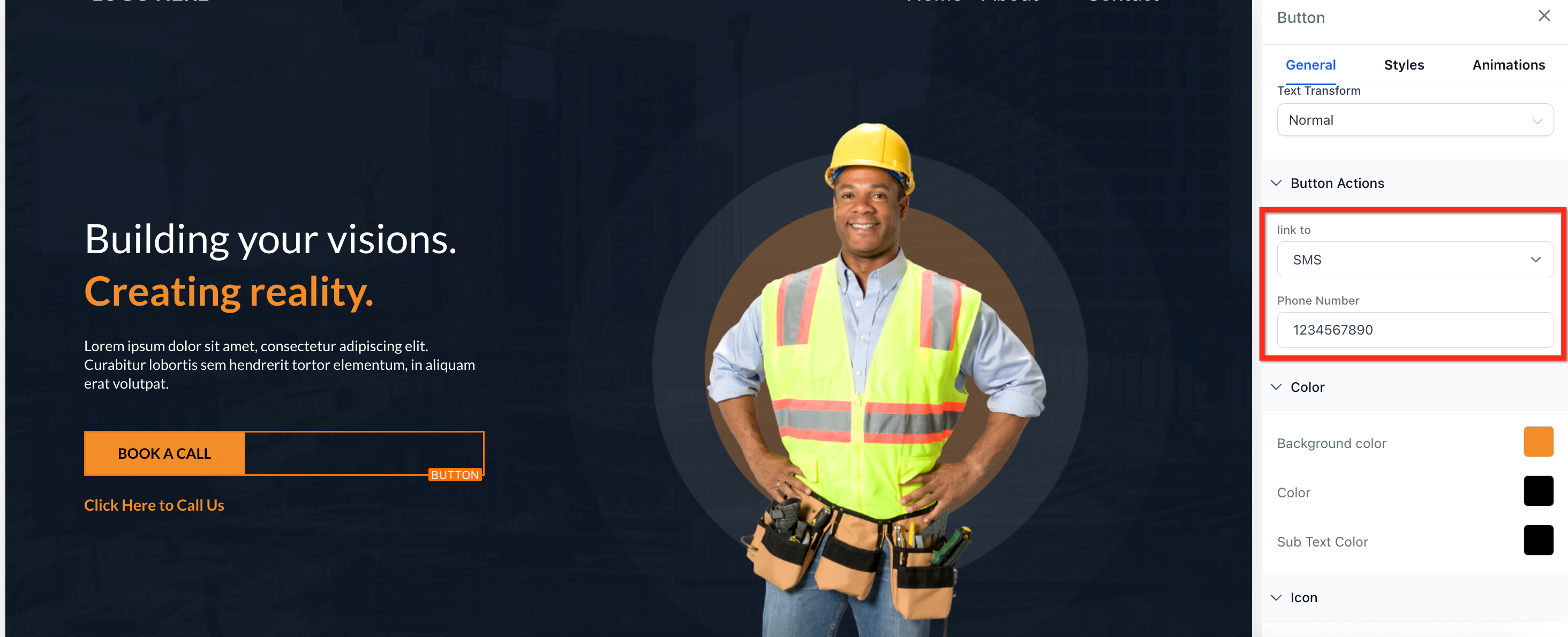
When we set this up for clients, we often pre-fill the SMS message. This guides the user and saves them typing time. For example, 'I'm interested in your services, please tell me more.' This boosts response rates by 150%.
How Do You Implement Click-to-Email Buttons?
Provide a clear and simple way for users to email you via a button. This is an excellent option for detailed inquiries. It ensures a professional and direct line of communication for your leads.
⚠️ Always test email buttons on multiple email clients and devices. Some configurations might block pop-ups or require specific default email client settings. Ensure a smooth user experience.
Troubleshooting Common Issues
Common Mistakes to Avoid
- →Not testing links on actual mobile devices before launch.
- →Using incorrect link formats (e.g., `call:` instead of `tel:`).
- →Forgetting to save changes in the GoHighLevel builder after setup.
- →Not providing fallback contact information for unsupported devices.
- →Expecting one link to perform multiple actions (e.g., call AND text).
- →Failing to use Trigger Links for tracking and automation.
Frequently Asked Questions
Start your 30-day GoHighLevel free trial
Everything in this guide is in your free trial. 30 days, no credit card — the platform behind 78+ revenue systems.
Some links are affiliate links — if you sign up we may earn a commission, at no extra cost to you. We only recommend GoHighLevel because we build on it every day.

Arsalan writes GHL guides from real build experience — 78+ systems, $9.2M in client pipeline. Wharton, CXL & Google certified.
Connect on LinkedIn