
Achieve HIPAA Compliance in GoHighLevel for Your Agency
👉 Start your 30-day GoHighLevel free trial.
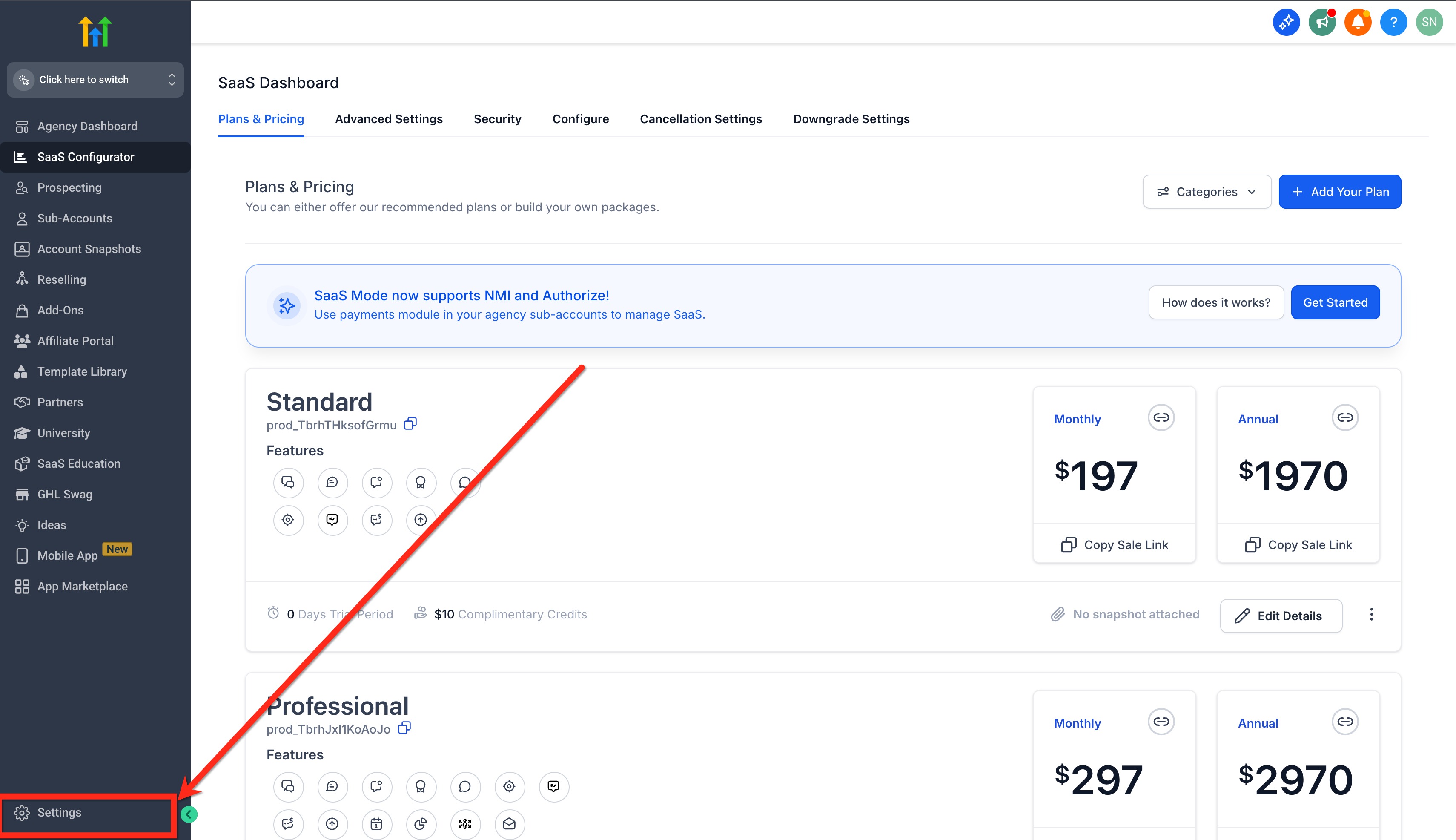
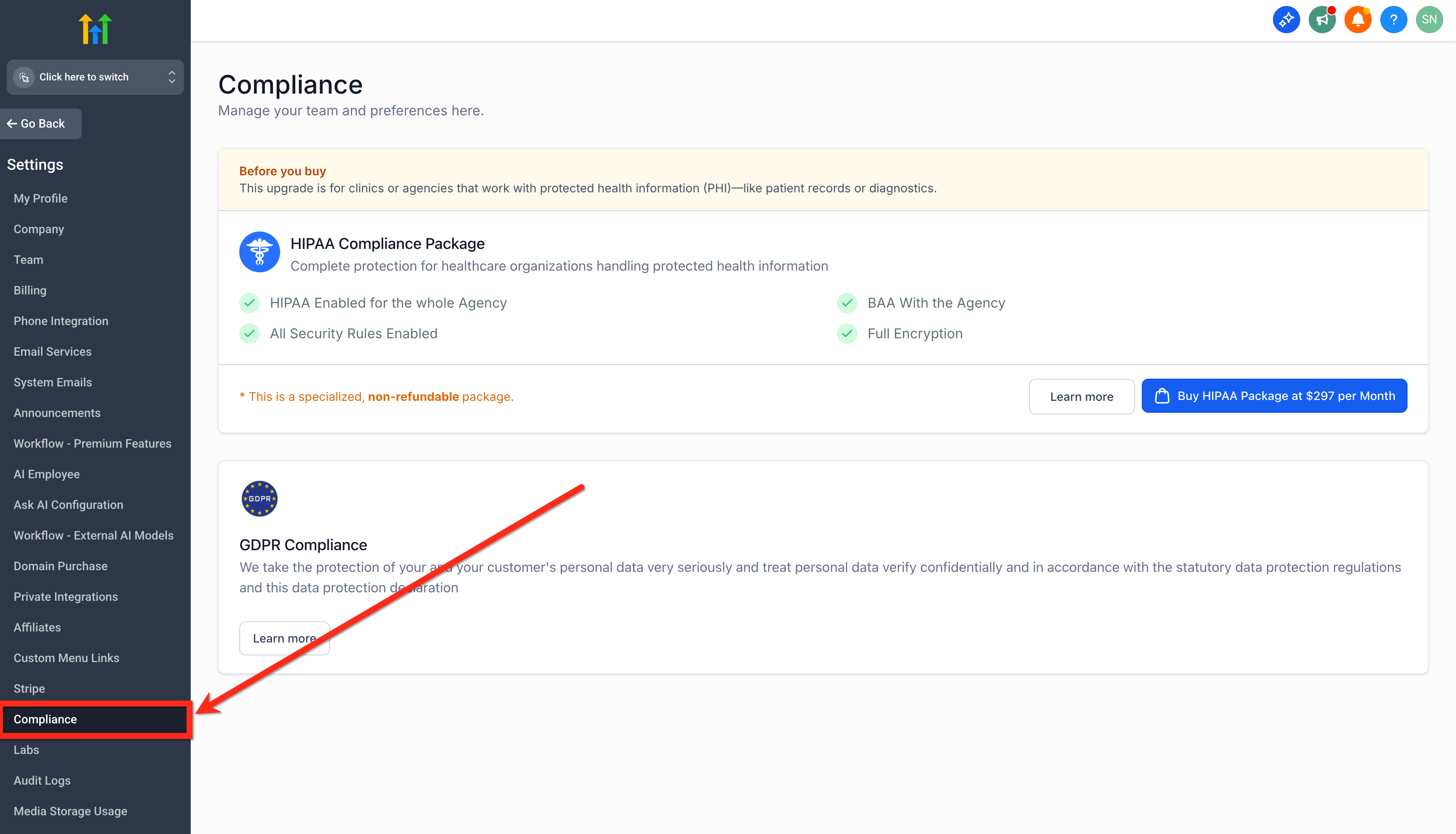
Start 30-Day Free Trial →To enable HIPAA compliance for your agency in GoHighLevel, go to Agency Settings → Compliance. This process takes about 5-10 minutes to complete the subscription and Business Associate Agreement (BAA) signing. You must then enable it for each relevant sub-account that handles Protected Health Information (PHI).
- ✓HIPAA compliance is a permanent activation once enabled at the agency level and cannot be canceled or refunded.
- ✓You must manually enable HIPAA for each individual sub-account after the agency-level package is activated and the BAA is signed.
- ✓GoHighLevel serves as a Business Associate (BA), but your agency must also maintain its own HIPAA compliance to protect client data fully.
- ✓The GoHighLevel HIPAA package includes a signed Business Associate Agreement (BAA) between your agency and GoHighLevel.
- ✓All Protected Health Information (PHI) stored within your GoHighLevel accounts is automatically encrypted at the database level.
Understanding HIPAA and GoHighLevel's Role
The Health Insurance Portability and Accountability Act (HIPAA) sets national standards to protect sensitive patient health information (PHI). For agencies serving healthcare clients, understanding and adhering to HIPAA is crucial. GoHighLevel helps you achieve compliance by offering specific safeguards and a Business Associate Agreement (BAA). In the context of GoHighLevel, your healthcare client (the 'Practice') is generally considered the 'HIPAA-covered entity.' Your agency, and GoHighLevel itself, are both designated as 'HIPAA Business Associates.' This means both your agency and GoHighLevel must protect PHI according to HIPAA's Privacy and Security Rules. GoHighLevel has partnered with The Compliancy Group to ensure its platform meets these strict requirements.
✅ IMPORTANT: Agencies on any paid GoHighLevel plan (Starter, Unlimited, Pro, Agency Pro, or SaaS plans) can subscribe to the HIPAA compliance package.
Key Components of the GoHighLevel HIPAA Compliance Package
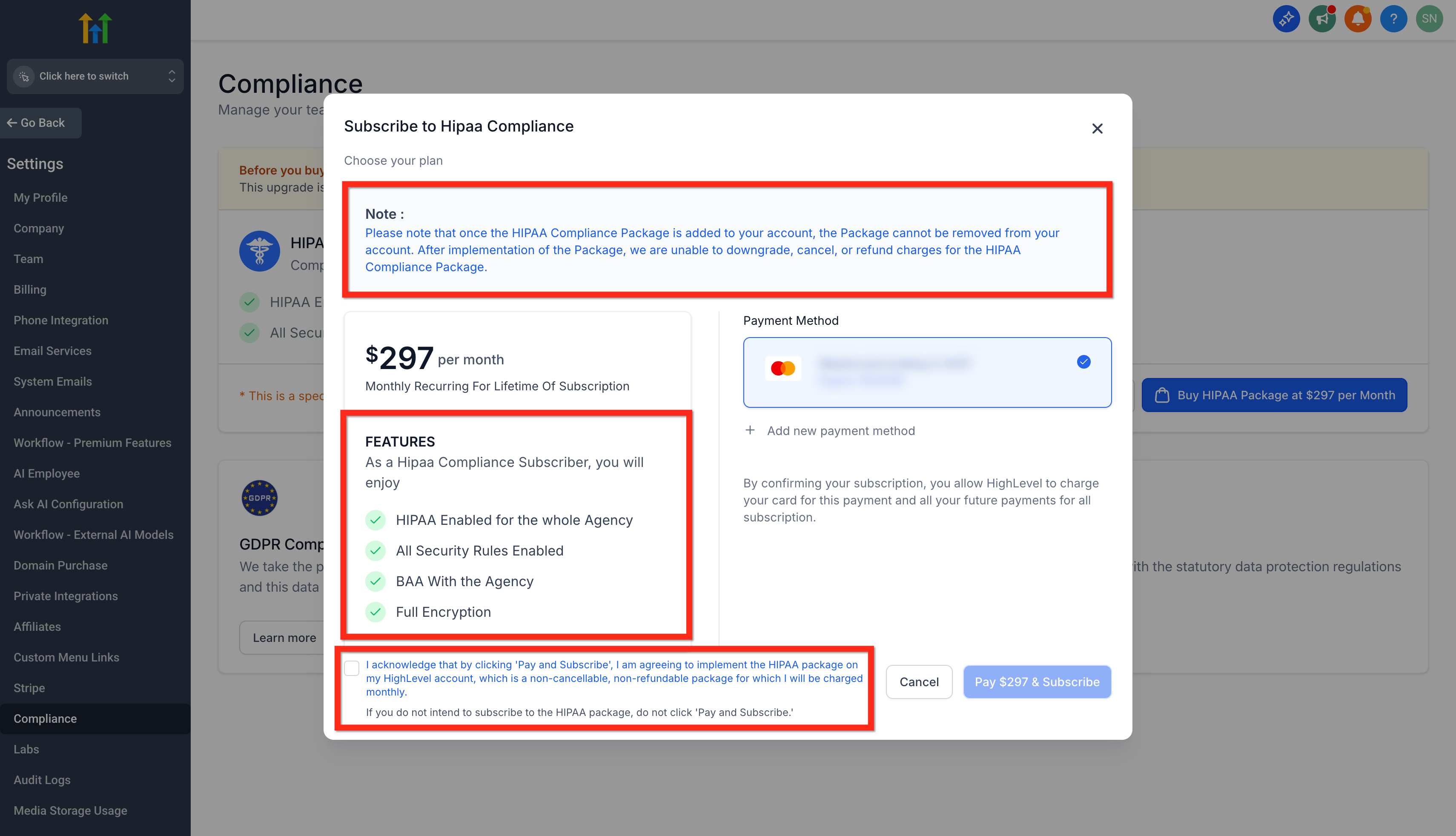
The GoHighLevel HIPAA compliance package provides essential tools and agreements to help your agency meet regulatory standards when handling Protected Health Information (PHI). This package safeguards your entire agency and provides critical documentation. Once activated, the HIPAA safeguards apply agency-wide, protecting all data within your GoHighLevel environment. You receive a signed Business Associate Agreement (BAA) directly from GoHighLevel, outlining shared responsibilities for PHI protection. The platform also includes explicit consent confirmations during checkout to ensure intentional activation and transparent pricing.
⚠️ The HIPAA compliance package is a permanent activation. Once enabled, it cannot be canceled, refunded, removed, or downgraded.
GoHighLevel's database automatically encrypts all data at rest using 256-bit Advanced Encryption Standard. This happens without any setup required from you, ensuring your client's PHI is secure by default.
Subscribing to the HIPAA Compliance Package
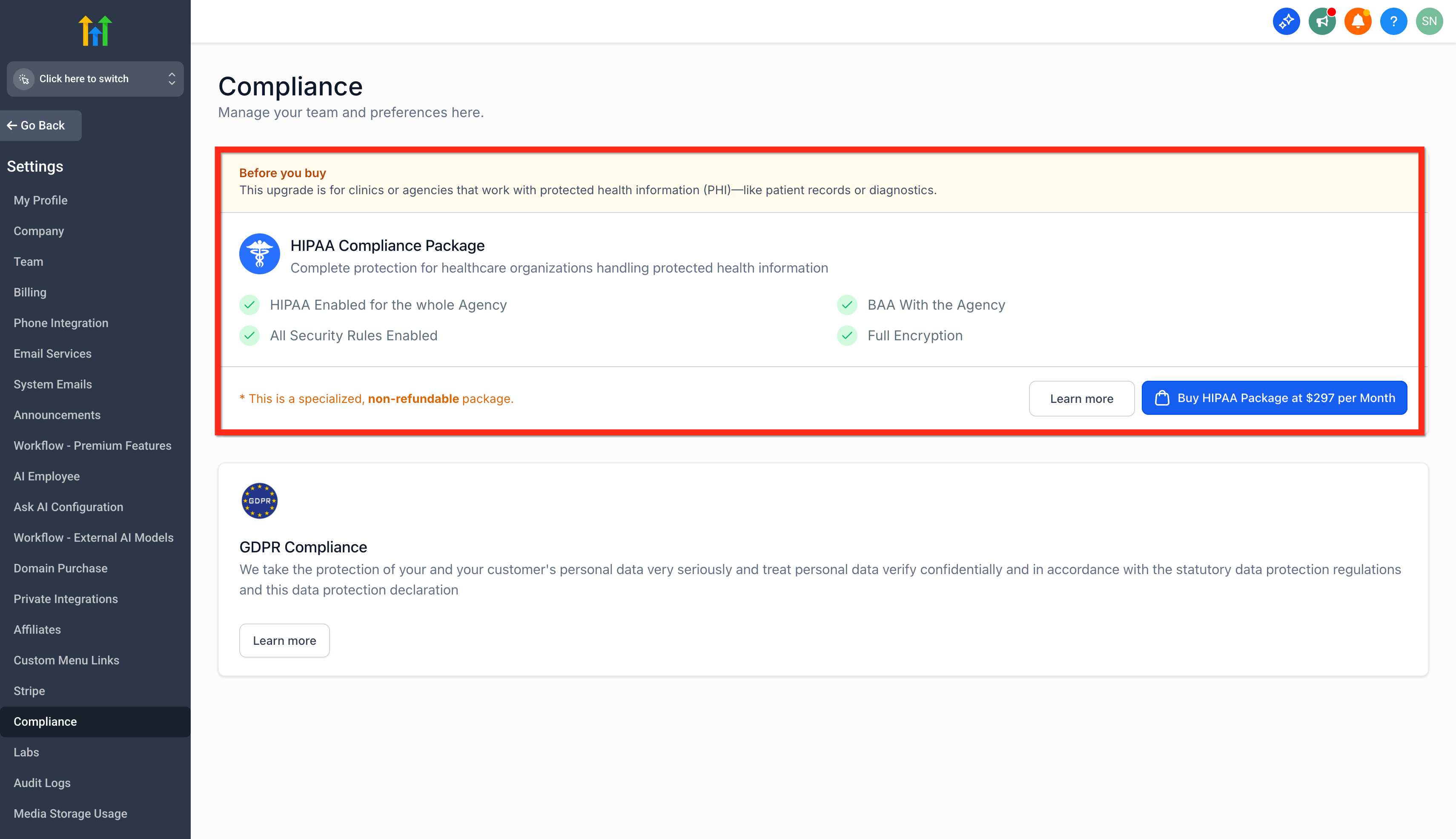
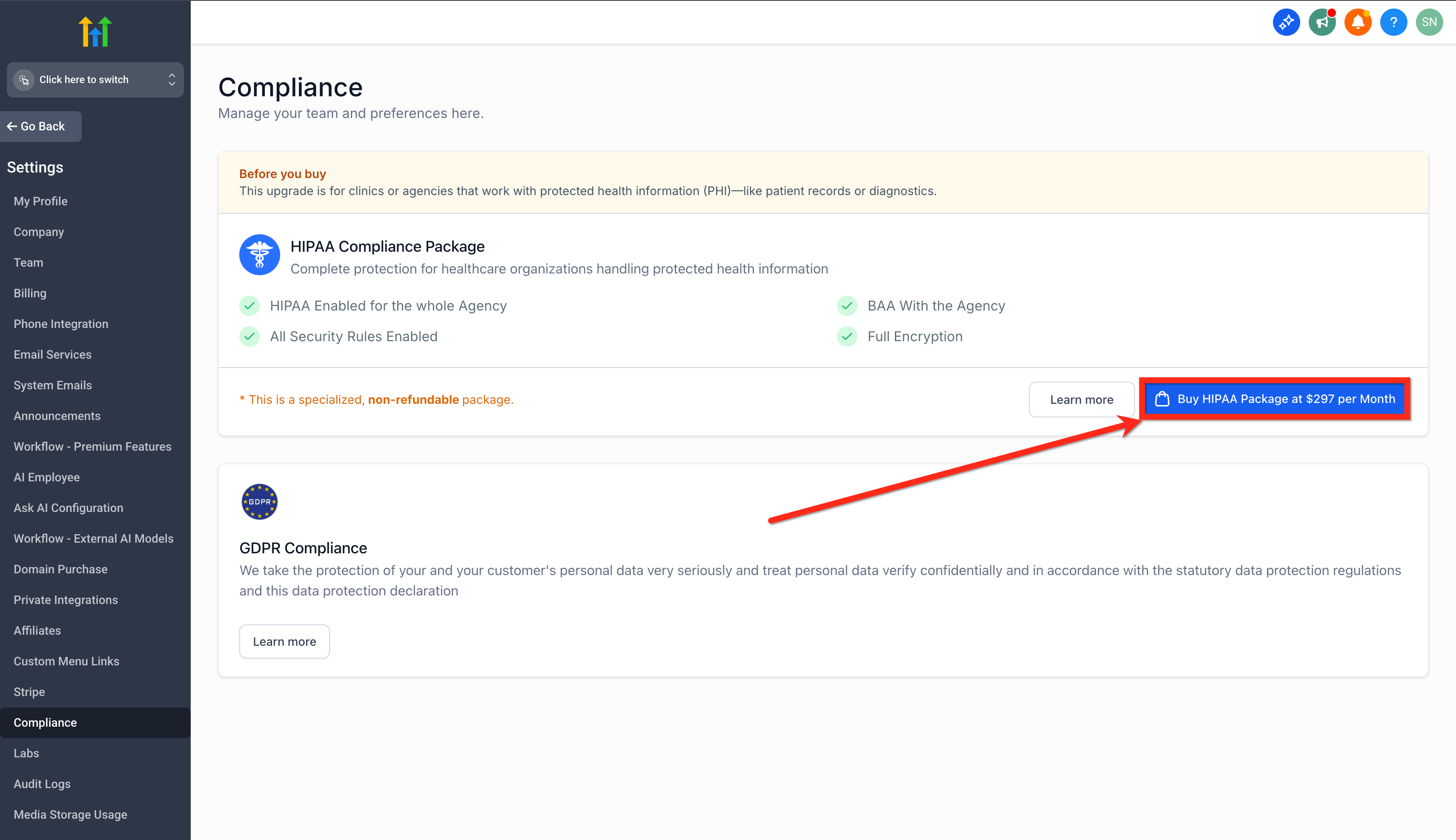
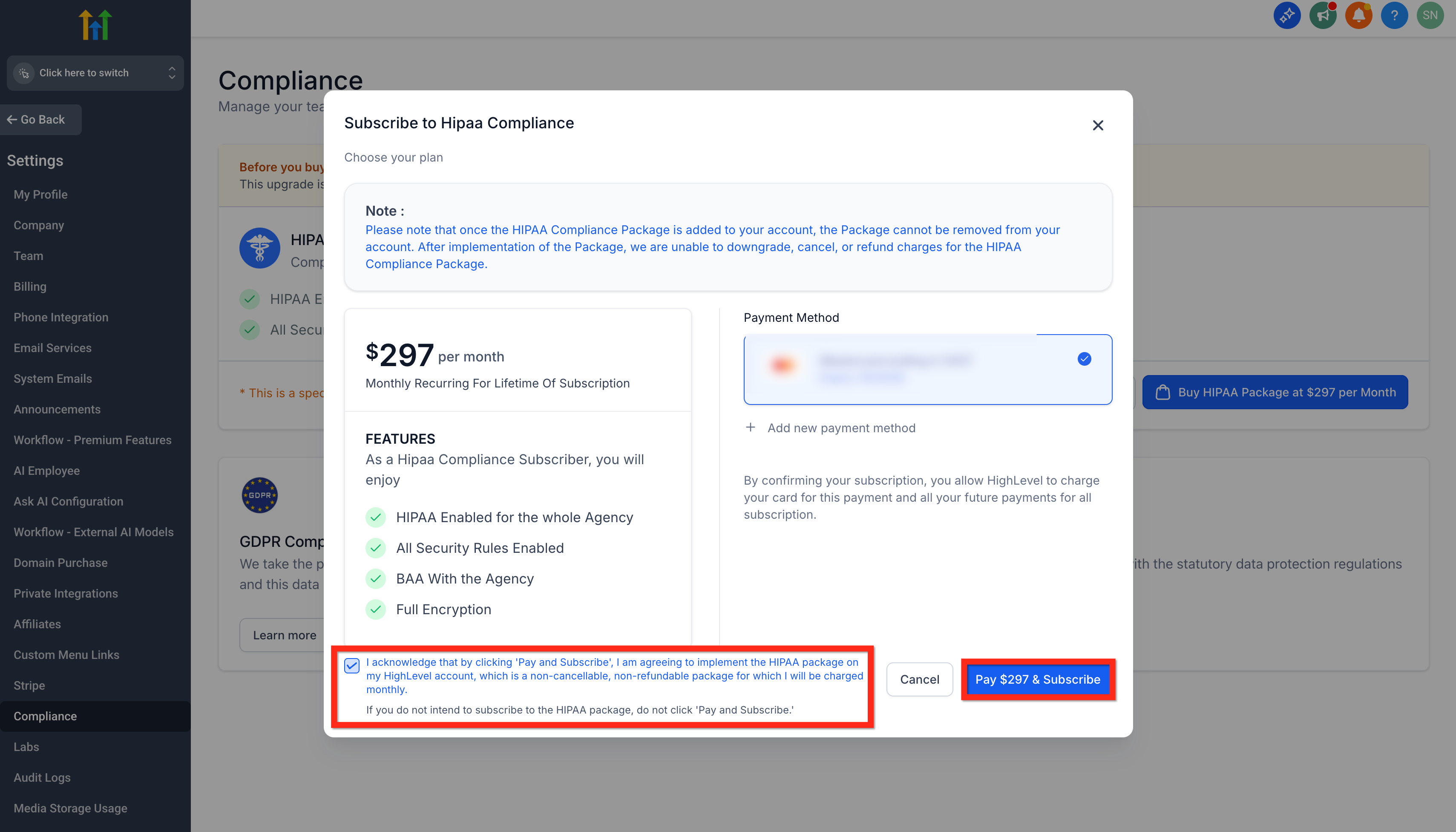
Activating HIPAA compliance for your agency in GoHighLevel is a straightforward process. You will subscribe to the package within your agency settings, review the terms, and complete the payment. This action enables the foundational HIPAA protections for your entire agency account.
⚠️ Once subscribed, the HIPAA compliance package is permanent for your agency. It cannot be canceled, refunded, removed, or downgraded, even if you change your mind later.
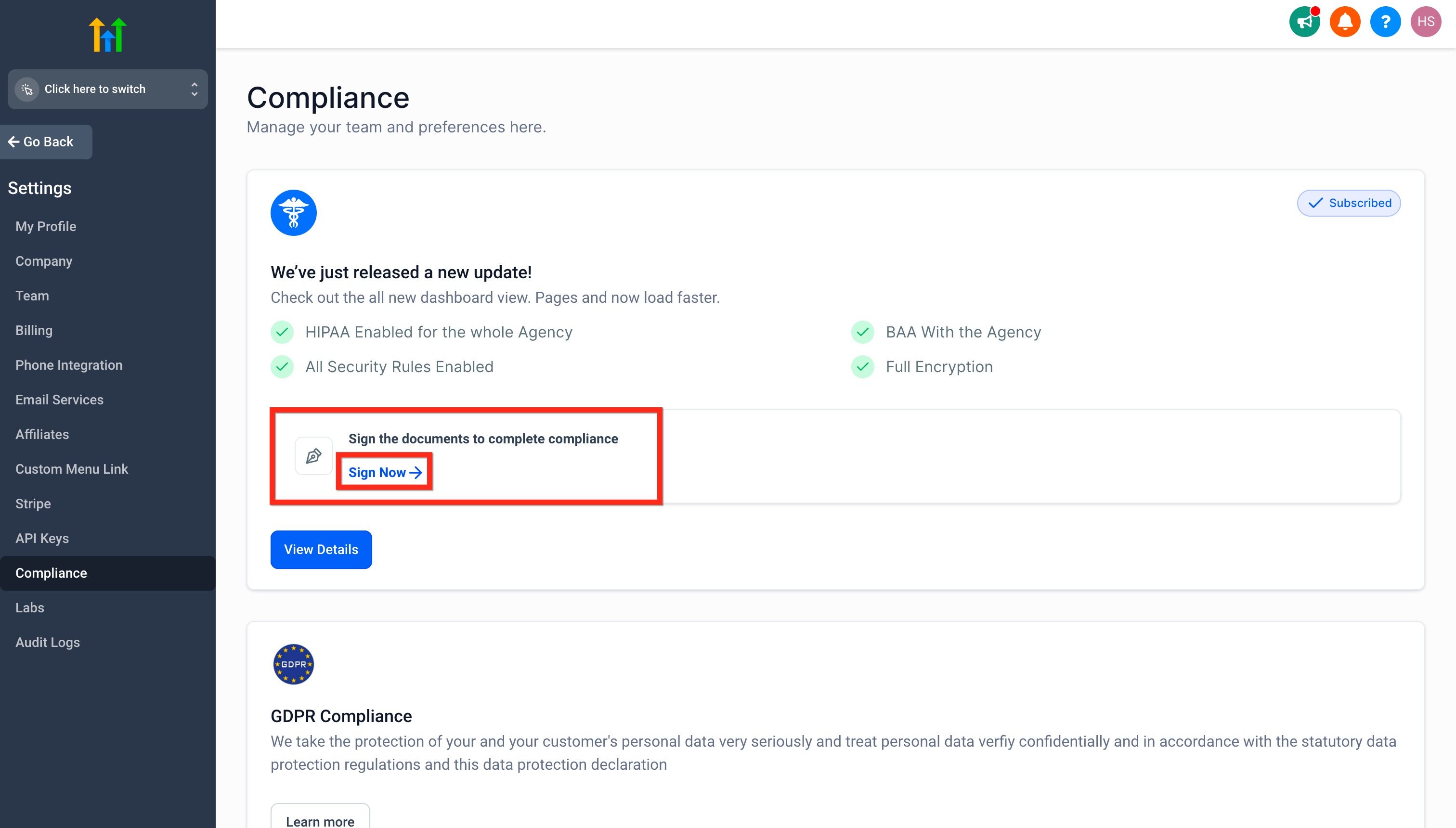
✅ Your Business Associate Agreement (BAA) will be automatically generated and signed digitally as part of this subscription process. No separate signing step is required immediately after payment.
Start your 30-day GoHighLevel free trial
Everything in this guide is in your free trial. 30 days, no credit card — the platform behind 78+ revenue systems.
Some links are affiliate links — if you sign up we may earn a commission, at no extra cost to you. We only recommend GoHighLevel because we build on it every day.
Activating HIPAA for Individual Sub-Accounts
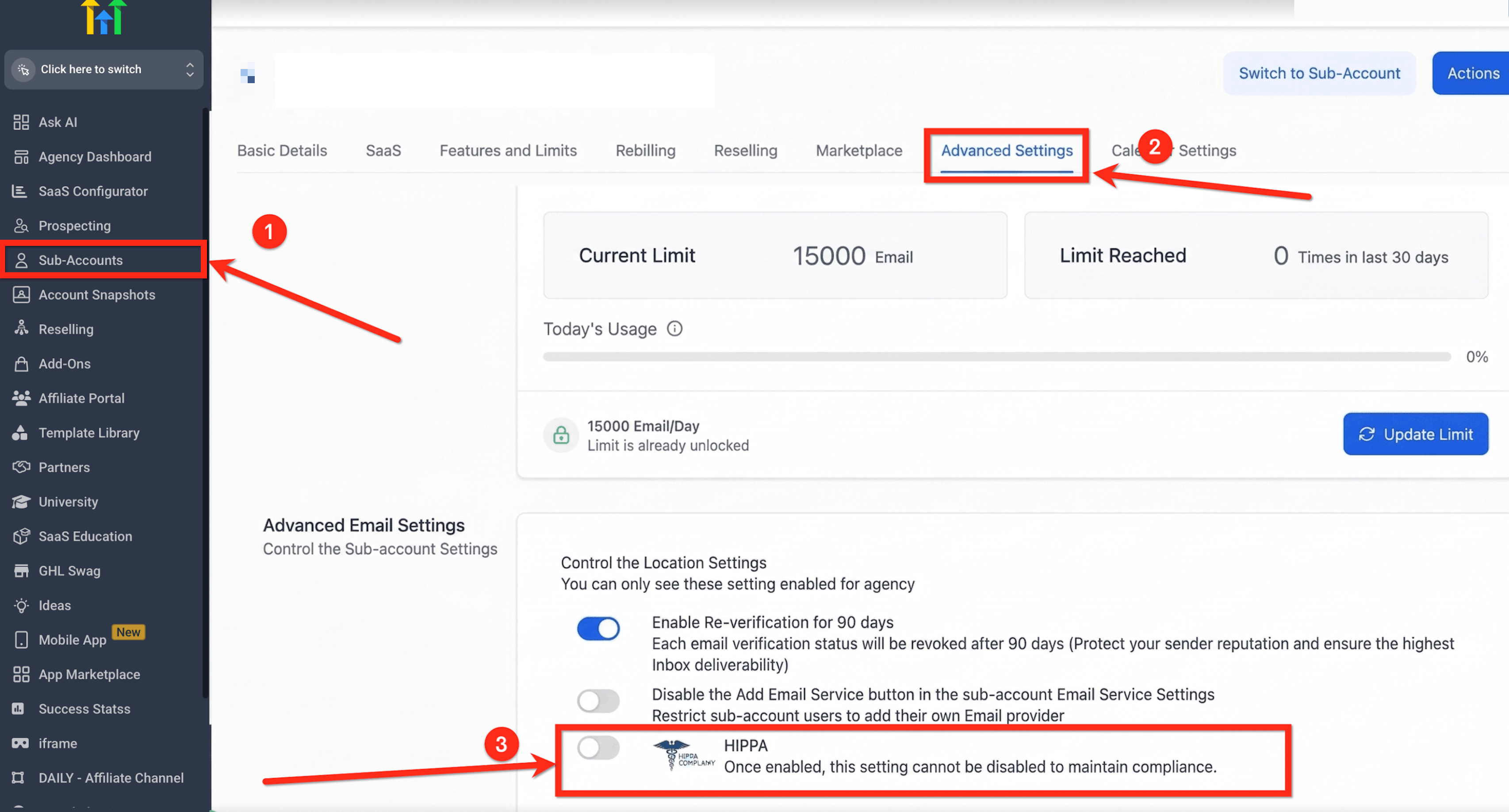
After subscribing to the HIPAA compliance package at the agency level and signing the Business Associate Agreement (BAA), you must complete a critical final step: enabling HIPAA for each specific sub-account that will handle Protected Health Information (PHI). This ensures that each location's data benefits from the enhanced security and compliance measures.
⚠️ Once you enable the HIPAA toggle for a sub-account, this setting cannot be turned off. This permanence protects PHI data, as it cannot be 'un-encrypted' or reverted.
Perform a regular audit of your sub-accounts to ensure all locations handling PHI have the HIPAA toggle enabled. This proactive approach helps maintain continuous compliance.
Viewing and Downloading Your Signed BAA
After subscribing to the HIPAA package, your signed Business Associate Agreement (BAA) is securely stored within GoHighLevel. You can easily access, view, and download this crucial legal document directly from your agency settings whenever you need it.
✅ All HIPAA-related documents, including your signed BAA, are generated and stored directly within GoHighLevel’s Documents & Contracts system. This streamlines management and eliminates the need for external tools like PandaDoc.
Troubleshooting Common Issues
Common Mistakes to Avoid
- →Forgetting to enable the HIPAA toggle for *each* individual sub-account that handles PHI, assuming agency-level activation covers all.
- →Not fully understanding that the HIPAA compliance subscription is permanent and non-refundable once activated.
- →Skipping the detailed review of the 'Before You Buy' information and acknowledgment terms during the subscription process.
- →Attempting to use HIPAA-specific features or claim compliance without a signed Business Associate Agreement (BAA) in place.
- →Confusing GoHighLevel's role as a Business Associate with your agency's independent responsibility to maintain its own HIPAA compliance.
Frequently Asked Questions
Start your 30-day GoHighLevel free trial
Everything in this guide is in your free trial. 30 days, no credit card — the platform behind 78+ revenue systems.
Some links are affiliate links — if you sign up we may earn a commission, at no extra cost to you. We only recommend GoHighLevel because we build on it every day.

Arsalan writes GHL guides from real build experience — 78+ systems, $9.2M in client pipeline. Wharton, CXL & Google certified.
Connect on LinkedIn