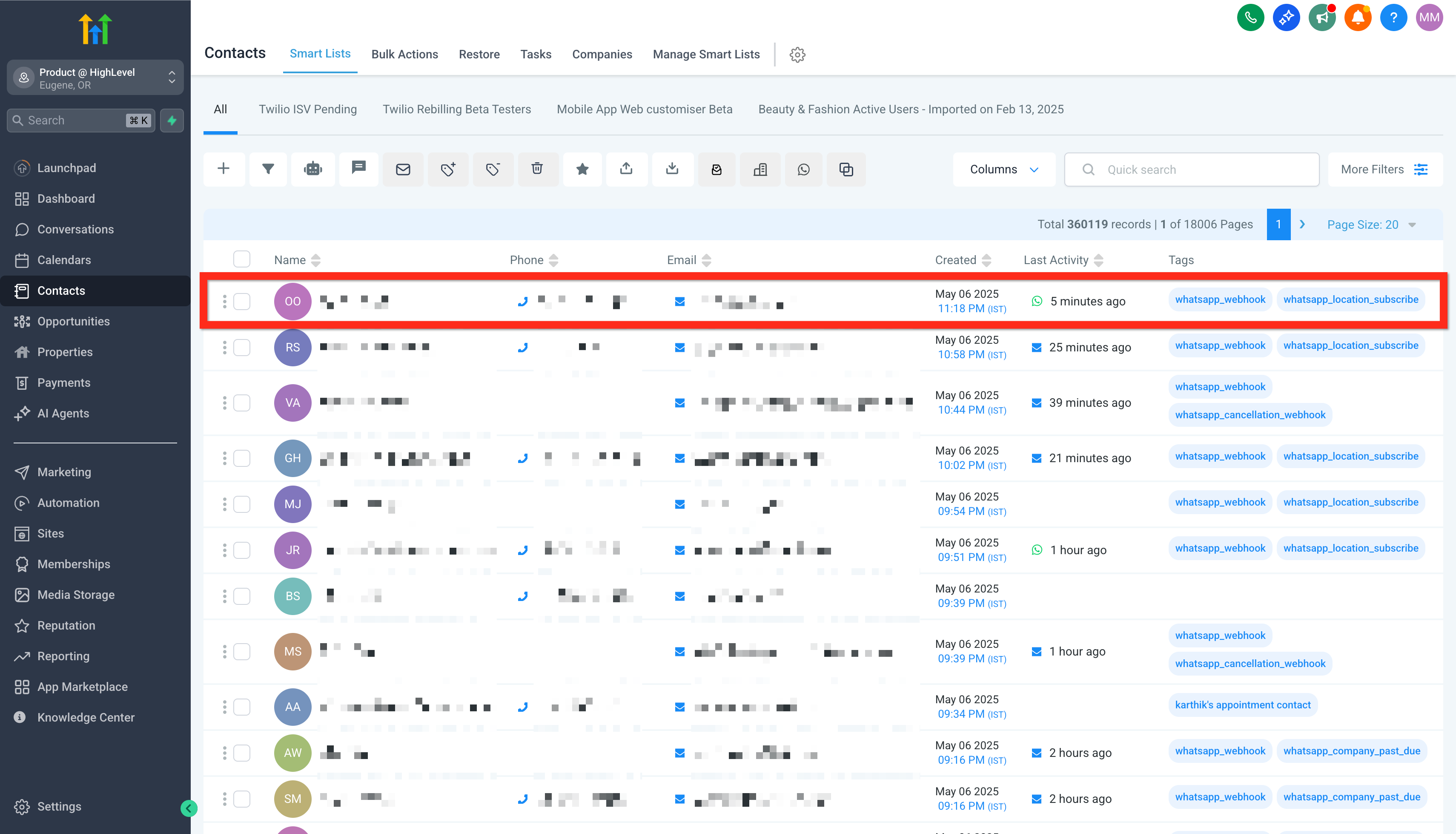
Let\'s dive right in by adding your very first contact. Establishing your network starts with this simple step:
Create New Contact
Let\'s dive right in by adding your very first contact. Establishing your network starts with this simple step:
Navigate to Contacts in the main menu.
01
Navigate to Contacts in the main menu.
02
Click the Add Contact button.
03
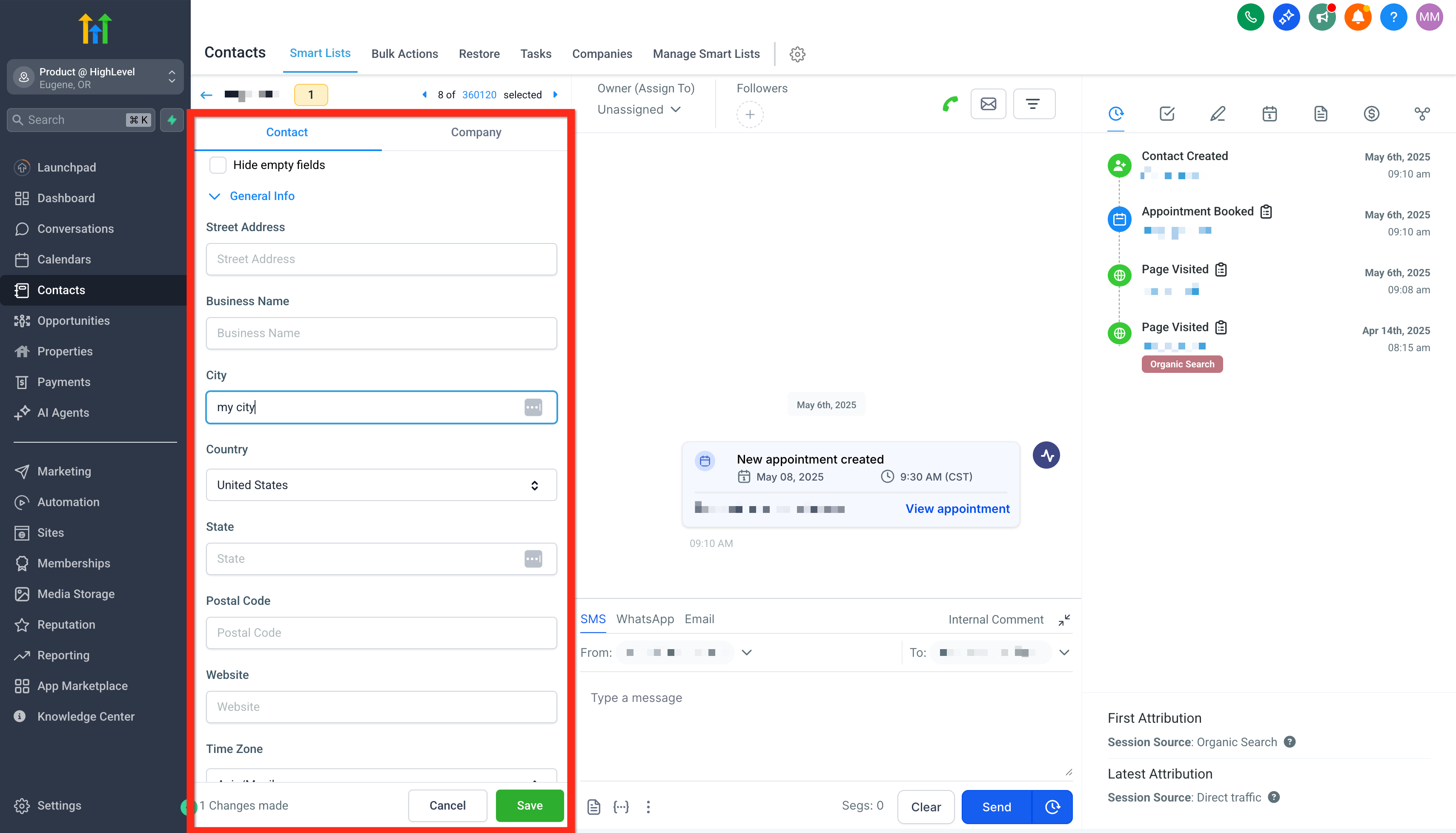
Enter the contact details (name, email, phone, etc.). Remember, the more info...
Enter the contact details (name, email, phone, etc.). Remember, the more information you provide, the easier it will be to personalize your engagements. If you don't see the contact field you need to add information to, use the Create New Custom Field checklist.
04
Click Save .
GoHighLevel screenshotGoHighLevel screenshot
✅ When a Form or Survey is filled out by a new lead, a new contact is automatically created!
Edit Existing Contact
Keep your contact information current and accurate. Editing contacts is quick and straightforward, ensuring your data stays up-to-date:
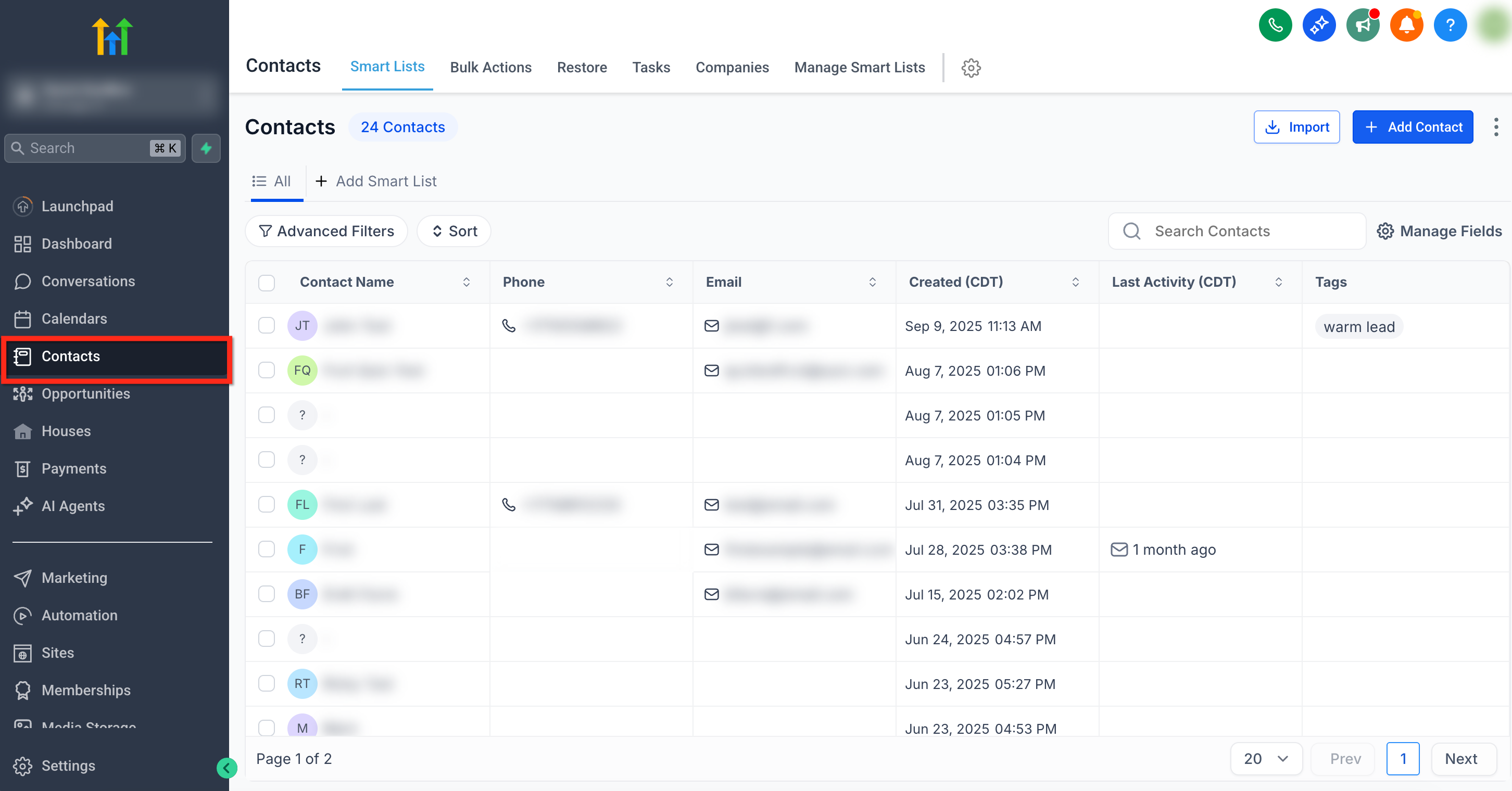
Navigate to Contacts .
01
Navigate to Contacts .
02
Click on a contact row to open the contact card you wish to edit.
GoHighLevel screenshot
Delete an Existing Contact
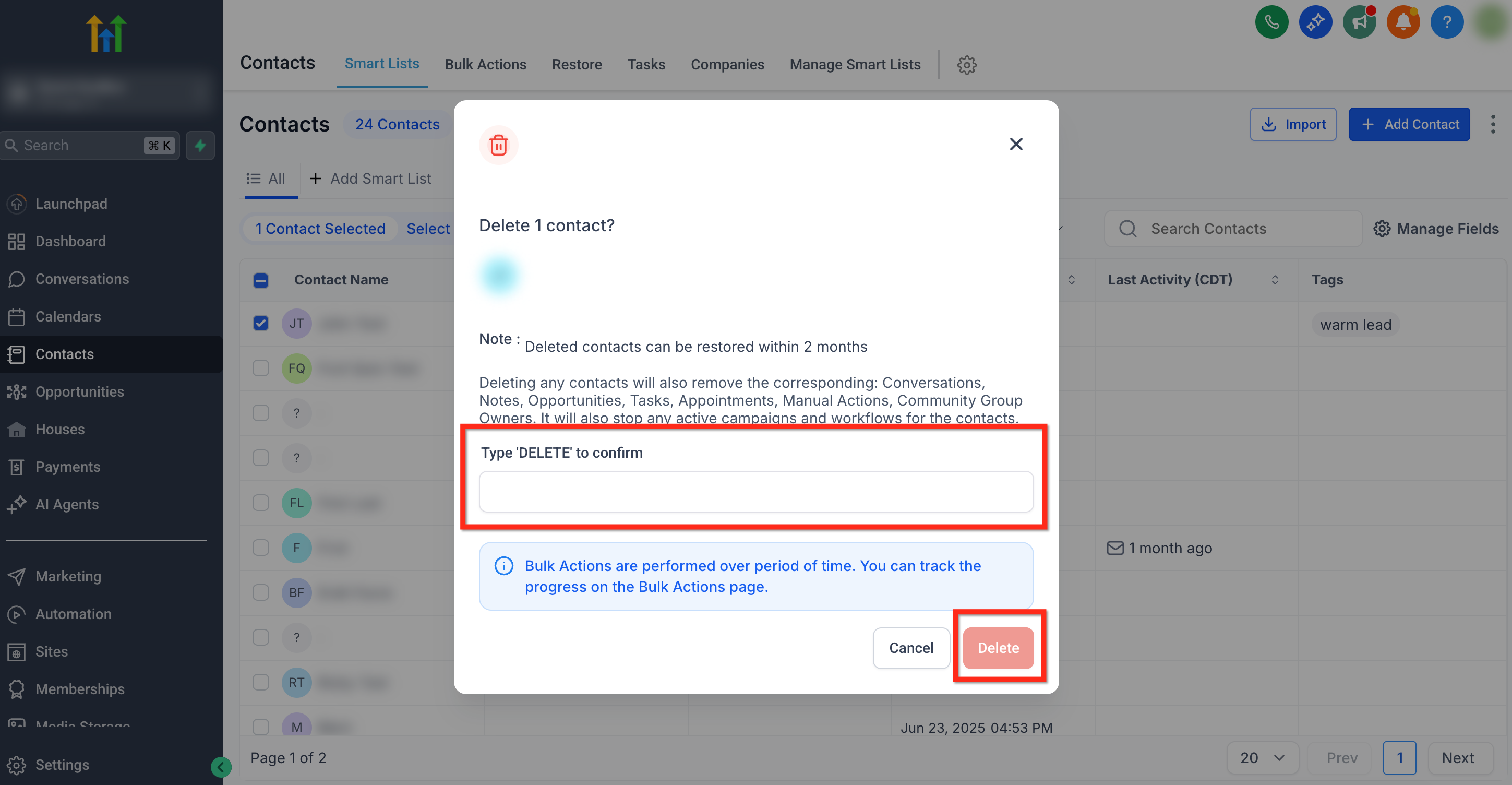
Deleting any contacts will also remove the corresponding: Conversations, Notes, Opportunities, Tasks, Appointments, Manual Actions, Community Group Owners. It will also stop any active campaigns and workflows for the contacts. Deleted contacts can be restored within 2 months
Follow these steps to delete a contact:
01
Navigate to Contacts in the main menu.
02
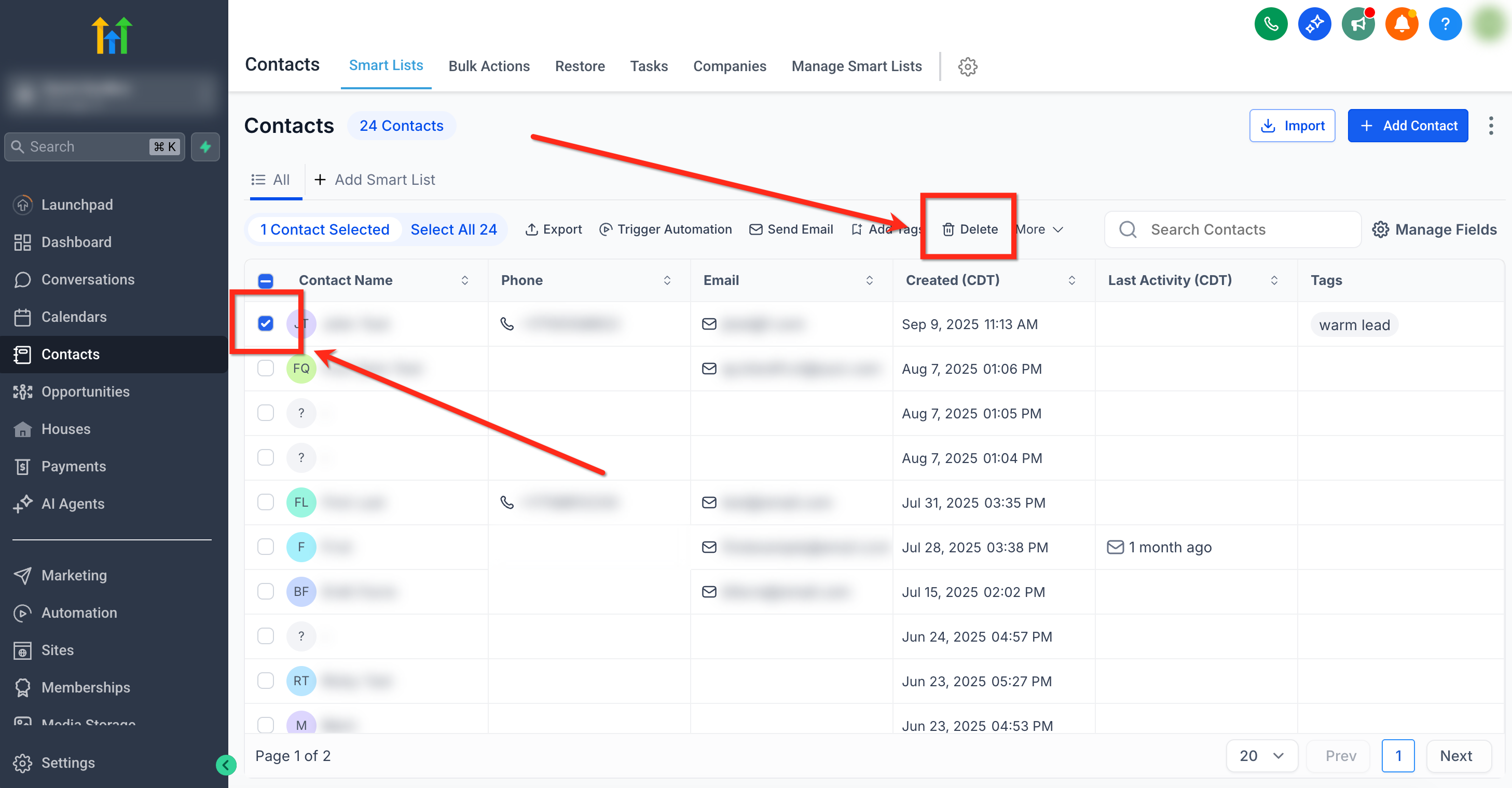
Select the contact you would like to delete using the checkbox to the left of...
Select the contact you would like to delete using the checkbox to the left of the name. Then click the Delete button
03
Confirm for action by typing DELETE in the popup window. Then click the Delet...
Confirm for action by typing DELETE in the popup window. Then click the Delete button.
GoHighLevel screenshotGoHighLevel screenshot
Create New Custom Fields
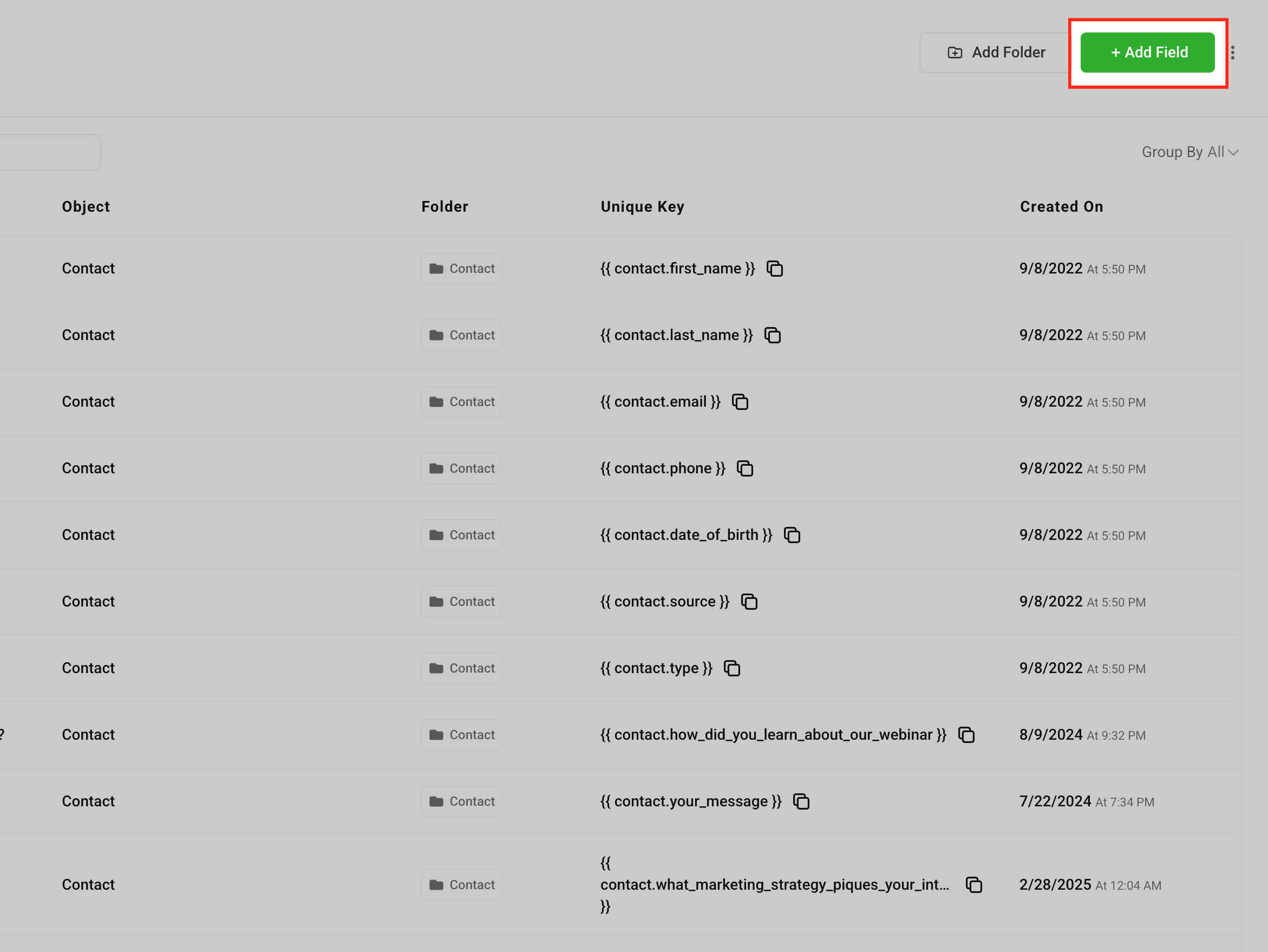
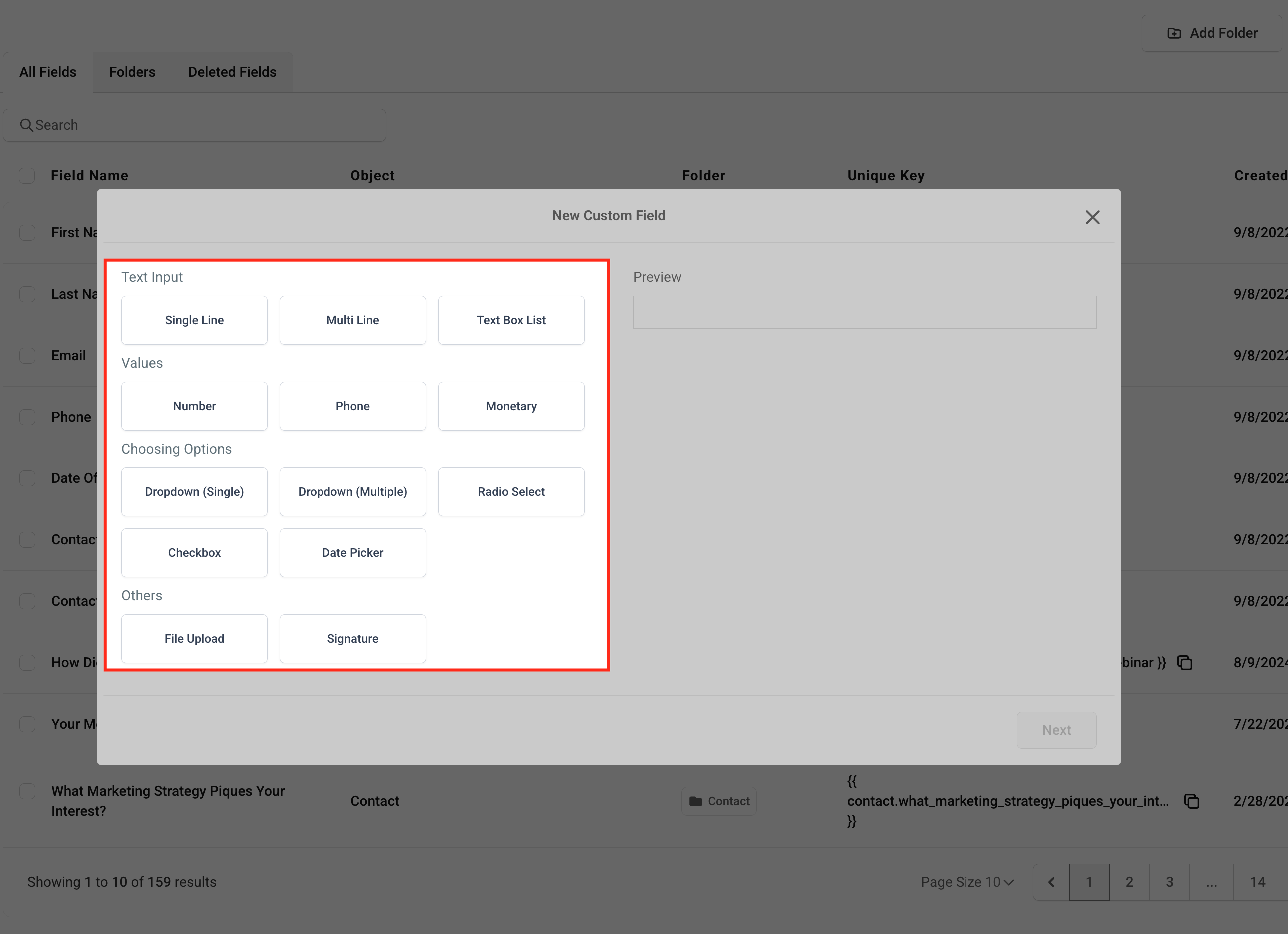
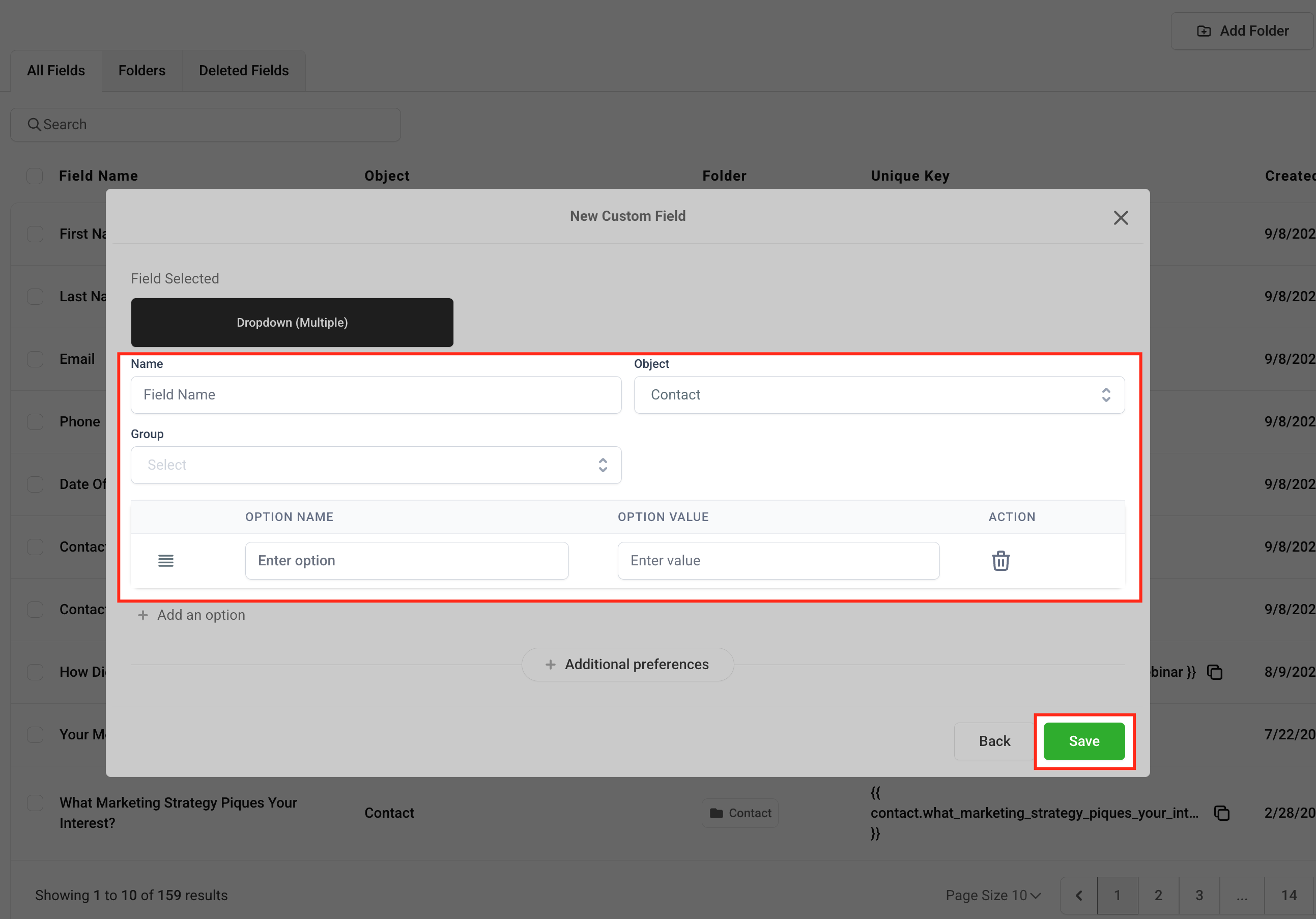
Custom fields allow you to tailor your contact database to fit your specific business requirements. Easily track the data that\'s most important to you and your team:
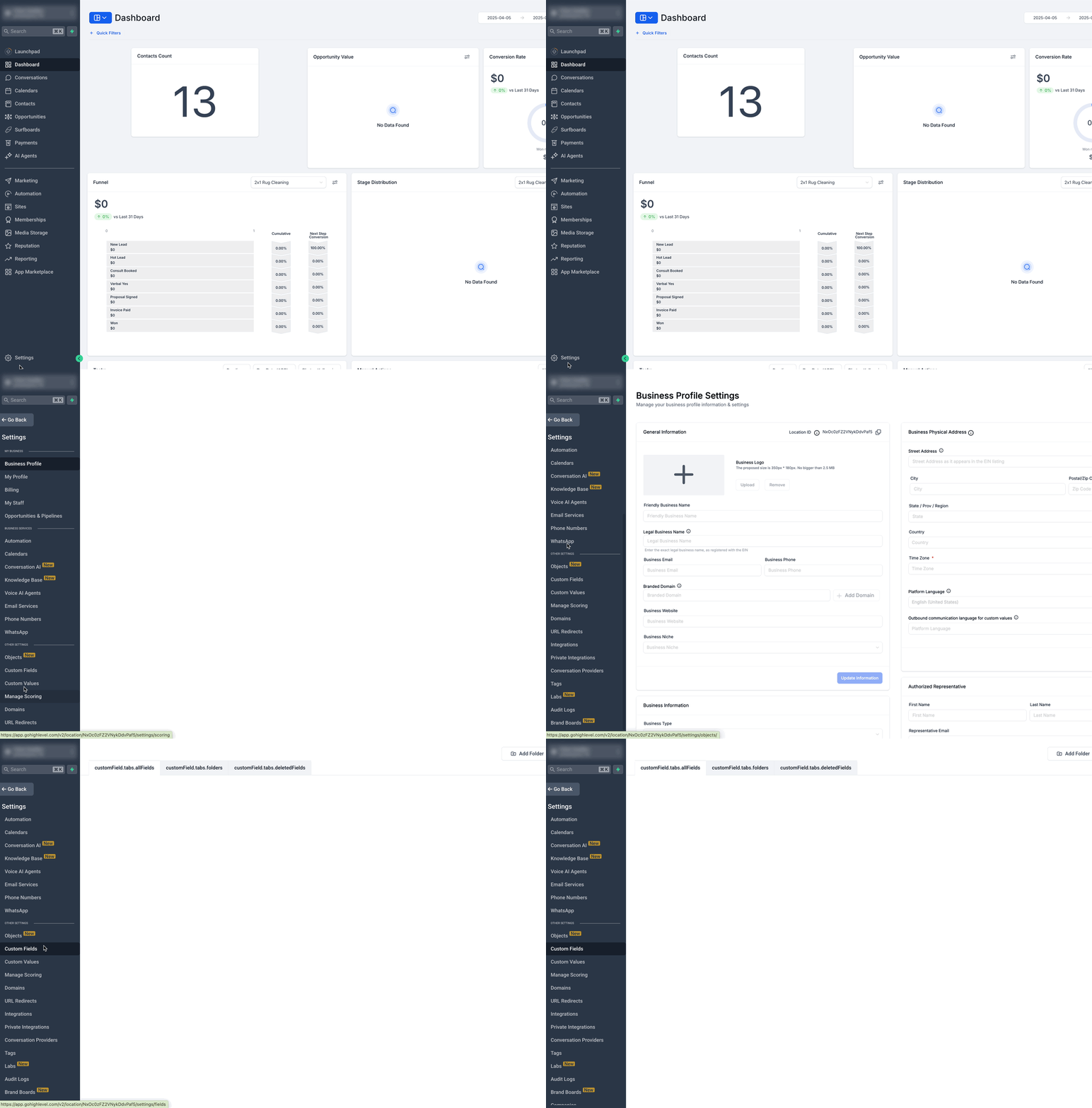
Navigate to Settings > Custom Fields .
01
Navigate to Settings > Custom Fields .
GoHighLevel screenshot
Articles in this Folder
01
Getting Started - Create New Contact
02
Getting Started - Import Existing Contacts
03
Getting Started - Launch A Funnel
04
Getting Started - Setup Email, Phone, and SMS
05
Getting Started - Launch an Email Campaign
06
Getting Started - Automatic Email and SMS Followup
GoHighLevel screenshotGoHighLevel screenshot
Related Articles
01
Getting Started with Workflows
02
Getting Started with Companies
03
Contacts - Export as CSV Upgrade
04
Workflow Action - Split
05
Company Object Feature: A Manual Way to Organize Contacts
QIs this feature available on all GoHighLevel plans?
Yes. Getting Started - Create New Contact is available across all GoHighLevel plans including the Starter, Pro, and Agency tiers.
QWhere can I find this in GoHighLevel?
You can access this feature from the main left-hand navigation menu in your GoHighLevel sub-account.
QCan I automate this in GoHighLevel workflows?
Yes. GoHighLevel workflows can trigger actions and branch conditions based on this feature. See our Automation & Workflows guide for details.
Arsalan Zaffar
Founder, Revset Labs · Revenue Engineering
Arsalan is the founder of Revset Labs, which builds autonomous revenue systems using GoHighLevel, behavioural science, and AI automation. He has built 78+ GHL systems, generated $9.2M in client pipeline, and holds certifications from Wharton, CXL Institute, and Google.
NeuromarketerGrowth StrategistGHL Expert78+ Systems BuiltWharton Certified