
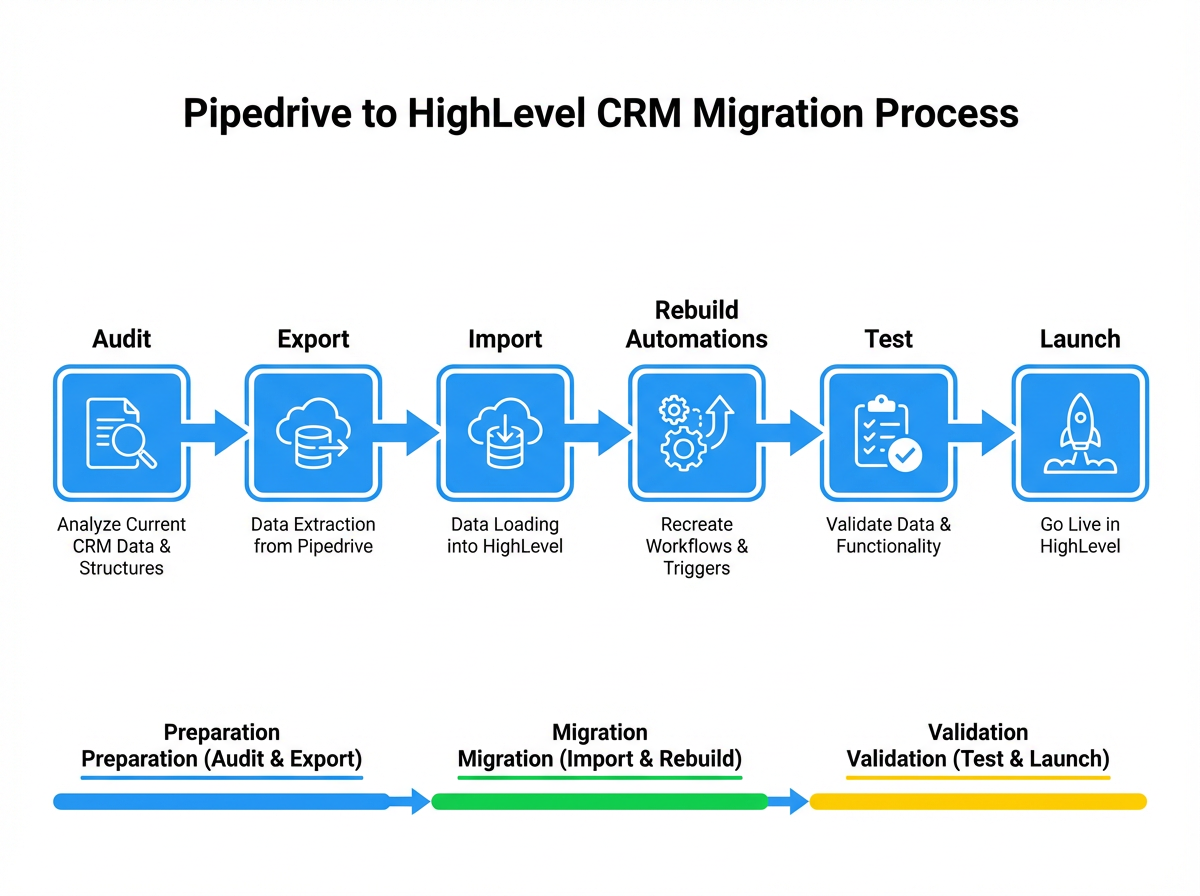

Who this Pipedrive → HighLevel migration guide is for
If you’re currently running your sales process out of Pipedrive and you’re ready for more automation, native email/SMS, and funnel tools, moving to HighLevel is a smart step. This guide walks you through a practical, low‑risk migration so you can keep deals moving while you upgrade your CRM.
Throughout the guide you’ll see how to:
- Audit your existing Pipedrive setup so nothing critical is lost
- Move contacts, deals, activities, and documents into HighLevel
- Rebuild pipelines and automations using HighLevel’s Workflows
- Test, train your team, and safely decommission Pipedrive
If you don’t yet have a HighLevel account, you can start a free trial here so you can follow along:
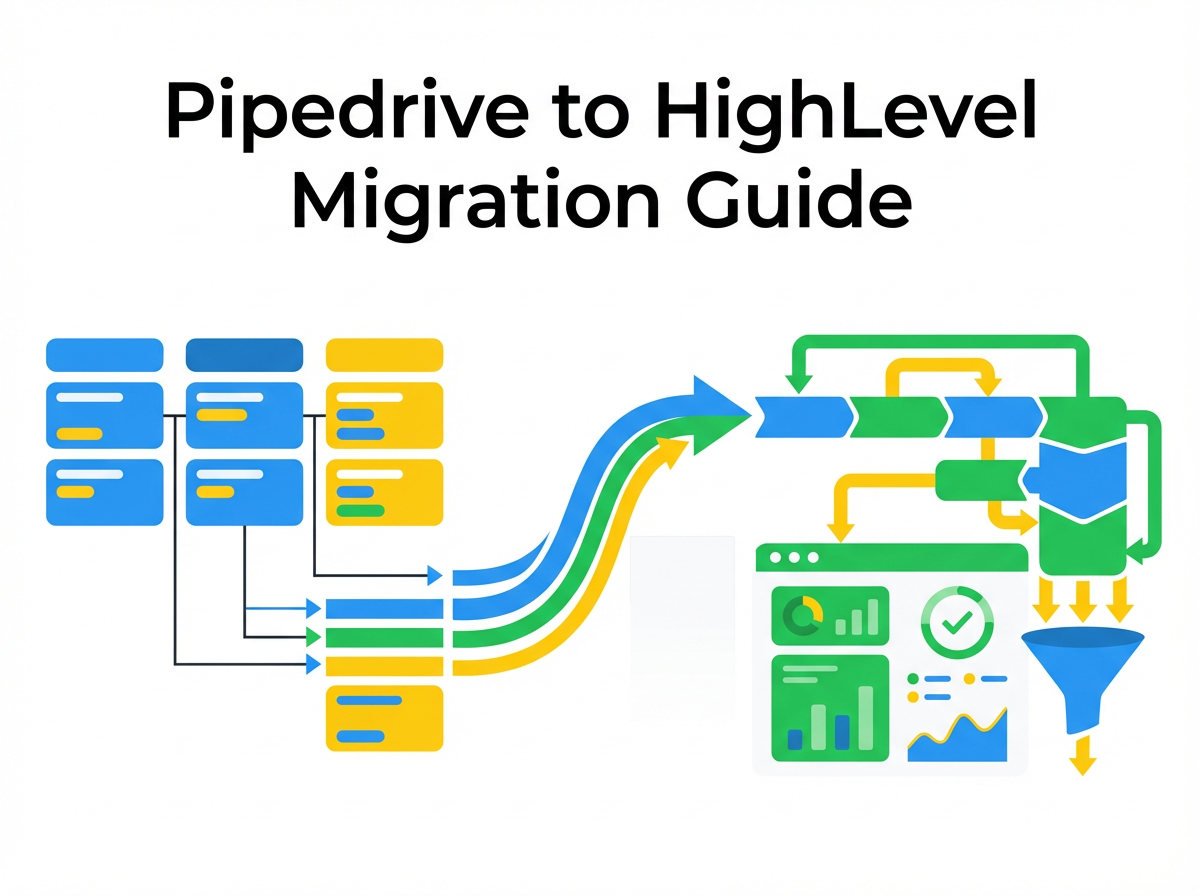
Why move from Pipedrive to HighLevel?
Pipedrive is great for visual deal tracking, but growing teams often hit limits around automation and integrated marketing. HighLevel gives you:
- All‑in‑one revenue stack – CRM, pipelines, funnels, email, SMS, calendars, reputation, and reporting in one place.
- Powerful automations – Visual Workflows that can react to pipeline changes, form fills, payments, and more.
- Native marketing tools – Funnels, websites, memberships, email campaigns, and SMS without duct‑taping extra tools.
- Better visibility for owners – Pipelines, conversion rates, and campaign performance in a single dashboard.
Migrating the right way means you:
- Keep historical data for clean reporting
- Maintain or improve follow‑up speed
- Avoid downtime where leads “fall between systems”
Revset Labs specializes in building AI‑driven automations and funnel systems on HighLevel. If at any point this guide feels like more than your team can tackle in‑house, you can follow the steps below and then bring us in to tighten, scale, and automate.
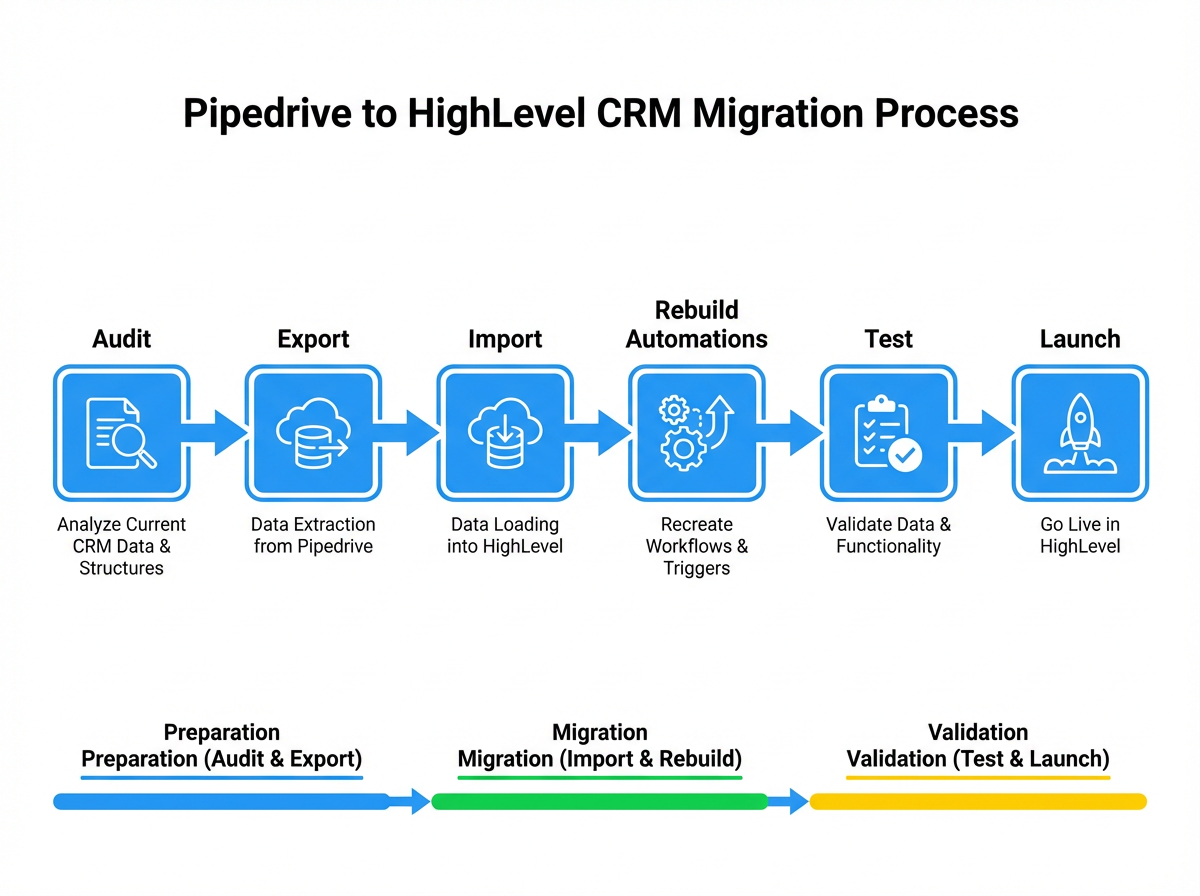
Step 1: Prepare your Pipedrive → HighLevel migration
The more intentional your prep, the smoother the cut‑over.
1. Review your current Pipedrive setup
Start with an honest inventory of what you’re running today:
- Pipelines & stages – List every pipeline and its stages. Note which ones are truly used versus legacy.
- Deals – Count open vs. closed deals and identify which stages represent active sales conversations.
- Contacts – Segment by customers, open opportunities, and cold/unengaged records.
- Custom fields – Document custom fields on people, organizations, and deals that you actually rely on.
- Activities & notes – Understand how heavily your team uses tasks, activities, and notes.
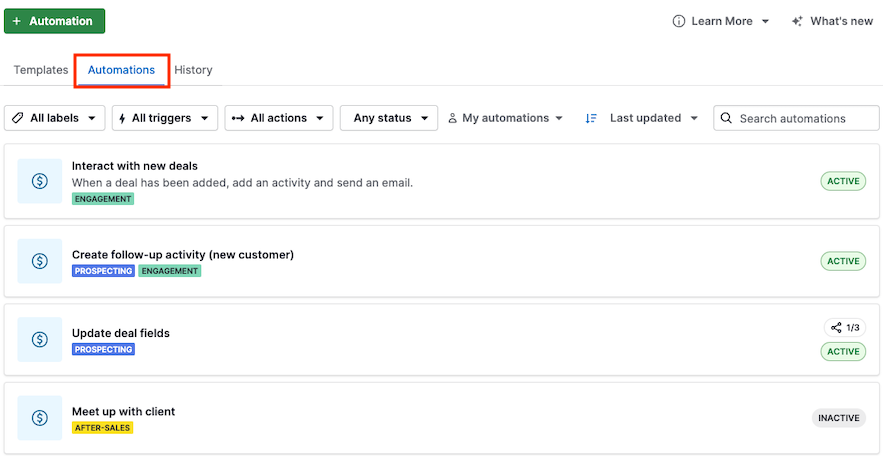
- Automations – List all Pipedrive workflows (triggers, filters, and actions).
Anything you don’t document here is at risk of being dropped during migration.
2. Define migration objectives
Clarify why you’re moving and what success looks like:
- Do you want faster follow‑up with leads?
- Do you need multi‑channel automation (email + SMS + pipelines + funnels)?
- Are you consolidating tools to cut software costs?
Turn this into a short migration statement, for example:
“Within 30 days we will run all new leads and deals through HighLevel, with automated email/SMS follow‑up and a single reporting dashboard, while preserving historical Pipedrive data for reporting.”
This becomes your decision filter when you’re choosing what to migrate and what to leave behind.
3. Back up Pipedrive before you touch anything
Before you do any imports into HighLevel:
- Export contacts as CSV/Excel from Contacts → People.
- Export organizations if you rely on account‑level data.
- Export deals including stages, values, owners, and associated contacts.
- Export activities & notes where possible.
- Store all exports securely in a dated folder (for example,
2026‑02‑Pipedrive‑Backup).
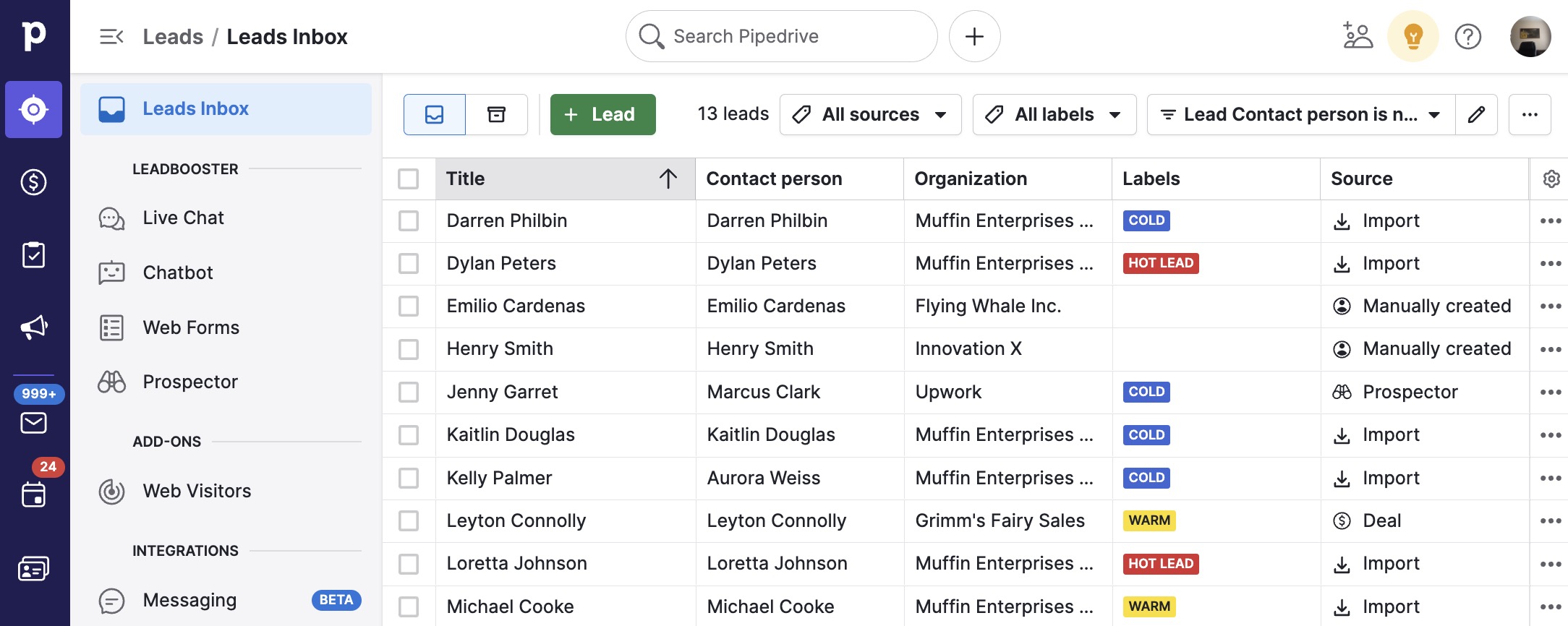
If Revset Labs is assisting with your migration, we’ll usually start here with a structured audit and backup so there’s always a clean rollback.
Step 2: Migrate your core CRM data
With your backup in place, you can start moving live data.
1. Clean your exports
Before importing anything into HighLevel:
- Remove obvious junk – test records, duplicates, and clearly invalid data.
- Normalize formats – make sure phone numbers include country codes, emails are valid, and date formats are consistent.
- Standardize key fields – for example, convert deal stages or pipeline names into a consistent naming convention.
Spending even 30–60 minutes here will save hours of cleanup later.
2. Create matching fields in HighLevel
In HighLevel:
- Go to Settings → Custom Fields and create any fields you rely on from Pipedrive (for example, industry, lead source, product interest).
- Decide which fields are required for new leads so your data quality improves over time.
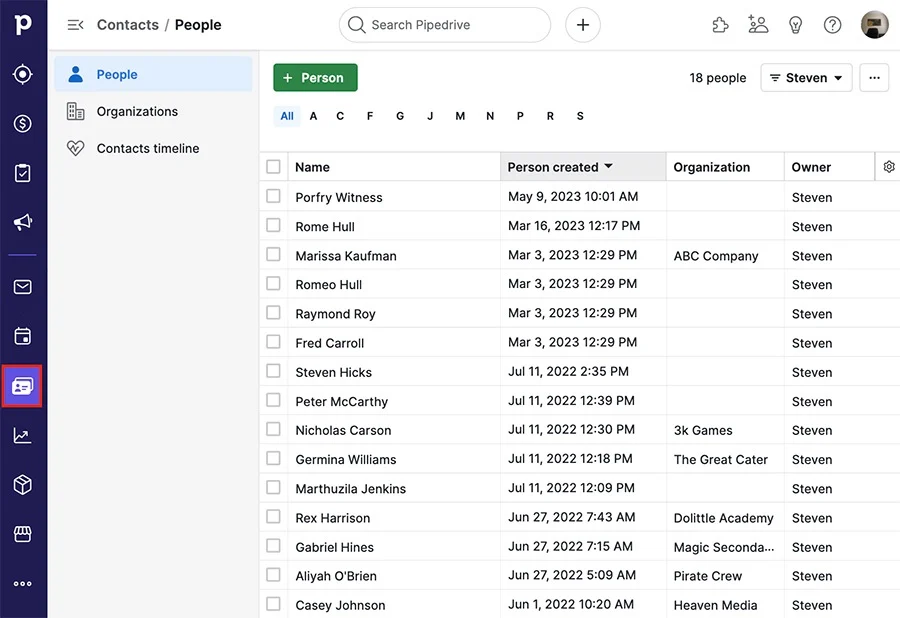
3. Import contacts into HighLevel
Now you can bring people into HighLevel:
- Navigate to Contacts → Import Contacts.
- Upload your cleaned CSVs from Pipedrive.
- Map each Pipedrive column to the correct HighLevel field.
- Tag the import (for example,
source:pipedrive‑migration) so you can easily filter or report on migrated records later.
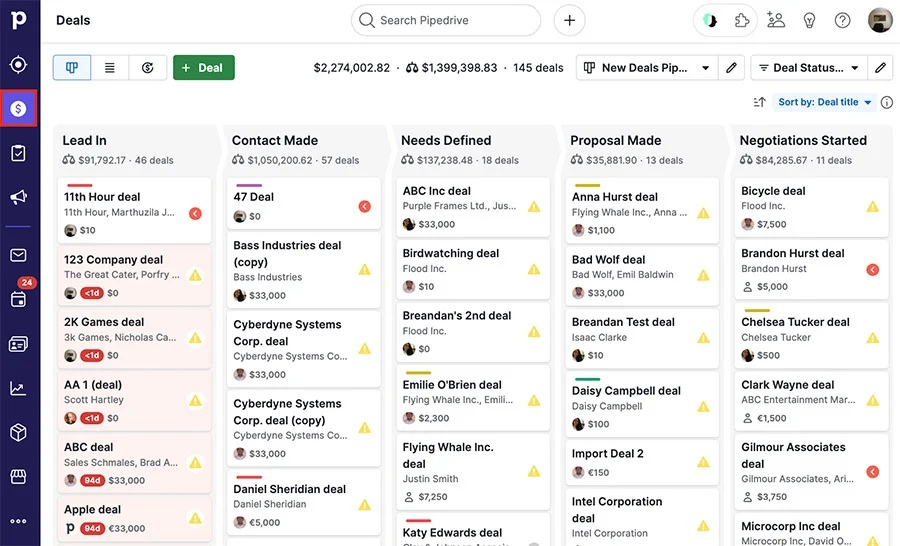
4. Recreate pipelines and import deals
HighLevel calls deals Opportunities.
- Go to Opportunities → Pipelines and recreate your active pipelines and stages.
- Decide if you want to simplify – migration is a great time to merge or rename confusing stages.
- Import deals from your Pipedrive export, mapping:
- Pipeline
- Stage
- Value
- Owner
- Associated contact
This gives your team continuity: open deals stay visible, but now live inside HighLevel.
If you’d like Revset Labs to handle this mapping for you and design cleaner pipelines while we’re at it, we can do that on top of your HighLevel account.
Step 3: Rebuild sales pipelines and automations in HighLevel
Migrating data without rebuilding automation is just a CRM swap. The real win comes from HighLevel’s Workflows.
1. Recreate and improve pipelines
- Start with your primary new‑business pipeline.
- For each stage, ask: “What should happen automatically when a deal lands here?”
- Use HighLevel features like Tasks, Calendars, and Funnels to support each stage.
Examples:
- When a deal enters New Lead, automatically:
- Send a personalized email and SMS
- Create a task for the owner to call within 1 business day
- When a deal moves to Proposal Sent:
- Trigger a reminder sequence if there’s no response after 3 days
2. Rebuild automations as HighLevel Workflows
In HighLevel, go to Automations → Workflows and:
- Recreate your must‑have Pipedrive automations as Workflows using:
- Pipeline stage changed triggers
- Form submitted or Survey submitted triggers
- Tag added or Contact created triggers
- Mix in multi‑step actions:
- Send email + SMS
- Update opportunity stage
- Assign tasks to your team
- Add or remove tags
Because HighLevel is built for automation, you can often simplify 3–4 Pipedrive automations into a single, clear Workflow.
Integrate Communication Channels: Ensure that email and SMS automations are set up correctly within HighLevel, taking advantage of its integrated communication tools.
When you’re ready to go beyond 1:1 rebuild and actually use AI and advanced routing in your automation, Revset Labs can help you design Workflows that align with your funnel strategy and revenue goals.
Ready to see what’s possible? Spin up your GoHighLevel free trial and start building Workflows as you read.
Step 4: Move documents, proposals, and contracts
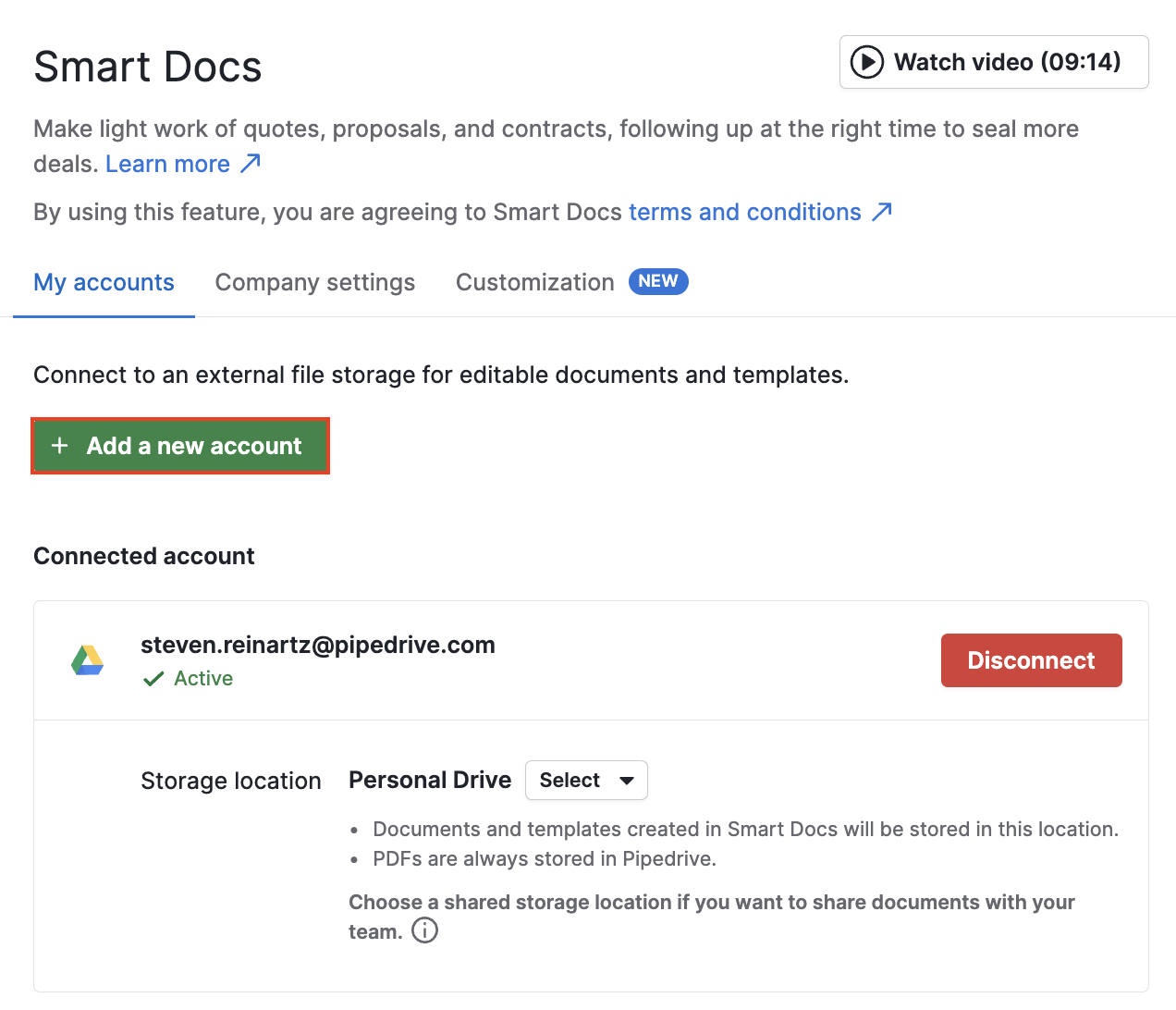
If you used SmartDocs or document templates in Pipedrive, you’ll want equivalent assets in HighLevel.
1. Rebuild document templates
- Export key agreements, proposals, and quotes from Pipedrive.
- In HighLevel, go to Sites → Funnels/Websites → Memberships or Documents (depending on your setup) and recreate templates.
- Replace Pipedrive‑specific merge fields with HighLevel custom values and contact fields.
2. Set up e‑signature and tracking
- Configure HighLevel’s document or funnel settings to support e‑signature where needed.
- Use HighLevel tracking to see when a prospect opens or signs a document.
This lets you keep the same professional experience while managing everything inside HighLevel.
Step 5: Test and validate before fully switching
Don’t flip the switch until you’ve run realistic tests.
1. Test pipelines end‑to‑end
- Create a few test leads and run them through your main pipeline.
- Confirm that:
- Opportunities land in the right pipeline and stage
- Tasks and reminders are created as expected
- Owners are assigned correctly
2. Validate automations and communication
- Trigger each Workflow intentionally (form fill, tag, pipeline change).
- Check that:
- Emails use the correct sender, template, and merge fields
- SMS messages are compliant and correctly personalized
- No contact receives duplicate or conflicting sequences
3. Spot‑check migrated data
- Pick a sample of customers and compare their record in Pipedrive vs. HighLevel:
- Contact details
- Deal history
- Notes and key activities
If you see consistent gaps, fix your import mapping and re‑run before moving everyone.
Revset Labs often runs a “pilot cohort” of leads and deals through the new HighLevel setup while the rest of the team is still working in Pipedrive, so we can catch and correct issues early.
Step 6: Train your team and roll out HighLevel
Even the best build fails if the team doesn’t adopt it.
1. Train by role, not just by feature
For each role (SDR, AE, account manager, owner):
- Show where they live in HighLevel (lists, boards, dashboards).
- Define daily/weekly routines (for example, “Start each morning in the Opportunities board filtered to ‘My Open Deals’”).
- Clarify how they should log notes, tasks, and updates going forward.
2. Provide SOPs and quick‑reference guides
- Record short loom‑style walkthroughs of key workflows.
- Document simple SOPs like “How to create a new opportunity” or “How to move a deal to Closed Won.”
If you’d like done‑for‑you enablement, Revset Labs can package your HighLevel build with custom SOPs, playbooks, and team training.
Step 7: Decommission Pipedrive safely
Once HighLevel is running reliably, you can phase out Pipedrive.
1. Run both systems in parallel (briefly)
For 1–2 weeks:
- Capture new leads in HighLevel while still mirroring activity in Pipedrive for critical deals.
- Make sure reporting, automation, and pipelines in HighLevel feel trustworthy.
2. Choose a cut‑over date
Pick a specific date where:
- All new leads and deals are created only in HighLevel
- Your team stops updating Pipedrive records except for legacy reporting
3. Final backup and cancellation
- Take one last backup export from Pipedrive.
- Confirm billing cycles and cancel your subscription according to their process.
At this point your go‑forward motion is 100% in HighLevel.
If you want an expert partner to own the technical side while your team focuses on selling, Revset Labs can manage your Pipedrive → HighLevel migration end‑to‑end, on top of your GoHighLevel account.
FAQs: Pipedrive to HighLevel migration
How long does it take to migrate from Pipedrive to HighLevel?
For most small and mid‑sized teams, a focused migration can be completed in 2–4 weeks:
- Week 1: Audit, backup, and initial imports
- Week 2: Rebuild pipelines and key automations
- Optional Week 3–4: Pilot cohort, refinements, and full cut‑over
Larger teams with complex automations or multiple business units may need more time.
Do I have to migrate every historical record?
No. Many teams migrate all customers and open opportunities, but archive very old or unengaged contacts. You can keep a full backup export from Pipedrive for compliance and historical reference without bloating your active HighLevel database.
What if my team is too busy to handle the migration?
You don’t have to choose between selling and migrating. Revset Labs can:
- Audit your current Pipedrive setup
- Design a cleaner HighLevel architecture
- Rebuild automations and funnels
- Train your team and support the first 30–60 days post‑migration
You keep control of the strategy and relationships while we handle the technical heavy lifting.