
Running Kartra and HighLevel side by side during migration can feel risky: you’re juggling contacts, courses, funnels, and billing while trying not to break anything that currently makes you money.

This guide gives you a practical, step-by-step path to move from Kartra to HighLevel without losing data, breaking key automations, or confusing your team. You’ll also see where HighLevel can actually simplify what you’ve been duct-taping together in Kartra.
Throughout the guide, you’ll see two powerful options:
- HighLevel as the all-in-one platform to consolidate your CRM, funnels, automations, and support.
- Revset Labs as your AI automation and marketing partner if you want a migration that’s done-for-you, battle-tested, and optimized for conversions from day one.
If you’d like to follow along in a live account, you can spin up a HighLevel free trial here: https://www.gohighlevel.com/?fp_ref=getfreetrail.
Migration Preparation
Before you touch any settings inside Kartra or HighLevel, slow down and do a quick strategic prep pass. This is where you protect revenue and avoid painful surprises.
Step 1: Audit your current Kartra setup
Start by making a clear inventory of what actually lives inside Kartra:
- Contacts & lists – segments, tags, lead magnets, and key lifecycle stages.
- Email/SMS sequences – nurture flows, onboarding, win-back, and promo campaigns.
- Courses & memberships – modules, lessons, gated content, and access rules.
- Funnels & pages – opt-in pages, sales pages, order forms, upsells/downsells, and thank-you pages.
- Calendars & bookings – pipelines connected to calls, demos, or consultations.
- Automations & rules – if/then logic triggered by tags, page visits, purchases, or dates.
- Integrations – payment processors, webinar platforms, scheduling tools, and any custom zaps.
Capture this in a simple spreadsheet or doc. You’ll use it as your checklist as you rebuild everything in HighLevel.
Pro tip: This is a perfect time to decide what not to migrate. Old lists, dead funnels, and legacy automations often create more noise than revenue.
Step 2: Define clear migration objectives
Next, get specific about what “success” looks like after you’ve moved to HighLevel.
Common migration objectives:
- Simplify your tech stack (fewer tools, fewer logins, less maintenance).
- Centralize your pipeline and CRM instead of jumping between Kartra, spreadsheets, and external CRMs.
- Standardize automations so that follow-up, tagging, and handoffs are predictable.
- Increase revenue per lead with cleaner funnels, upsells, and better tracking.
Write down 3–5 objectives and keep them visible. They’ll guide how you rebuild inside HighLevel instead of blindly copying your Kartra setup.
If you want a migration plan aligned to revenue goals, Revset Labs can help you design a blueprint and then implement it inside HighLevel for you.
Step 3: Create a complete backup of Kartra
Even if you’re confident, treat this as a permanent system change:
- Export all key contact lists and segments as CSV.
- Download course and membership assets (videos, PDFs, worksheets, images).
- Save copy of important pages (HTML export or at least screenshots and copy).
- Document existing automations with clear diagrams or screenshots.
Store these backups securely before you begin your HighLevel build.
Export Contacts from Kartra and import into HighLevel
Your contacts and their history are the lifeblood of the business. Handle this part carefully so you keep deliverability and segmentation intact.
Step 1: Export a clean contacts CSV from Kartra
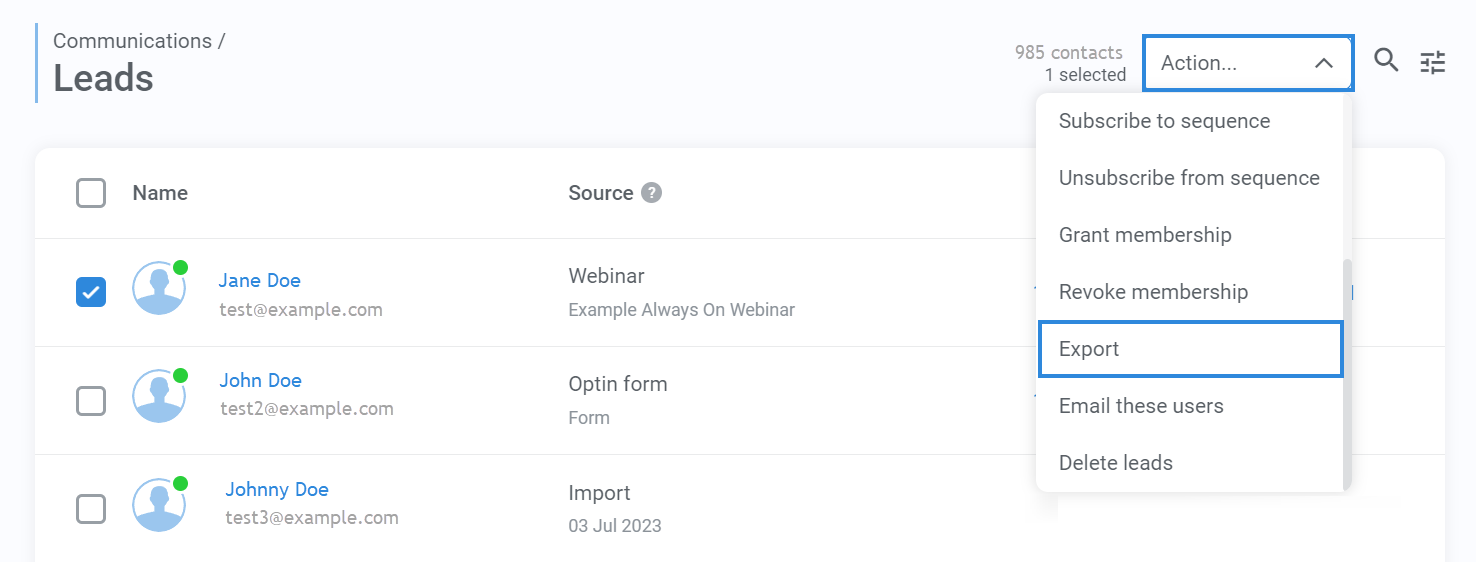
- In Kartra, go to Communications → Leads.
- Filter or segment to the contacts you want to migrate (for example, active subscribers only).
- Choose Export and download a CSV.
- Make sure the export includes key fields such as:
- Email address
- First and last name
- Phone number
- Tags
- Lists or campaigns
- Custom fields that matter for targeting (industry, plan, etc.)
- Verify File Integrity: Review the CSV file to ensure all necessary contact data, including custom fields, tags, and lists, have been exported.
Step 2: Prepare the CSV for HighLevel
Before you upload anything into HighLevel:
- Normalize dates to
YYYY-MM-DDformat. - Ensure the file is saved with UTF-8 encoding so special characters don’t break.
- Remove empty columns and obviously bad data (for example, test emails or spam traps you’ve tagged).
- Decide which Kartra fields should become custom fields inside HighLevel versus tags.
This is where you future-proof your CRM. Don’t just mirror Kartra’s structure—clean it up.
Step 3: Import contacts into HighLevel
- Log in to HighLevel → Contacts → Import Contacts.
- Upload your cleaned CSV.
- Map each column to:
- Default HighLevel fields (Name, Email, Phone, etc.).
- Newly created custom fields (for any strategic data you want to keep).
- Apply tags and campaigns during import to match your segments.
- Run a quick spot check after import:
- Open several contacts to verify tags, custom fields, and campaigns are correct.
- Send a small internal-only test campaign to confirm emails and SMS send as expected.
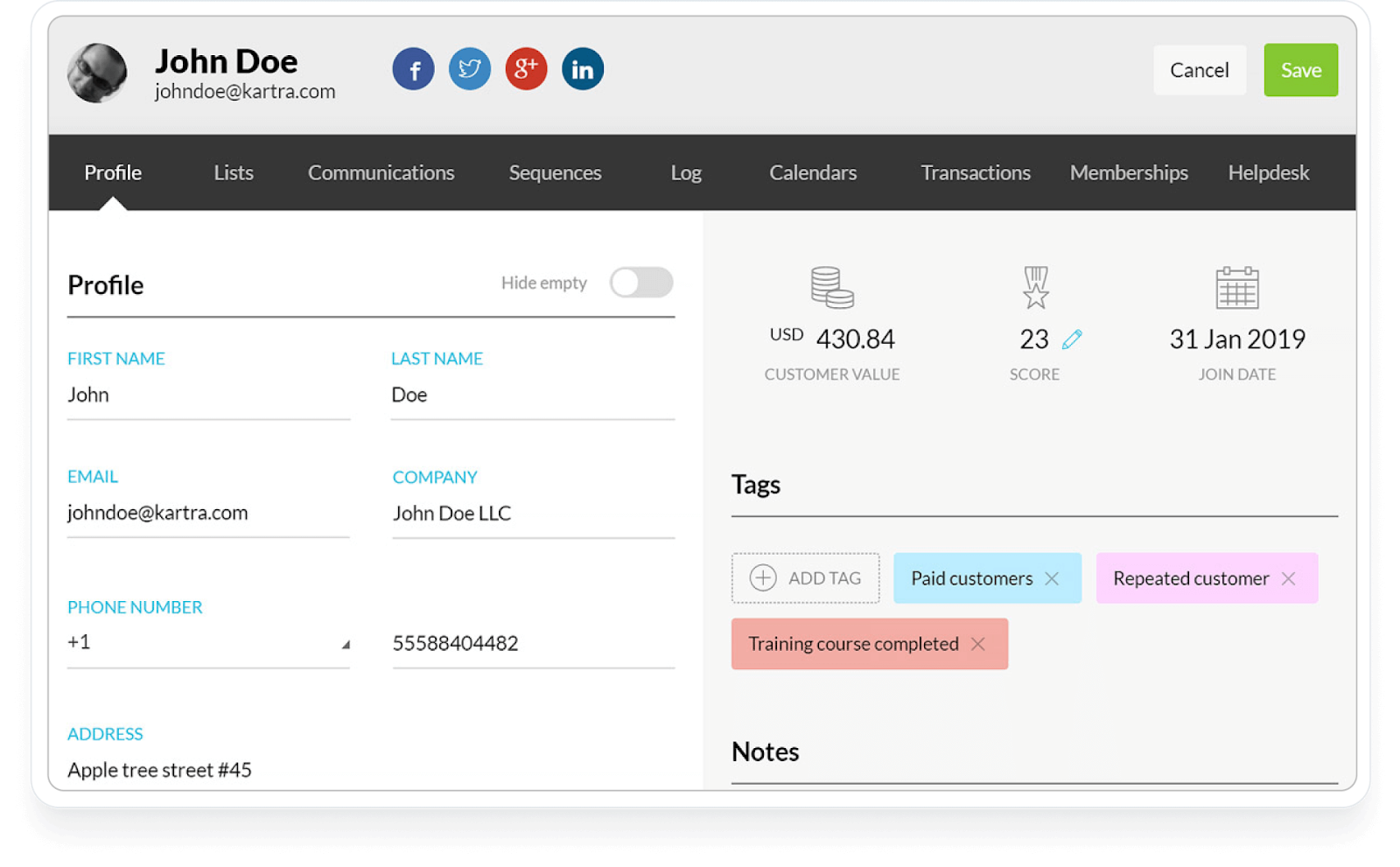
- Assign Tags and Lists: Use HighLevel's tagging and list functionalities to organize contacts according to Kartra’s segmentation structure, such as Kartra Import tags.
If you’re new to HighLevel, this is an ideal moment to set up a fresh contact strategy.
Migrate courses and memberships
Kartra memberships usually combine course content, access rules, and automations. In HighLevel, you’ll rebuild this inside Sites → Memberships.
Step 1: Export course content from Kartra
- Download all videos, PDFs, and supporting assets from Kartra.
- Copy lesson titles and descriptions into a doc for easy reference.
- Document drip schedules, access tiers, and any upsell flows attached to the course.
Step 2: Rebuild courses in HighLevel
- In HighLevel, go to Sites → Memberships and create a new product or course.
- Recreate your category → module → lesson structure using your inventory doc.
- Upload videos, PDFs, and other assets to the appropriate lessons.
- Configure offers and access levels so the right members see the right content.
- Recreate progress tracking and completion triggers where needed.
As you rebuild, look for opportunities to streamline. HighLevel’s memberships can sit directly inside your broader funnel strategy—connecting trials, onboarding, and upsells in one place.
If you’d like a partner to redesign your course experience while you migrate, Revset Labs can help you structure offers, pricing, and automations around your HighLevel membership.
Migrate offers and automations
Kartra’s automations often sprawl across lists, tags, and if/then rules. HighLevel’s Workflows let you rebuild these in a more visual, maintainable way.
Step 1: Map your current automations
- List out your core journeys: lead magnet → nurture → sales call, webinar → replay → offer, customer onboarding, churn-save, and so on.
- For each journey, note:
- Triggers (form submitted, tag added, product purchased, date reached).
- Messages (emails, SMS, voicemail drops).
- Delays and conditions (wait 3 days, branch if tag is present, etc.).
Step 2: Rebuild automations in HighLevel
- Go to Automation → Workflows in HighLevel.
- Create a workflow for each major journey instead of dozens of tiny rules.
- Recreate triggers using HighLevel’s options (form submissions, tag changes, pipeline stage changes, etc.).
- Add email and SMS steps directly in the workflow, reusing your best-performing Kartra copy.
- Use If/Else branches to handle logic that used to live in scattered Kartra rules.
- Grant Access to Offers: In HighLevel, manage offer access by assigning them to specific contacts or groups, mirroring the setup in Kartra.
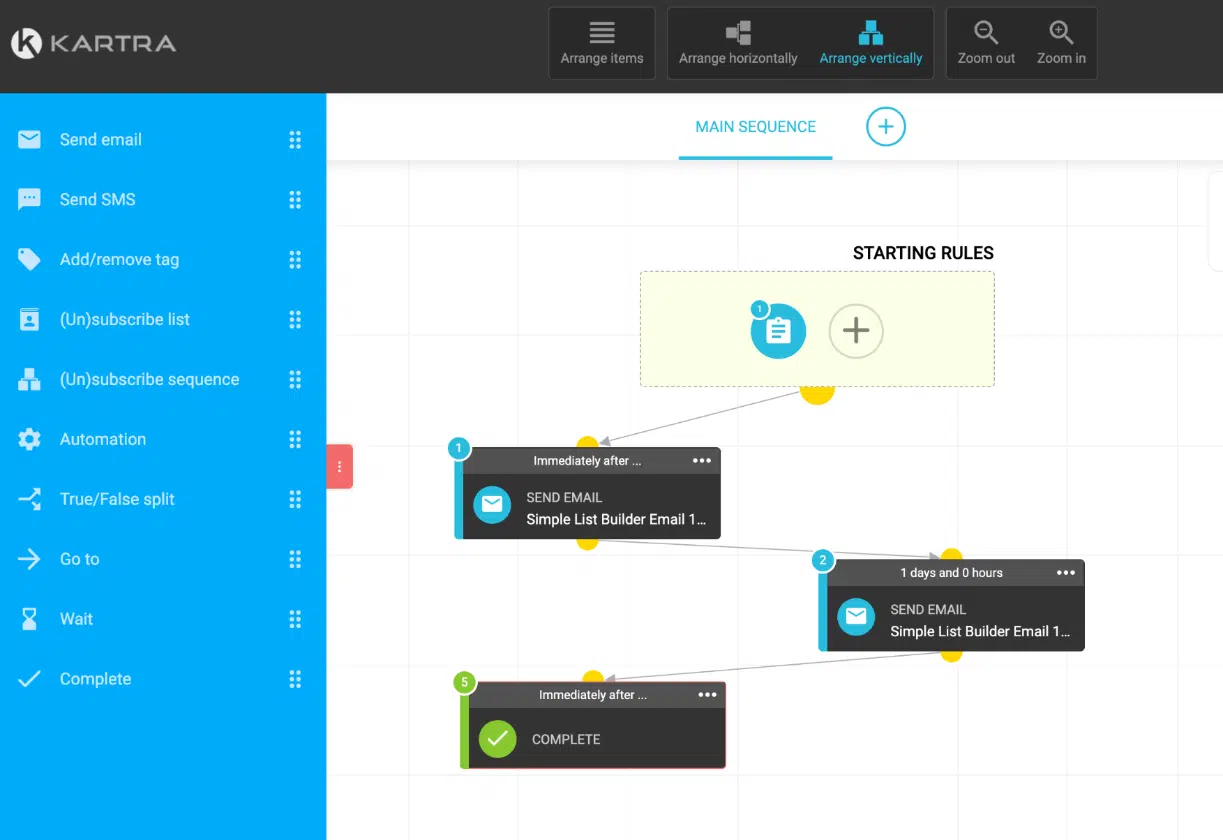
This is where moving to HighLevel can be a huge upgrade. You gain a single visual view of how leads move from opt-in to closed-won revenue.
To accelerate this part, you can plug into a HighLevel free trial and test your new workflows with a small internal list first.
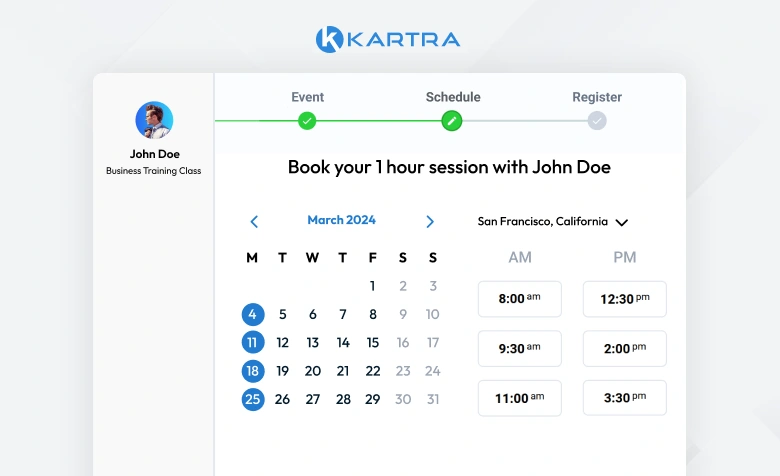
Migrate calendars and bookings
If you rely on Kartra’s calendars for sales calls or coaching sessions, you’ll want those running smoothly in HighLevel before you fully cut over.
- In Kartra, list each calendar type (discovery call, paid consult, onboarding call, etc.).
- In HighLevel, go to Settings → Calendars and recreate each one, matching:
- Availability windows
- Meeting durations and buffers
- Time-zone behavior
- Team-round robin rules (if applicable)
- Connect calendars to the right pipelines and workflows so new bookings trigger follow-up and stage changes.
Do a full end-to-end test: book from a public page, confirm reminders fire correctly, and ensure pipeline stages update.
Step 1: Review Existing Calendars
Document All Events: Compile a comprehensive list of all current calendar events, including:Appointments: Detail the nature, frequency, and participants of each appointment.Bookings: Note any bookings related to services or products, including time slots and duration.Recurring Events: Identify any recurring events, specifying their schedules and associated details.
Step 2: Recreate Calendars in HighLevel
Create HighLevel Calendars: Navigate to Sub-account Settings > Calendars. Set up each calendar to match those in Kartra, ensuring all settings align with your previous configurations, such as reminders, assigned users, and meeting locations.Add Calendar Integrations: Go to Subaccount Settings > Calendars > Connections to sync your Google or Outlook calendars with HighLevel, facilitating seamless management of appointments across platforms.Set Up Recurring Appointments: For repeating events, manually configure recurrence rules in the HighLevel calendar settings to match the existing setup in Kartra.Preview and Test: Verify that your new calendars work as expected by comparing them with the existing Kartra setup, ensuring that all functionalities are intact.Align with Existing Schedule: Ensure that event blocks are displaying in HighLevel calendar accurately, taking into account time zones and availability.Add Event Details: Include essential information for each event, such as:Title: Clear and descriptive names for easy identification.Description: Provide context or notes relevant to the event.Participants: Specify any attendees or stakeholders involved.Notifications: Set reminders and notifications to keep everyone informed.
Step 3: Customize Your HighLevel Calendars
Explore Calendar Styles and Settings: HighLevel offers various configurations to tailor your calendars to your needs.Create Round Robin Calendars: Use this setup if you want to distribute appointments among multiple team members.Set Up Class Schedules: Configure calendars for group sessions or classes to manage collective appointments effectively.Recurring Appointments: Set up recurring sessions for ongoing meetings or classes, ensuring consistency in scheduling.Advanced Customization: Adjust colors, availability, and user permissions to fit your organizational needs.Seek Additional Resources: For more detailed instructions on setting up these calendar types, visit the HighLevel help center and search for Calendars Setup to access comprehensive guides and tips.
Migrate Integrations and Payments
Next, reconnect the infrastructure around your marketing.
- Payment processors: Connect Stripe, PayPal, or other gateways within HighLevel.
- Scheduling and webinars: Rebuild any Zapier or native integrations using HighLevel’s integrations or webhooks.
- Third-party tools: CRMs, ad platforms, and analytics tools should now point to HighLevel as the source of truth.
As you do this, ask: "Can HighLevel replace this tool entirely?" Often you can retire complexity you had to keep when you were on Kartra.
If you’d like someone to audit your stack and design a leaner, more automated setup, Revset Labs can scope and implement that for you.
Migrate websites and funnels
Your revenue pages—opt-ins, sales pages, order forms, upsells, and thank-you pages—must migrate cleanly and continue tracking properly.
Step 1: Recreate Website Pages in HighLevel
- In Kartra, list every page involved in your core funnels.
- Capture URLs, screenshots, copy, and key sections for each.
- In HighLevel, go to Sites → Funnels or Sites → Websites and recreate pages using the drag-and-drop builder.
- Rebuild forms and order forms, connecting them to the right pipelines, products, and workflows.
- Add tracking (Facebook Pixel, Google Analytics, etc.) via HighLevel’s settings or custom code areas.
This is a great moment to tighten your messaging and conversion flow. Instead of cloning Kartra 1:1, look at your analytics and improve weak sections.
Step 2: Recreate Funnels
Build New Funnels: Navigate to Sites > Funnels in HighLevel and recreate the funnels you had in Kartra, including all landing pages, opt-in forms, and email sequences.Customize Funnel Pages: Use HighLevel’s drag-and-drop editor to customize funnel pages, ensuring they align with your previous setup in Kartra.
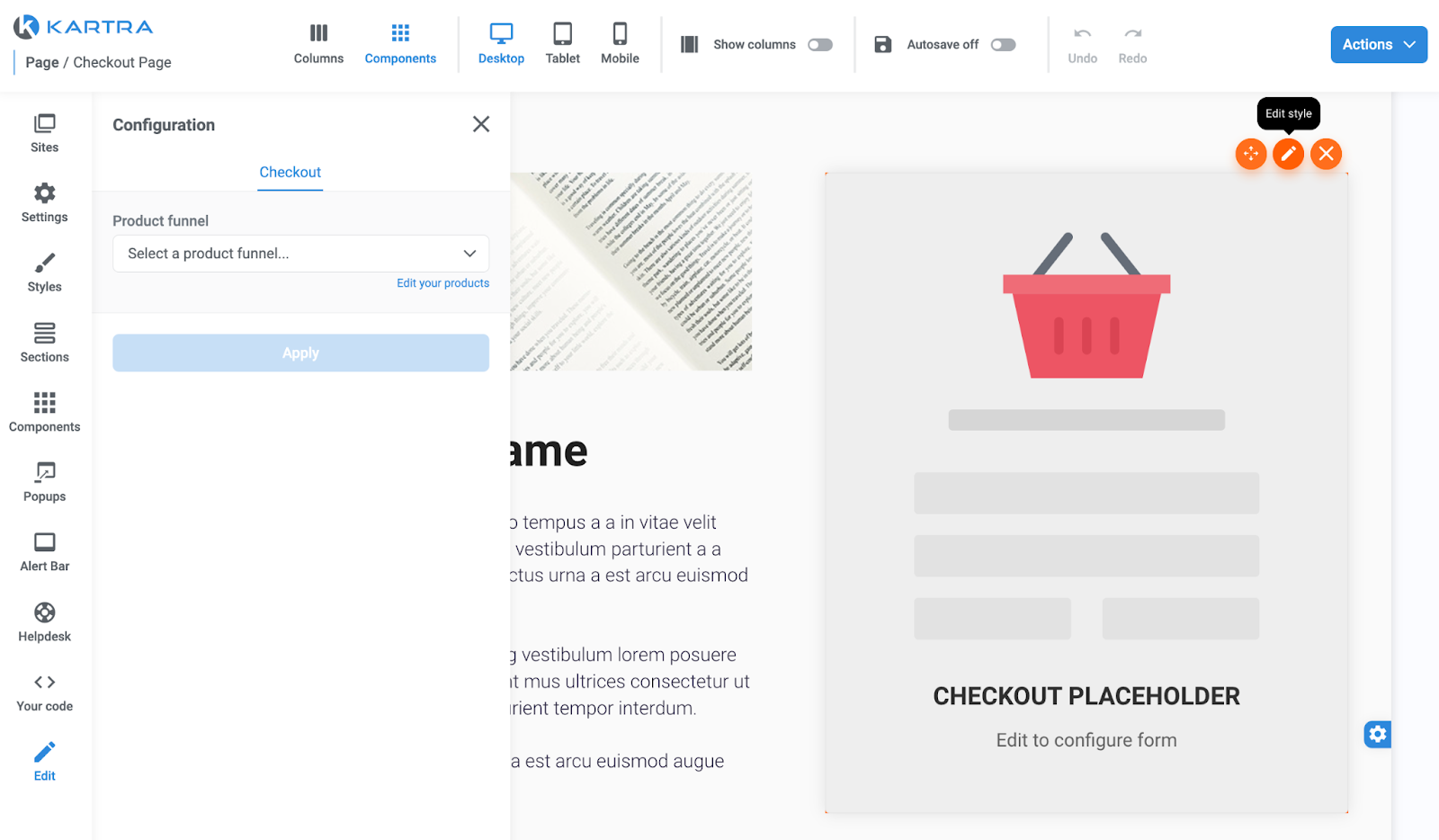
When you’re ready to push traffic, having all your funnels, CRM, and automations unified inside HighLevel—not spread across multiple tools—is where the real leverage kicks in.
Final checks, testing, and training
Before you decommission Kartra:
- Run parallel tests – send a small portion of traffic through your new HighLevel funnels while Kartra is still live.
- Verify reporting – confirm that leads, opportunities, and revenue are showing correctly in HighLevel dashboards.
- Spot-check critical journeys – lead magnet opt-ins, main sales sequence, customer onboarding, and any high-ticket booking flows.
- Train your team – make sure sales, support, and marketing all know how to work inside HighLevel.
Consider documenting new SOPs for your team using HighLevel’s pipelines and workflows as the backbone.
If you’d like a done-for-you "go live" checklist and team onboarding plan, Revset Labs can handle this phase and ensure your HighLevel setup matches how your business actually runs.
Decommission Kartra safely
Once everything is stable inside HighLevel and you’ve run parallel traffic long enough to trust the numbers:
- Confirm that billing, recurring subscriptions, and active campaigns are all running through HighLevel or your connected payment tools.
- Export any final reports or compliance data from Kartra.
- Communicate the change internally so no one spins up new assets in Kartra by accident.
- When you’re confident, cancel your Kartra subscription.
At this point, HighLevel becomes your single source of truth for leads, pipelines, automations, and revenue.
If you’d like a partner to own this entire migration—from audit and architecture to build, QA, and optimization—Revset Labs can help you:
- Design a HighLevel architecture aligned to your offers and sales process.
- Migrate and clean your data.
- Rebuild funnels and automations with conversion best practices baked in.
- Layer in AI-powered follow-up and reporting.
When you’re ready for a faster, safer migration and a more profitable funnel ecosystem, bring Revset Labs in to implement it with you.