
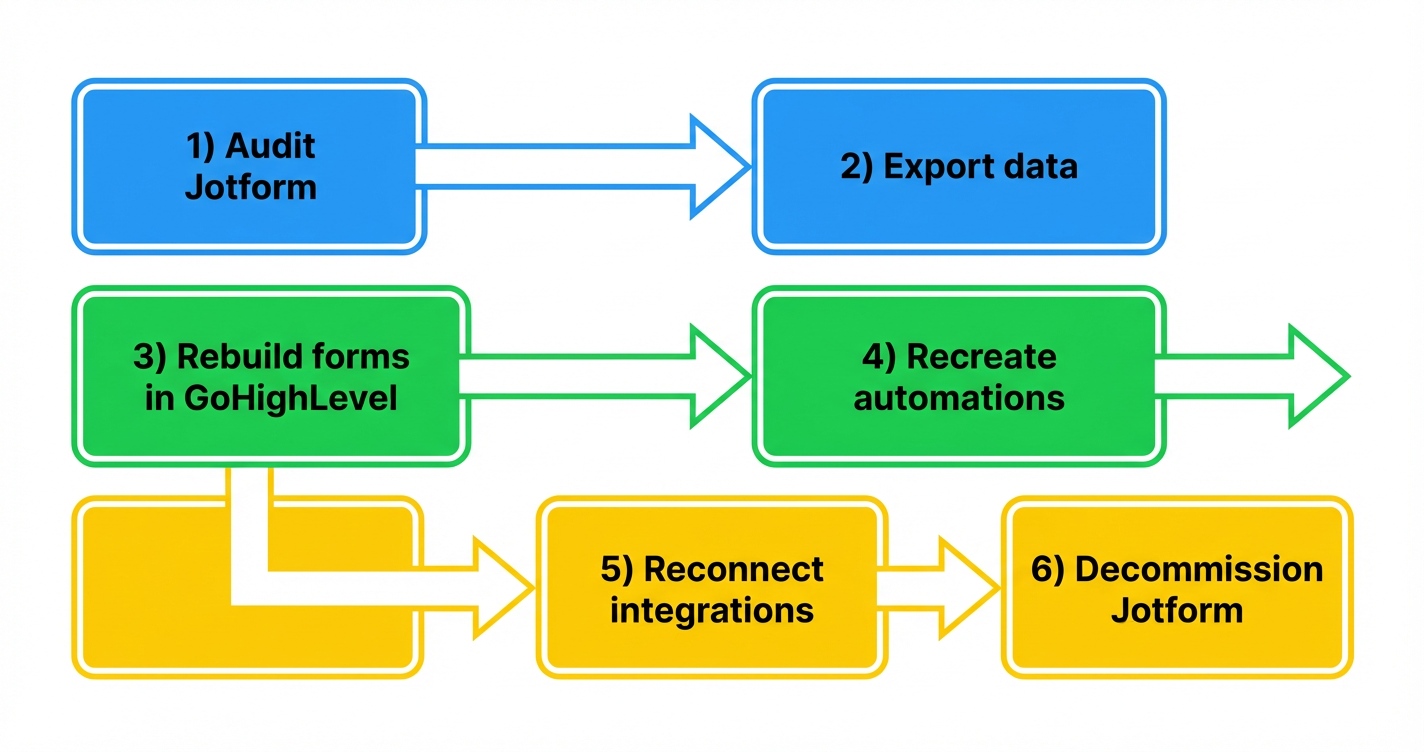
 GoHighLevel Migration Guide (2026): Step‑by‑Step Playbook”>

Why migrate from Jotform to GoHighLevel now?
If you’ve outgrown Jotform, you’re not alone. Jotform is excellent for capturing data, but it was never built to be your full revenue engine. GoHighLevel (often shortened to HighLevel) combines forms, funnels, CRM, automation, email, SMS, and pipelines in one place.
Migrating your forms and workflows from Jotform to GoHighLevel lets you:
- Send leads straight into a real CRM instead of static spreadsheets.
- Trigger multi‑step workflows (email, SMS, pipeline moves, tags) from every form submission.
- See the full customer journey end‑to‑end instead of chasing data across tools.
- Consolidate subscriptions and usually save on software costs.
This guide walks you through a practical Jotform to GoHighLevel migration – keeping your operations live while you move. We’ll also show how GoHighLevel plus an expert partner like Revset Labs can turn simple forms into full, revenue‑generating funnels.
If you don’t yet have GoHighLevel, you can start a free trial here: Start your GoHighLevel trial.
Step 0: Clarify your migration goals
Before you touch any settings, get clear on why you’re moving from Jotform to GoHighLevel. Typical goals:
- Unify leads and customers in one CRM instead of having forms feed random tools.
- Automate follow‑up with email, SMS, and pipelines triggered from every form.
- Track revenue and attribution, not just submissions.
- Consolidate tools and costs by replacing multiple subscriptions with GoHighLevel.
Write down:
- Which forms are business‑critical.
- Which teams depend on each form (sales, support, finance, operations).
- Any compliance or data‑retention requirements.
You’ll use this list as your prioritization filter throughout the migration.
Step 1: Audit your current Jotform setup
Start by understanding exactly what you’re moving.
1.1 Inventory every active form
For each important Jotform form, document:
- Form name and URL
- Purpose (lead gen, intake, support, payments, event registration, etc.)
- Key fields (contact details, qualification questions, custom properties)
- Destination systems (email tools, CRMs, Google Sheets, payment gateways)
- Who uses the data internally and how often
Put this into a simple spreadsheet so you can track progress as you migrate.
1.2 Map workflows and automations
Jotform forms are rarely just forms. For each one, capture:
- Email notifications (who gets notified, when, with what content)
- Autoresponders sent to submitters
- Integrations, webhooks, or zaps triggered on submission
- Any conditional logic that changes what people see or what gets sent
You’ll recreate these as GoHighLevel workflows – often in a more powerful and centralized way.
1.3 Assess data volume and sensitivity
Decide:
- How many historical submissions you truly need inside GoHighLevel.
- Whether you must migrate all historical data or just recent/active leads.
- Any PII or sensitive fields that need to be handled carefully.
Often, teams import only the last 6–12 months of submissions into GoHighLevel and archive older data in cold storage.
Step 2: Back up and export your Jotform data
Before you connect anything, make sure you have clean backups.
2.1 Export submissions from Jotform
For each priority form:
- Open the form in Jotform.
- Go to the Submissions or Inbox view.
- Export submissions as CSV (or Excel) – include all fields.
- Store these exports in a shared location with clear naming like
form-name_submissions_2026-02-23.csv.
2.2 Export templates and configurations
- Download or save screenshots of your form layouts.
- Note conditional logic, multi‑page structures, and embedded widgets.
- Capture any custom thank‑you pages or redirect URLs.
These references make rebuilding in GoHighLevel much faster and more accurate.
Backup Data: Ensure all data is securely backed up before beginning the migration process.
Step 3: Choose your migration approach
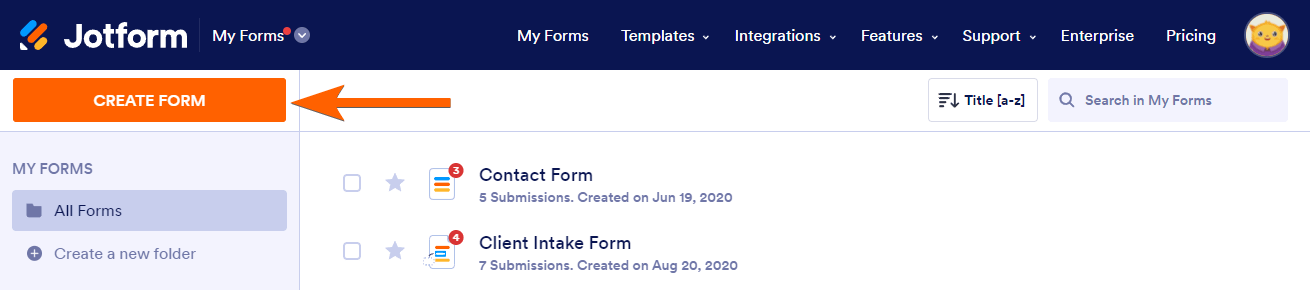
There are two main ways to move from Jotform to GoHighLevel:
- Direct integration – Keep Jotform live but push new submissions into GoHighLevel.
- Full rebuild in GoHighLevel – Recreate forms and workflows natively in GoHighLevel and gradually retire Jotform.
In practice, most teams do both for a short period.
3.1 When to use the Jotform → GoHighLevel integration
Jotform now offers a native GoHighLevel integration. It’s useful when:
- You need a fast, low‑risk bridge while you rebuild.
- You want new submissions to land directly in GoHighLevel contacts and pipelines.
- You’re not ready to redesign forms yet but want CRM and automation benefits now.
At a high level, the integration flow looks like this:
- Connect your GoHighLevel account inside Jotform.
- Map Jotform fields to GoHighLevel contact fields.
- Choose whether Jotform should create new contacts, update existing ones, or both.
- Test a few submissions to confirm data lands correctly.
This is a smart interim step, but your end‑state should be forms fully owned inside GoHighLevel.
When you’re ready to design conversion‑optimized, HighLevel‑native forms and funnels, you can shortcut a lot of trial and error by working with an implementation partner like Revset Labs or by starting a free GoHighLevel trial here.
Step 4: Rebuild your key forms directly in GoHighLevel
Rebuilding forms is where you start capturing more value than Jotform can provide.
4.1 Set up form structure in GoHighLevel
For each priority form:
- In GoHighLevel, go to Sites → Forms → Builder.
- Create a new form and mirror the core fields from Jotform (name, email, phone, custom questions).
- Clean up friction:
- Remove fields you never use.
- Add helpful microcopy to reduce confusion.
- Reorder fields to capture the essentials first.
- Use multi‑step forms where appropriate to improve completion rates.
4.2 Tie forms to the right funnel or page
In GoHighLevel you’re not limited to standalone forms. Plug your forms into:
- Existing funnel steps.
- Website pages built in GoHighLevel.
- Pop‑ups or inline embeds on your main site.
This is where GoHighLevel starts to replace the scattered landing pages and embed codes you may have set up around Jotform.
4.3 Map fields to CRM properties
Inside GoHighLevel:
- Create custom fields that match critical data you collected in Jotform (budget, use case, industry, etc.).
- Standardize naming so your team isn’t juggling multiple versions of the same field.
- Decide which fields should live on the contact record vs. on opportunity or custom objects.
Getting this right early makes your reporting, segmentation, and automation dramatically cleaner.
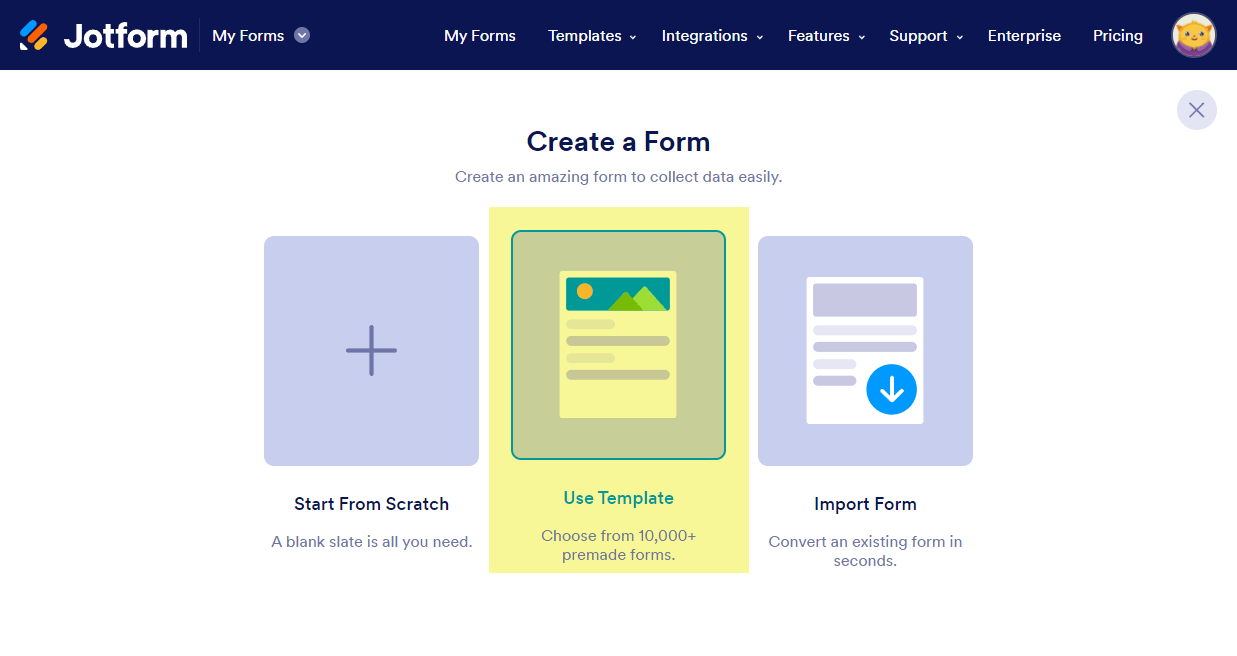
Set Up Custom Fields: In HighLevel, create any necessary custom fields that match the data you were collecting in JotForm.
If you want this entire rebuild done for you – strategy, field mapping, and implementation – Revset Labs can own the project end‑to‑end while you keep running the business.
Step 5: Recreate and upgrade workflows in GoHighLevel
Once forms are in place, it’s time to replicate (and improve) your automations.
5.1 Document existing Jotform workflows
Use your earlier audit to list every action that fires when a form is submitted, including:
- Internal notification emails or Slack messages.
- Autoresponder emails to the submitter.
- Tagging or updating leads in other tools.
- Any conditional routing (different actions by answer, source, or score).
5.2 Build GoHighLevel workflows
In GoHighLevel:
- Navigate to Automation → Workflows.
- Create a new workflow that starts with a Form Submitted trigger for your new HighLevel form.
- Add actions that mirror and enhance your Jotform logic, such as:
- Create or update a contact with mapped fields.
- Add or move an opportunity to the correct pipeline stage.
- Send internal notifications to sales or operations.
- Start email and SMS sequences tailored to the form type.
- Apply tags, scores, or custom values.
- Use conditions and branches to personalize follow‑up by:
- Lead source.
- Form answers (e.g., budget, timeline).
- Engagement with previous campaigns.
5.3 Test and refine
Before going live, make several test submissions:
- Fill out forms with different answer combinations.
- Confirm contacts are created/updated correctly.
- Verify all emails, SMS messages, and pipeline moves fire as expected.
Treat this as an opportunity to upgrade your workflows, not just clone Jotform behavior.
Want to skip the workflow design guesswork? You can start a GoHighLevel trial and let Revset Labs plug in proven follow‑up sequences that turn form fills into booked revenue.
Step 6: Rebuild integrations and payment flows
Many Jotform setups rely on a web of integrations. In GoHighLevel, your goal is to keep only what truly adds value and centralize everything else.
6.1 List every integration currently powered by Jotform
Common examples:
- Stripe, PayPal, or other payment gateways.
- Google Sheets or Airtable for reporting.
- Email tools like Mailchimp, Klaviyo, or ConvertKit.
- Project management or support tools.
Decide which of these should be recreated natively in GoHighLevel versus kept as external systems.
6.2 Recreate necessary integrations in GoHighLevel
In GoHighLevel:
- Go to Settings → Integrations and connect required apps.
- Use native integrations or Zapier / Make only where needed.
- For payments, configure Stripe or other gateways directly inside GoHighLevel funnels and order forms.
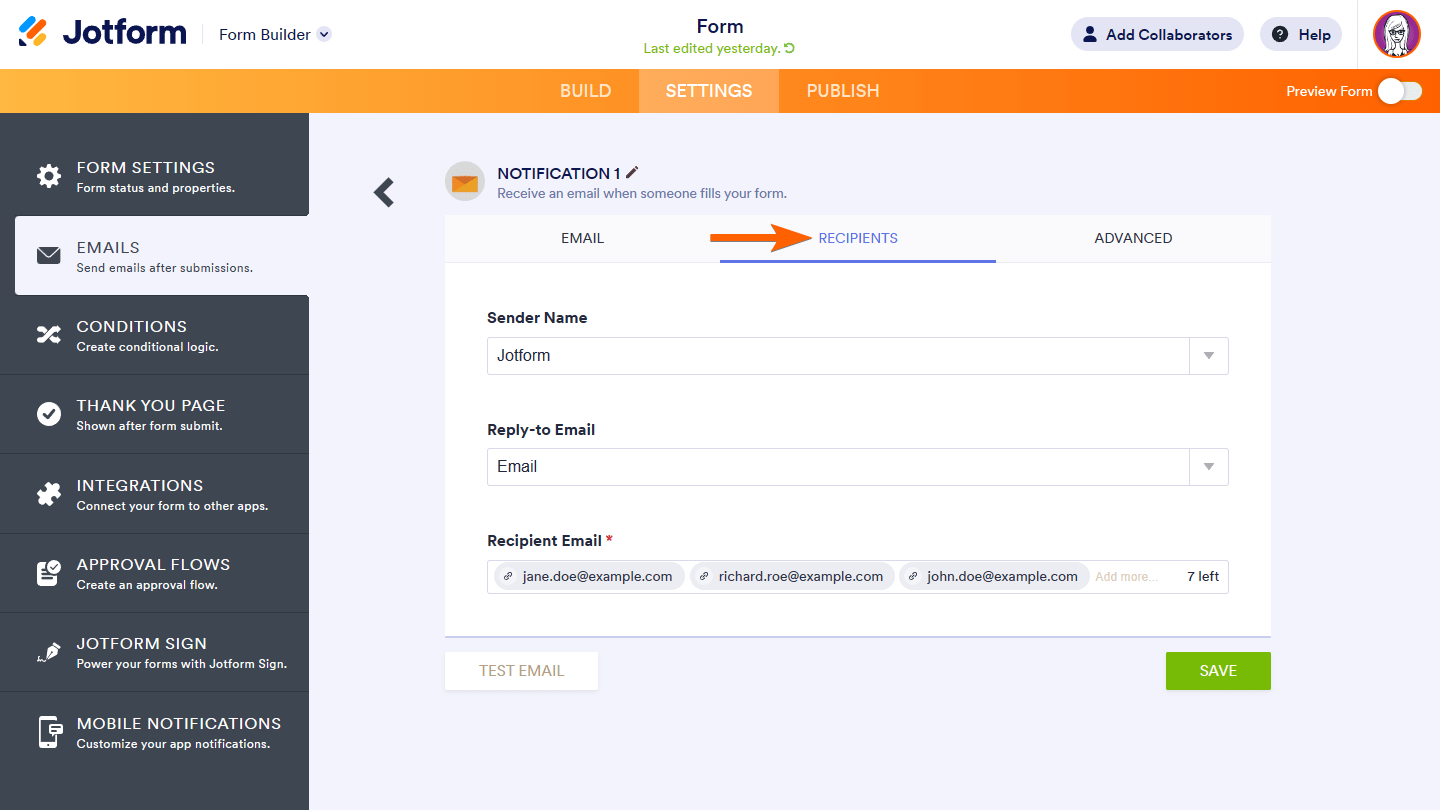
6.3 Rebuild notifications inside GoHighLevel
Instead of letting Jotform handle emails:
- Use workflows to send internal alerts (email, SMS, or Slack via webhook).
- Build autoresponder sequences for submitters using GoHighLevel’s email and SMS campaigns.
This keeps all communications centralized, trackable, and easier to optimize.
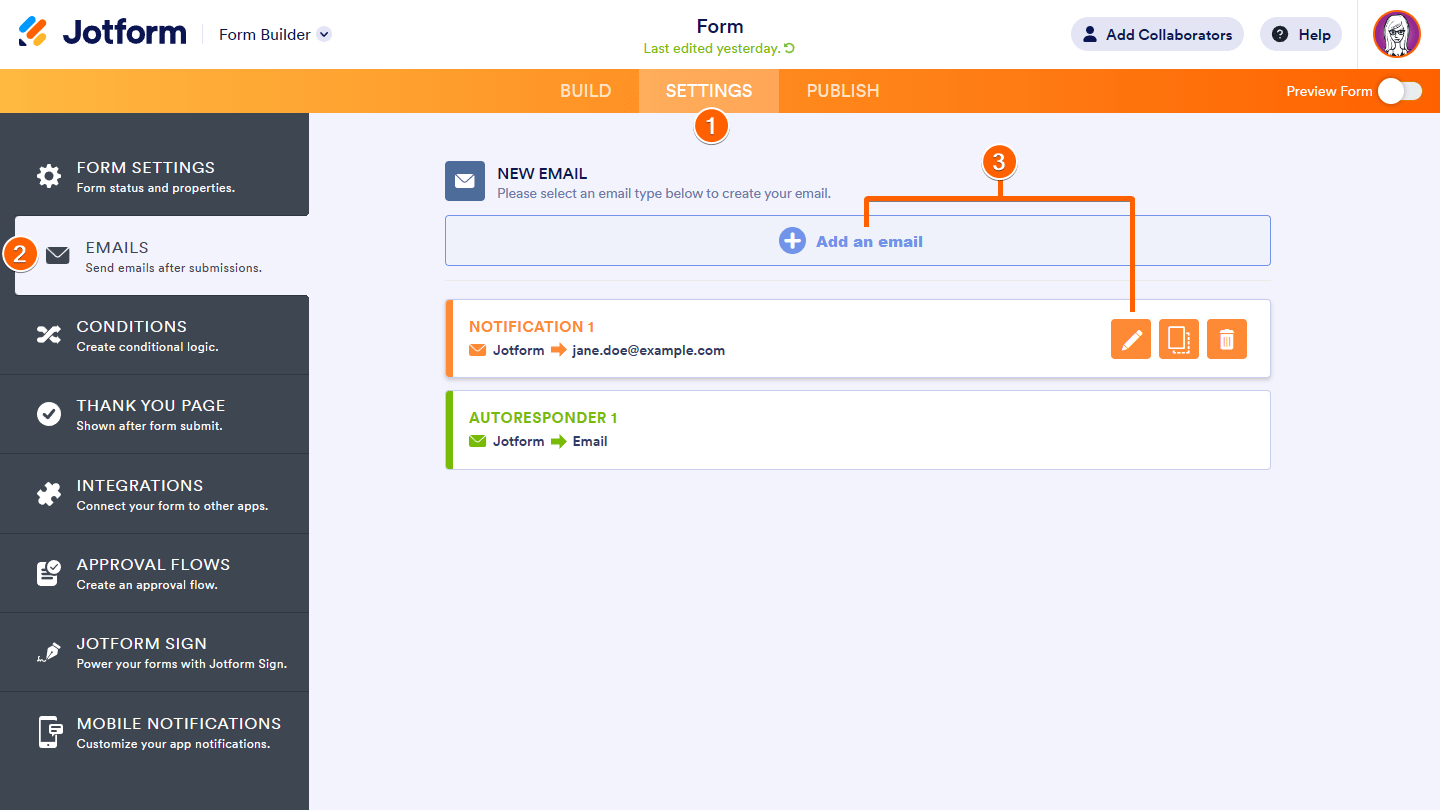
Configure Autoresponders: If you were using autoresponders in JotForm, set these up in HighLevel by creating automated email sequences that trigger upon form submission.
Step 7: Validate data, train your team, and monitor
With forms, workflows, and integrations live in GoHighLevel, run through a structured validation and training phase.
7.1 Validate migrated data
- Import your prioritized CSV exports into GoHighLevel via Contacts → Import Contacts.
- Spot‑check sample records to confirm fields mapped correctly.
- Compare counts between Jotform and GoHighLevel for key segments.
7.2 Train internal users
Host a short internal workshop to show:
- Where new leads appear in GoHighLevel.
- How to work opportunities through the pipeline.
- How to see a contact’s full history (forms, emails, SMS, tasks).
Point your team to GoHighLevel’s help center plus any internal SOPs you maintain.
7.3 Monitor and optimize
For the first 2–4 weeks:
- Review submissions daily to catch any mapping or automation issues.
- Watch conversion rates on your new GoHighLevel forms and funnels.
- Tweak copy, fields, and workflows based on early data.
Revset Labs often runs a 30‑day optimization loop after migration – tightening copy, adjusting form steps, and refining automations to hit concrete KPIs like demo bookings or paid conversions.
Step 8: Decommission Jotform without disruption
Once GoHighLevel is stable and your team is comfortable, you can safely retire Jotform.
8.1 Run both systems in parallel (briefly)
- Keep Jotform live for a short overlap period while directing most traffic to your new GoHighLevel pages.
- Watch for any edge‑case submissions or flows you may have missed.
8.2 Redirect old forms and pages
- Replace Jotform embed codes on your website with GoHighLevel forms or funnels.
- Use redirects where possible so old URLs send visitors to the new experience.
8.3 Take final backups and cancel
- Export any final Jotform submissions and store them securely.
- Confirm with stakeholders that all critical flows are now handled in GoHighLevel.
- Cancel your Jotform subscription once you’re confident nothing depends on it.
How Revset Labs can accelerate your Jotform → GoHighLevel migration
Migrating from Jotform to GoHighLevel is more than a technical project – it’s a chance to redesign how leads become revenue.
Revset Labs is an AI automation and marketing agency focused on building HighLevel‑powered systems that actually move pipeline and revenue, not just collect data.
Here’s how we typically help:
- Migration strategy: Decide what to move, what to retire, and how to stage the rollout.
- Form and funnel design: Rebuild your key Jotform flows as conversion‑optimized GoHighLevel forms, funnels, and pages.
- Automation architecture: Design workflows that turn every form into a trigger for multi‑channel follow‑up.
- Done‑for‑you implementation: Our team sets up everything in your GoHighLevel account so your team can simply start using it.
- Optimization and reporting: We connect forms to clear KPIs and dashboards so you can see ROI.
If you want help creating a migration plan or want the whole thing done for you, GoHighLevel is the platform and Revset Labs is the partner:
- Start your trial: Start your GoHighLevel with a free trial
- Then work with Revset Labs to design the forms, automations, and funnels that turn that account into a growth engine.