Unread vs. Read – Manual Marking as Read Required in GoHighLevel

Unread VS Read – Must Manually Mark as Read

When your whole team is living in the GoHighLevel Conversations inbox, the difference between an unread and read message is what keeps leads from slipping through the cracks.


Get a Free Trial of GoHighLevel

By default, HighLevel does not automatically mark conversations as read just because an automation fired or a message was sent. Someone on your team (or a workflow you configure) has to make that call.

This guide explains exactly how unread vs read works in GoHighLevel, when you should mark conversations as read manually, and how to use workflows to keep your inbox clean without losing important context.

How to Mark Conversations as Read

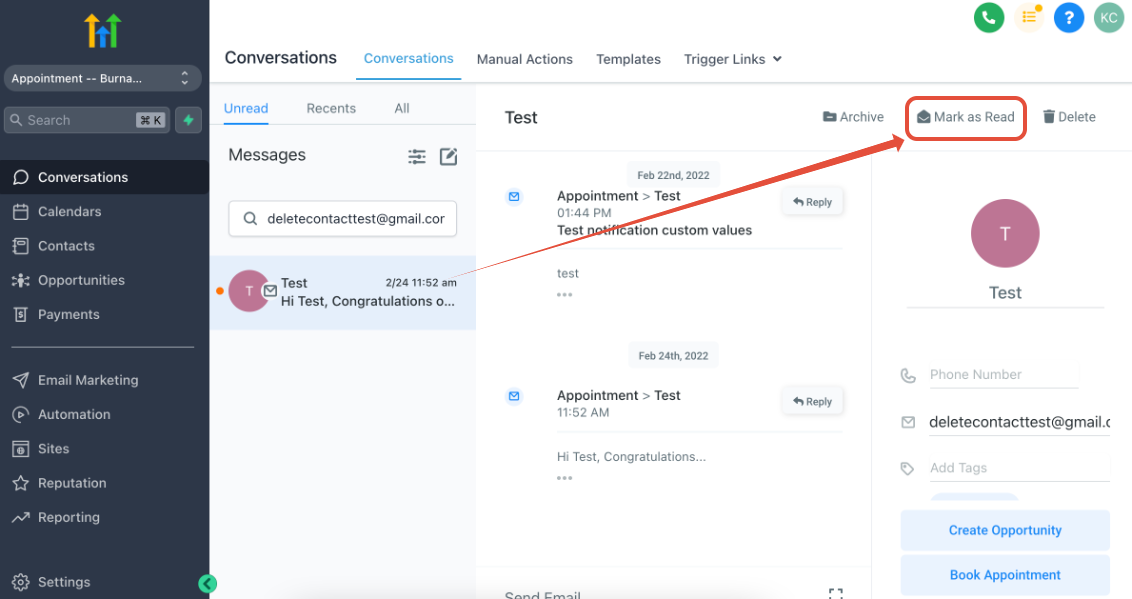
  1. Click Mark as Read
    Screenshot showing the 'Mark as Read' button within a <a href=GoHighLevel conversation.” title=”Mark Conversation Read Button”>


    Get a Free Trial of GoHighLevel

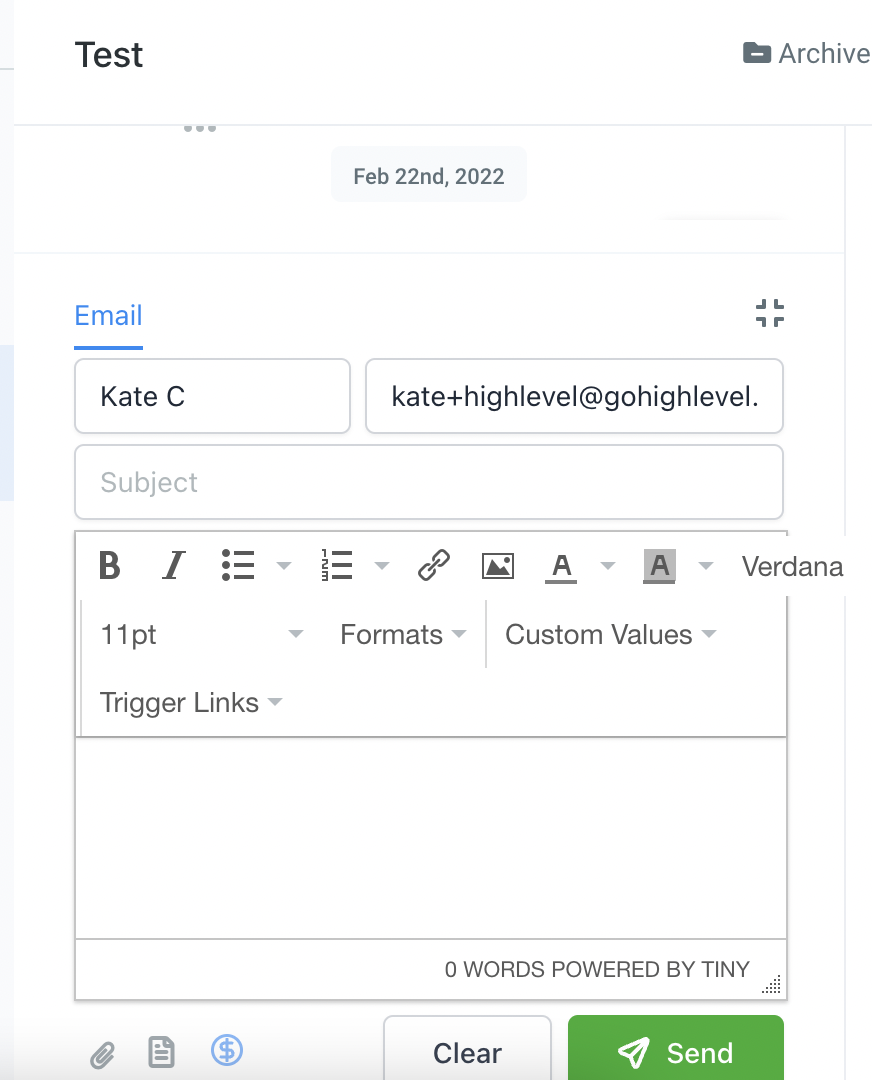
  2. Reply to the conversation manually
    Screenshot of a GoHighLevel conversation interface, highlighting the text input field where a user would type a manual reply.

  3. Use workflow action to edit conversation
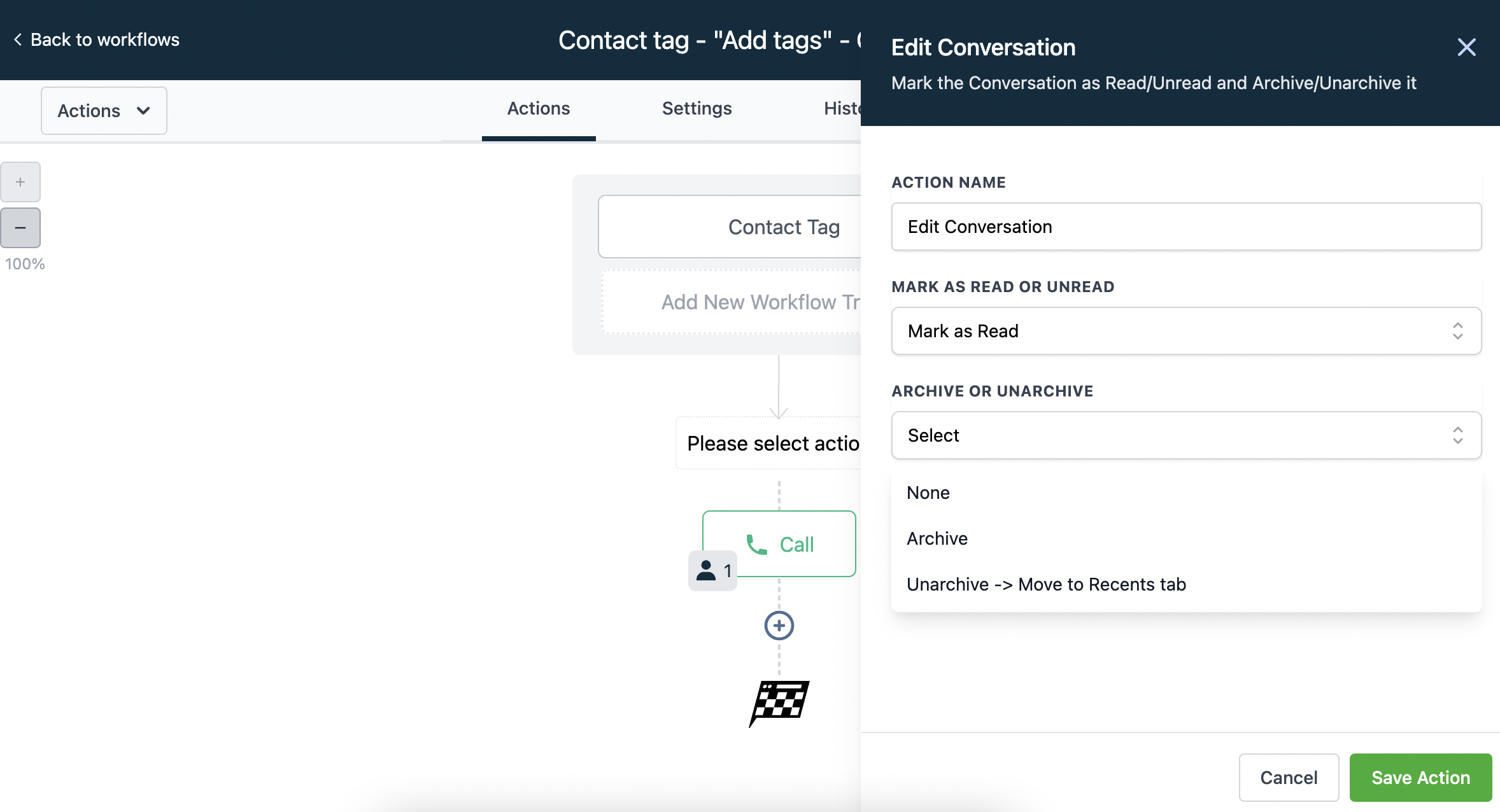
    Screenshot showing a GoHighLevel workflow action named 'Edit Conversation', likely within a workflow builder.

  4. Toggle on Auto Mark as Read in the workflow settings
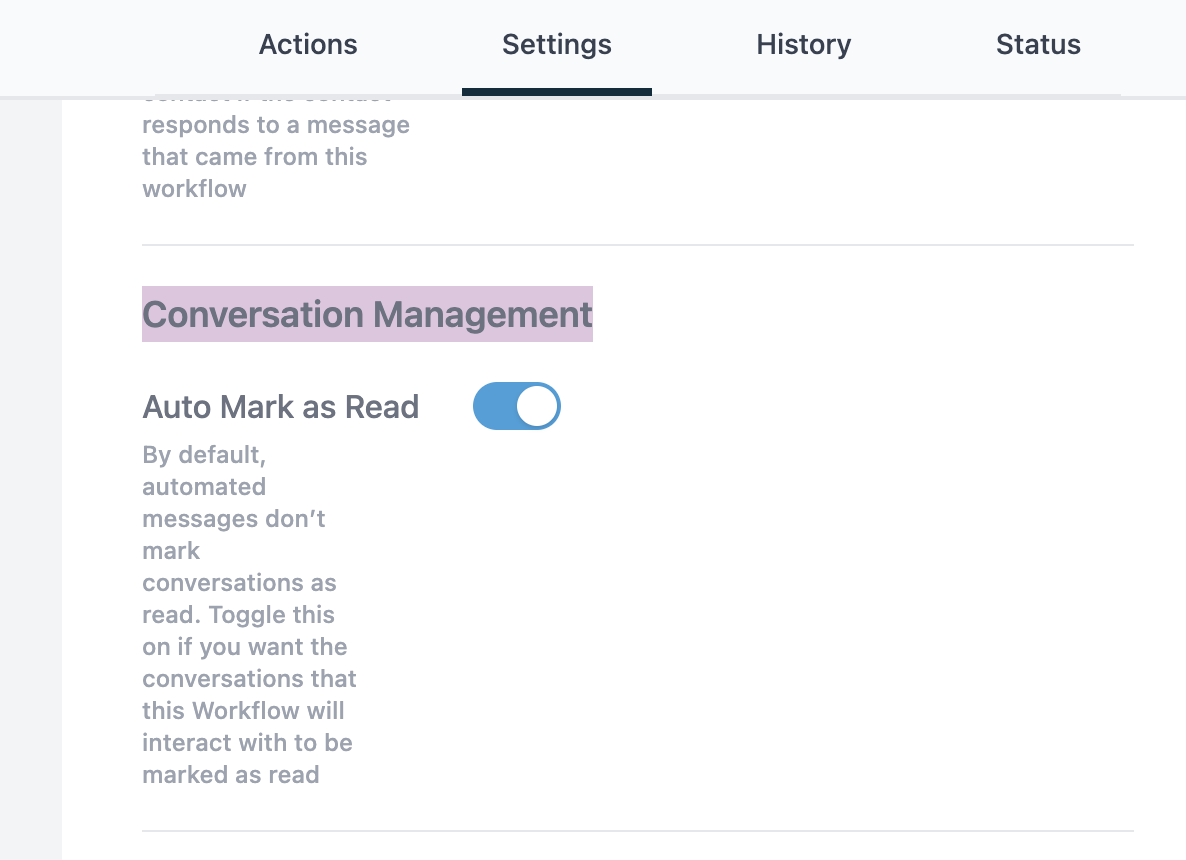
    Screenshot of GoHighLevel workflow settings, highlighting a toggle switch labeled 'Auto Mark as Read'.


Get a Free Trial of GoHighLevel

Leave a Comment

Your email address will not be published. Required fields are marked *

Scroll to Top
60,000+ agencies trust HighLevel
GoHighLevel
Everything your
agency needs.
Free for 14 days. No credit card required.
23Hrs
47Min
00Sec
Start Free Trial →
Cancel anytime  ·  No credit card required
14 days free. No credit card. Start Free Trial
Ready to scale your agency? Most agencies see results in the first 30 days.
Start Free →
Your free trial
is still waiting.

Most agencies see results in the first 30 days. Takes 5 minutes to start.

Claim Free Trial →

START YOUR FREE 14-DAY TRIAL TODAY!

No Commitment. Cancel Anytime.

GET STARTED NOW