
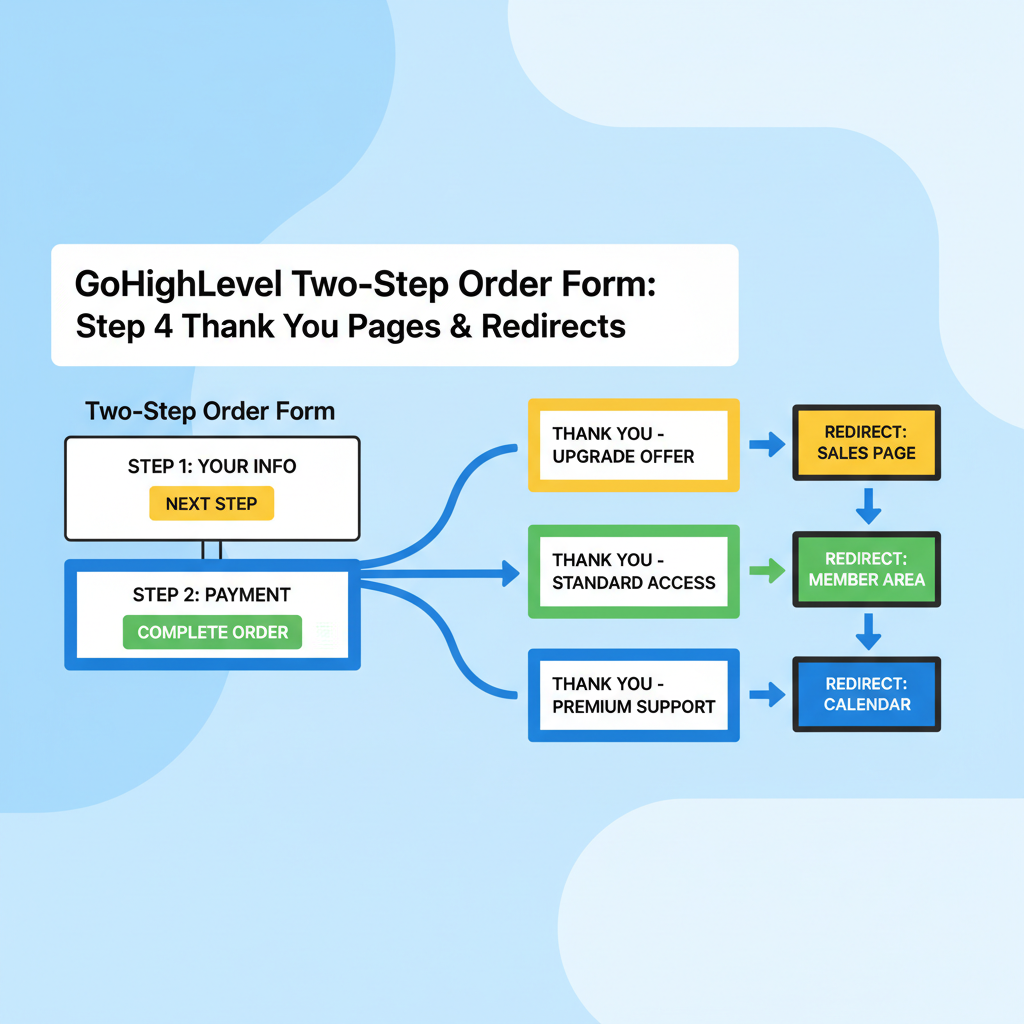
 GoHighLevel Two-Step Order Form: Step 4 Thank You Pages & Redirects header illustration”>

When you’re building a two-step order form in GoHighLevel, Step 4 – Thank You Page & Redirects is where everything comes together.
This is the point where GoHighLevel decides what to do after someone finishes the two-step flow:
- Did they buy the main offer only?
- Did they also accept the upsell?
- Did they abandon before purchasing?
Each outcome should land on a different, intentional thank-you experience—with the right message, the right next step, and the right tracking.
This guide shows you how to:
- Understand where Step 4 fits in the two-step order form sequence.
- Map purchase outcomes to specific thank-you pages.
- Configure redirects inside the funnel builder.
- Test each path so no one ends up on the wrong page.
- Turn your thank-you pages into conversion and retention assets.
Throughout, you’ll see where GoHighLevel handles the mechanics and where Revset Labs, an AI Automation and Marketing Agency, can help you turn this into a complete revenue system.
If you don’t have GoHighLevel yet, you can follow along by spinning up a trial here:
Start your free GoHighLevel trial
Where Step 4 fits in the two-step order form flow
A standard GoHighLevel two-step order form is built to do three things:
- Collect details (Step 1 – contact info).
- Collect payment (Step 2 – card/checkout).
- Route buyers and non-buyers (Step 4 – thank-you pages & redirects).
In a typical flow:
- The prospect completes Step 1 and Step 2 on your order form.
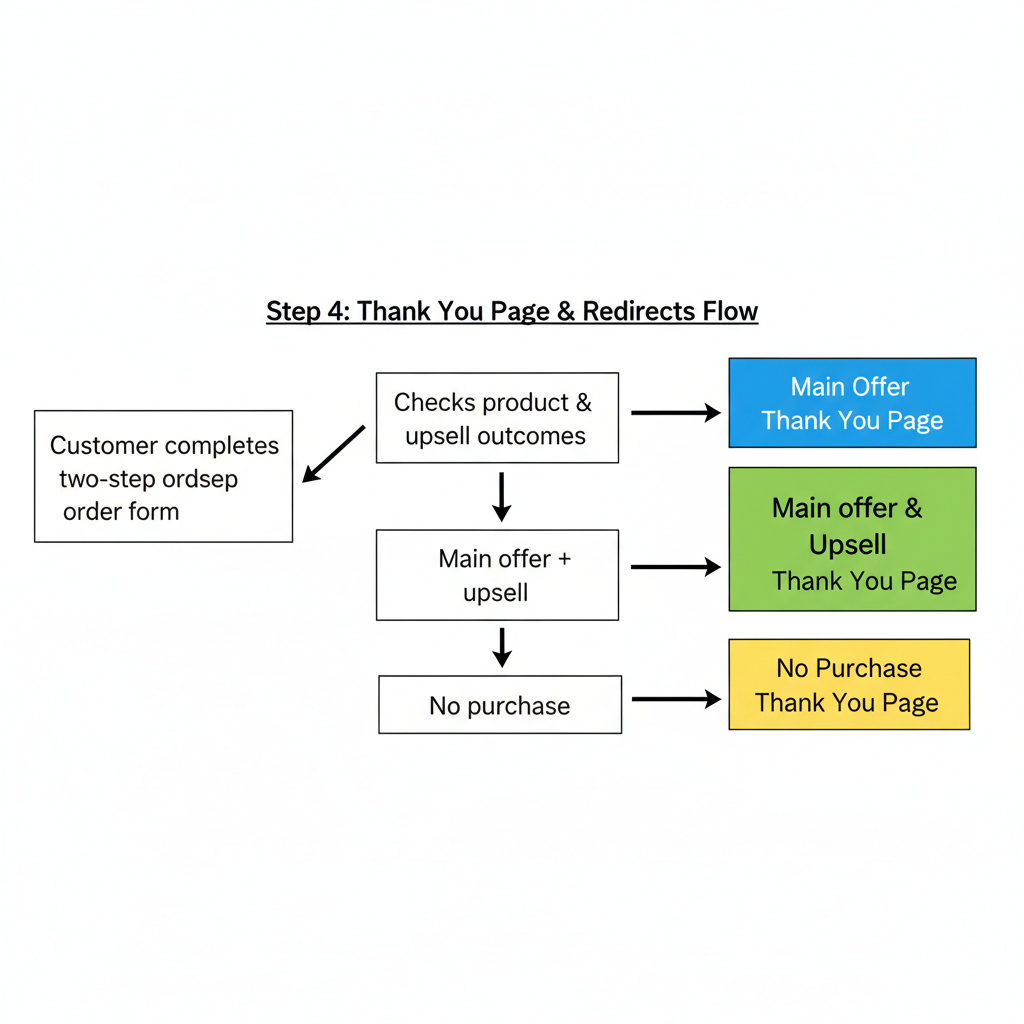
- GoHighLevel checks which products were purchased and whether an upsell was accepted.
- Based on those outcomes, the system redirects the visitor to one of several thank-you destinations.
Common patterns include:
- Main offer only → standard onboarding or access page.
- Main offer + upsell → premium onboarding, bonus content, or “success” page with next steps.
- No purchase → softer thank-you or exit page with a downsell or lead magnet.
Treat Step 4 as your post-purchase router—it’s your opportunity to control what happens next for each type of visitor.
Step 1 – Plan your thank-you experiences
Before you touch any settings, decide what each segment should see after the order form.
Use a simple matrix:
- Buyer type:
- Main offer only
- Main offer + upsell
- No purchase
- Goal for this visitor:
- Deliver what they bought
- Increase activation and retention
- Rescue the sale or at least capture a lead
Then outline a dedicated thank-you page for each outcome.
Example thank-you strategies
-
Main offer only
- Confirm the purchase and recap what they get.
- Give clear next steps (log in, book onboarding, check email).
- Offer a time-limited upsell if you didn’t already present one in the funnel.
-
Main offer + upsell
- Celebrate the full purchase.
- Emphasize added value from the upsell.
- Link directly to any extra resources, calls, or onboarding they unlocked.
-
No purchase
- Thank them for their time.
- Offer a lower-commitment next step: lead magnet, webinar, or discovery call.
- Optionally present a downsell with a lighter version of the offer.
The clearer your plan is now, the easier Step 4 will be to configure cleanly.
Step 2 – Create your thank-you pages in GoHighLevel
Next, build the actual thank-you pages you’ll send people to.
- In GoHighLevel, go to Sites → Funnels.
- Open your two-step order form funnel.
- For each outcome you planned, add a new funnel step:
- Main Offer Thank You
- Main Offer + Upsell Thank You
- No Purchase Thank You
- For each step, click Edit Page and:
- Add a clear confirmation headline (for example, “You’re In – Here’s What Happens Next”).
- Recap what they purchased (or didn’t purchase).
- Include 1–2 specific next actions (log in, book onboarding, check email).
- Place any important links or buttons above the fold.
If you’re short on time, start with simple, text-first layouts. You can always layer more design later.
Step 3 – Configure Step 4 thank-you & redirect rules
With your pages ready, it’s time to wire the logic in Step 4.
The exact UI may evolve, but the core concepts stay the same.
- In your funnel, go to the two-step order form step.
- Open the settings for the form/step (often via the gear icon or Settings tab).
- Locate the section for Thank You Page & Redirects or Post-Purchase Actions.
You’ll typically see options like:
- A default thank-you page or URL.
- Conditional redirects based on product purchased or upsell outcome.
Configure it using your plan from Step 1.
Example configuration
- Default thank-you page: set this to your "No Purchase" or generic thank-you page.
- If main offer purchased, no upsell: redirect to
Main Offer Thank Youstep. - If main offer + upsell purchased: redirect to
Main Offer + Upsell Thank Youstep. - If no purchase: stay on default or send to a dedicated "No Purchase" page.
Under the hood, GoHighLevel evaluates the products selected and any upsell outcomes, then applies the rules from top to bottom.
Here’s a simple visual of the flow:
Revset Labs tip: Keep your redirect rules as simple as possible to start. It’s better to have three clear thank-you experiences that work perfectly than a dozen edge cases you can’t reliably test.
Step 4 – Test every path like a real customer
Misconfigured redirects are one of the fastest ways to confuse buyers.
Test each scenario end to end:
- Open the funnel in an incognito/private window.
- Use Stripe test cards (or a $1 live product) to simulate each outcome:
- Main offer only
- Main offer + upsell
- No purchase (cancel at the upsell or before paying)
- After each run, confirm that you land on the correct thank-you page.
- Check that:
- Confirmation emails and receipts go to the right address.
- Tags, opportunities, and workflows are triggered correctly.
- Analytics and pixels fire on the right thank-you URLs for tracking.
Only when all three paths work as expected should you start sending real traffic.
If you’d rather have a specialist wire and QA this for you, Revset Labs can build and test your two-step order flows inside GoHighLevel while you focus on offers and traffic.
Step 5 – Turn thank-you pages into conversion assets
A basic thank-you page just says “Thanks.” A strategic thank-you page moves people to their next high-value action.
Ideas for each outcome:
Buyers (main offer or main + upsell)
-
Onboard quickly
- Short 2–3 step checklist (“Do this next”) so they know how to start.
- Invite them to book an onboarding call via embedded calendar.
-
Increase stickiness
- Share a quick-win video or mini training.
- Link to a private community, chat, or support channel.
-
Set expectations
- Clarify what happens in the next 24–72 hours.
- Outline refund or guarantee terms clearly to avoid support headaches.
Non-buyers
-
Capture a softer commitment
- Offer a free resource or low-ticket product related to the main offer.
- Invite them to join a webinar or email mini-course.
-
Collect feedback
- Add a 1–2 question survey asking what stopped them (price, timing, clarity).
Small improvements here compound quickly because 100% of your paid traffic passes through these pages.
Step 6 – Use automations and pipelines with Step 4
Your redirects shouldn’t live in isolation. Connect them to your CRM and automations so each outcome triggers the right follow-up.
Examples:
-
Main offer buyers
- Add tag
Buyer – Main Offer. - Create or update an opportunity in your Customer pipeline.
- Trigger onboarding workflow (emails/SMS, internal tasks).
- Add tag
-
Main + upsell buyers
- Add tag
Buyer – Main + Upsell. - Move opportunity to a Premium or High-Value stage.
- Notify account manager or success team.
- Add tag
-
No purchase
- Add tag
Two-Step – No Purchase. - Enroll in a short recovery sequence with extra context and social proof.
- Add tag
GoHighLevel workflows and pipelines make this wiring straightforward—and once it’s in place, every visitor who touches your two-step order form is tracked properly.
If you’d like a complete, done-for-you setup around this, Revset Labs can map your offers, flows, and tech into a single, predictable revenue engine.
FAQs: Step 4 Thank You Pages & Redirects in GoHighLevel
Do I need separate thank-you pages for every product combination?
Not usually. Start with clear experiences for the big three outcomes: main offer only, main + upsell, and no purchase. You can add more granular logic later if you truly need it.
Can I redirect to an external thank-you page instead of one in GoHighLevel?
Yes. In the Step 4 settings you can often choose to redirect to an external URL. Just make sure your tracking (pixels, UTM parameters, etc.) and any login or onboarding instructions still line up.
What happens if no redirect rule matches?
The visitor will usually land on your default thank-you page or stay on the order form with a generic confirmation. That’s why it’s important to set a smart default and then add clear conditional rules on top.
Will changing thank-you URLs break my tracking?
It can. If you’ve told ad platforms or analytics tools to treat a specific URL as the “conversion” page, changing that URL without updating your tracking will produce incorrect data. Always update your ad and analytics goals when you change thank-you destinations.
How does this connect to the rest of my funnel system?
Your two-step order form sits in the middle of a larger journey: traffic → funnel → two-step order form → Step 4 redirects → follow-up automation. When you connect Step 4 to your tags, pipelines, and workflows, GoHighLevel becomes the single source of truth for who bought what—and what should happen next.
Start your GoHighLevel free trial and see this flow in your own account