
Email deliverability, opens, and replies all start with a simple question: who does this message look like it’s from?

In GoHighLevel, that’s controlled by sending priority — the rules the platform uses to decide which From Name and From Email address to use every time an email goes out.
If you don’t understand those rules, you’ll see emails coming from unexpected inboxes, replies going to the wrong place, or confusing "via" labels in inboxes like Gmail and Outlook. This guide breaks down exactly how GoHighLevel chooses your sender details and how to set them up correctly.
Along the way, you’ll see where GoHighLevel fits into a modern revenue system and how Revset Labs can help you implement everything for you.
What “sending priority” means in GoHighLevel
When GoHighLevel sends an email, it can pull the From Name and From Address from several places:
- The logged‑in user sending a manual email
- The user assigned to the contact
- A workflow or campaign’s configured From details
- The sub‑account (location) email
- The agency email at the very top
Sending priority is simply the order GoHighLevel checks those options.
Get this right and every contact consistently sees emails from the same, trusted identity. Get it wrong and you’ll end up with:
- Different senders for different emails in the same sequence
- Replies going to a personal inbox instead of a shared support or sales inbox
- Lower trust and lower engagement because the sender doesn’t match your brand
If you’re just getting started with GoHighLevel, you can spin up a free trial here while you follow along:
Start a GoHighLevel free trial
How GoHighLevel decides which From Name & email to use
At a high level, GoHighLevel follows two different paths:
- Manual emails you send yourself (for example from Conversations)
- Automated emails sent by workflows, campaigns, or bulk actions
Manual emails (Conversations)
When you open a conversation and send an email manually:
- GoHighLevel uses the logged‑in user’s email address by default.
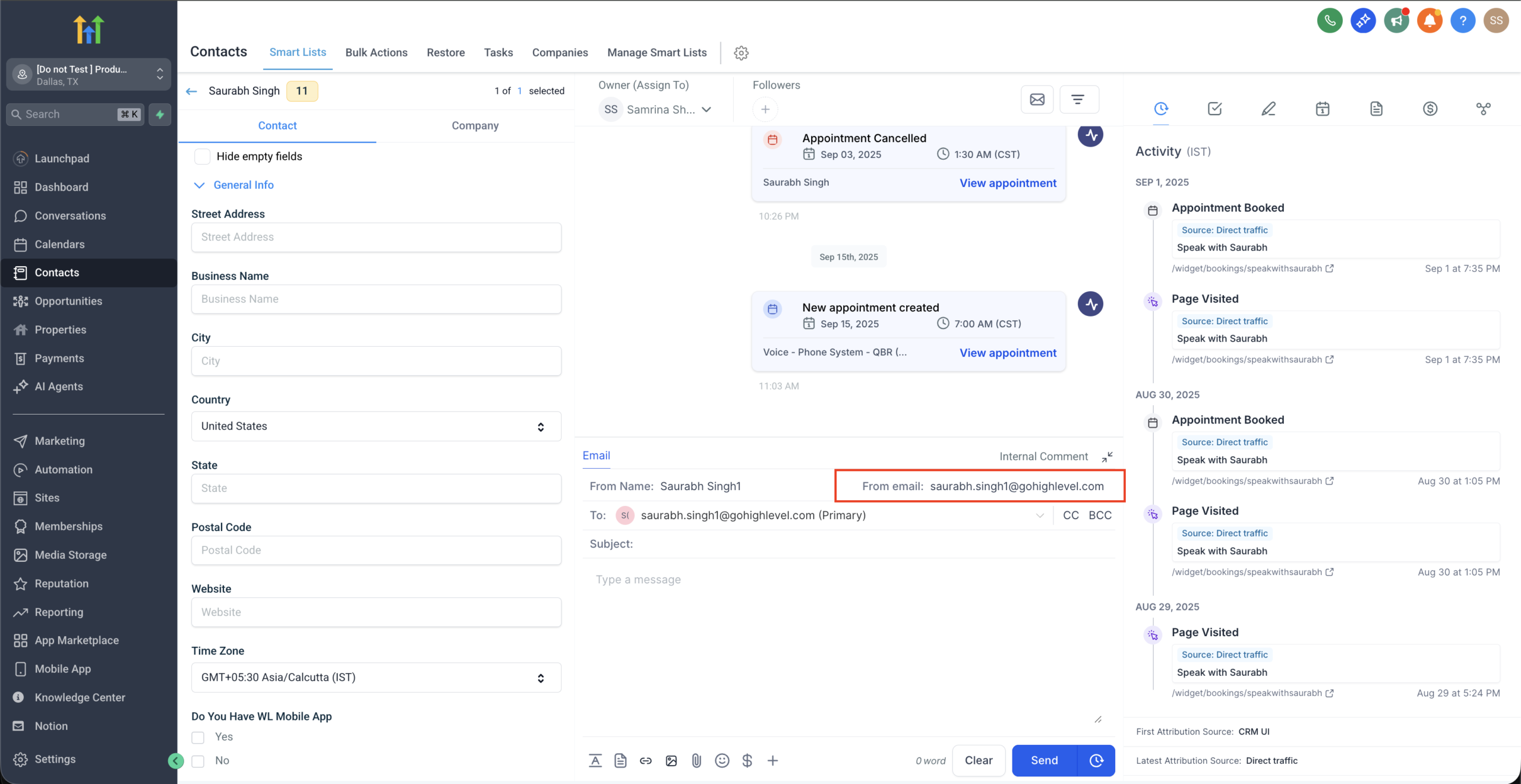
- If you’ve connected two‑way email sync (for example via Gmail or Outlook), the connected inbox is used as the sender.
- Whether the contact is assigned or unassigned doesn’t change the From address — it still comes from the user who is logged in and sending.
This is great for true 1:1 communication, but it also means:
- If your team shares conversations, different people may reply from different addresses.
- If someone hasn’t set up 2‑way sync correctly, the system may fall back to a less ideal sender.
Best practice: decide which inboxes should ever send manual emails (for example, an SDR’s personal inbox vs a shared success@ inbox) and configure 2‑way sync accordingly.
Automated emails (workflows, campaigns, bulk actions)
Automations are where sending priority really matters. For automated emails, GoHighLevel works through a priority ladder like this:
- Workflow / campaign From details
If the email step or workflow settings specify a From Name and From Email, those win. - Assigned user’s email
If nothing is set on the workflow or campaign and the contact has an assigned user, GoHighLevel uses that user’s email. - Location (sub‑account) email
If there’s no assigned user email, GoHighLevel uses the location’s default email.
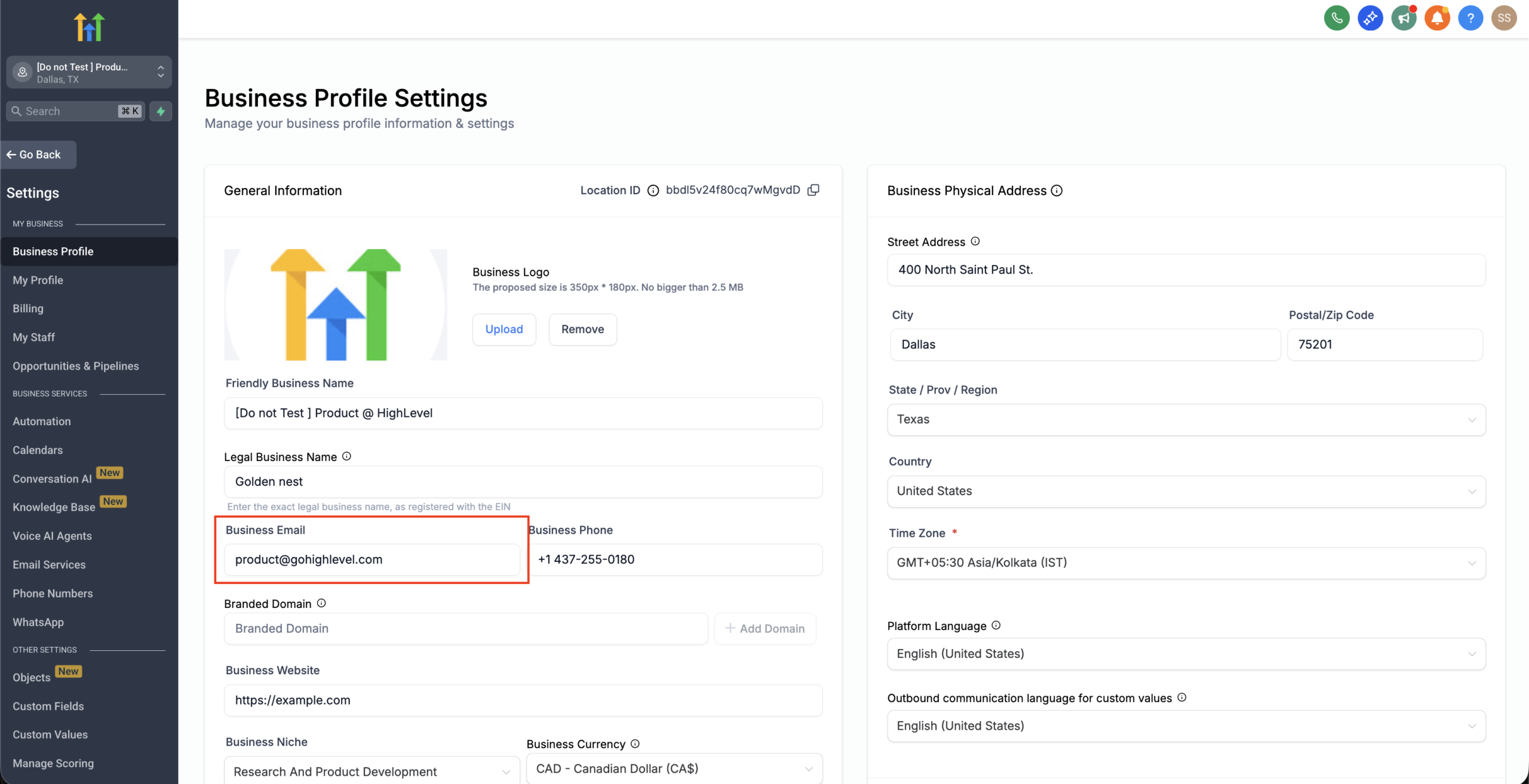
- Agency email
If none of the above exist, it falls back to the agency email.
The supporting flowchart image in this task visualizes that decision tree so your team can see it at a glance.
Recommended sending‑priority setup (step‑by‑step)
Use this blueprint to keep your sender identity clean and predictable.
1. Decide your primary sending identity
Start with a strategic decision:
- Do you want emails to come from a person (for example, "John at Revset Labs")?
- Or from a brand inbox (for example, "Revset Labs" support@revsetlabs.com)?
For most marketing and lifecycle email, a branded shared inbox works best. For sales and high‑touch onboarding, a personal sender often performs better.
2. Configure location and agency emails
In GoHighLevel:
- Set your location email to a domain‑authenticated address that should be safe as a fallback (for example, support@yourdomain.com).
- Make sure your agency email is a real, monitored inbox, but understand it should almost never be the sender in a mature setup.
This way, even if a workflow is misconfigured, your emails still come from an inbox you control.
3. Standardize workflow and campaign From details
For each workflow or campaign that sends email:
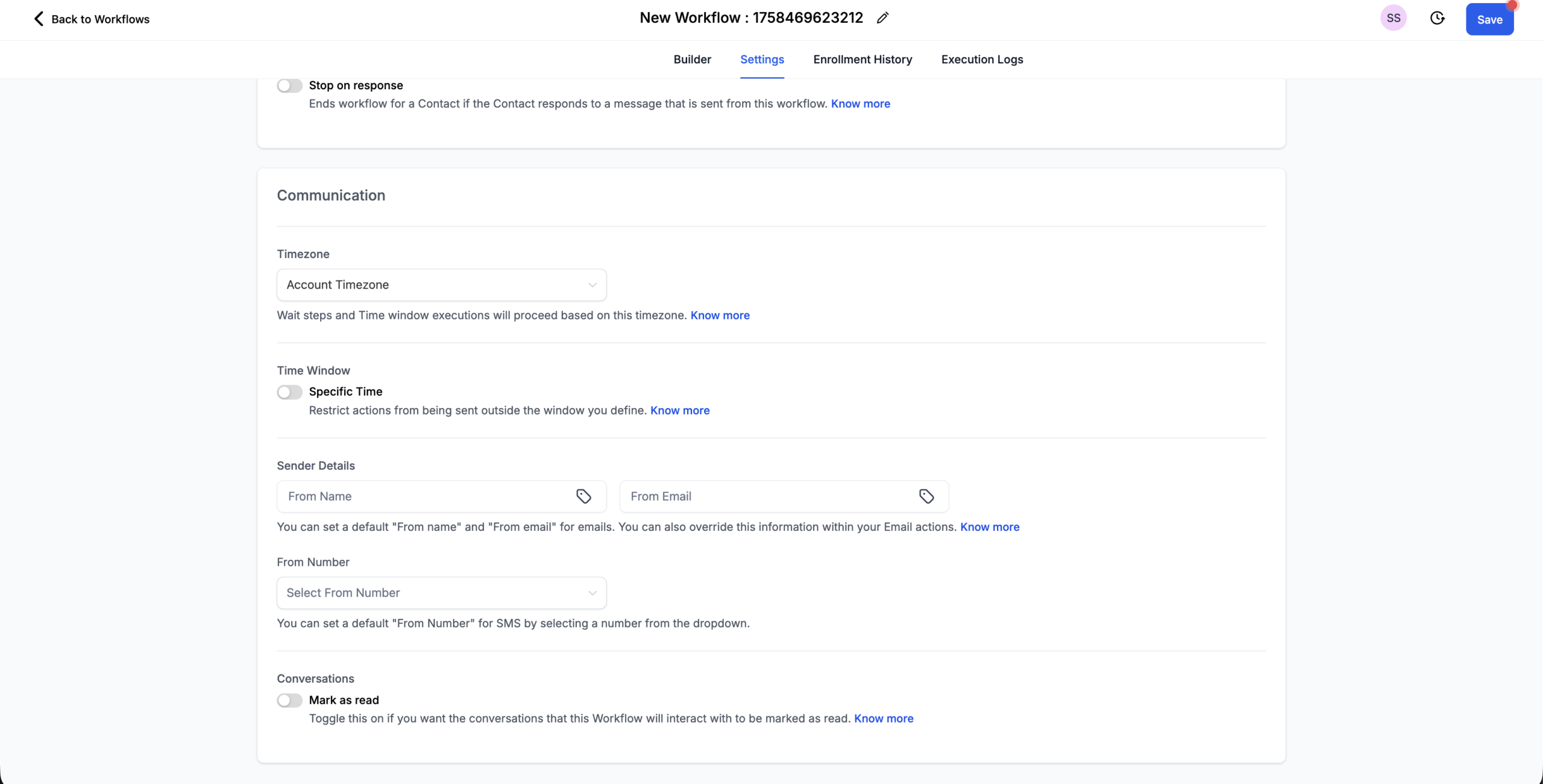
- Open the workflow settings and set a clear From Name and From Email that match your strategy.
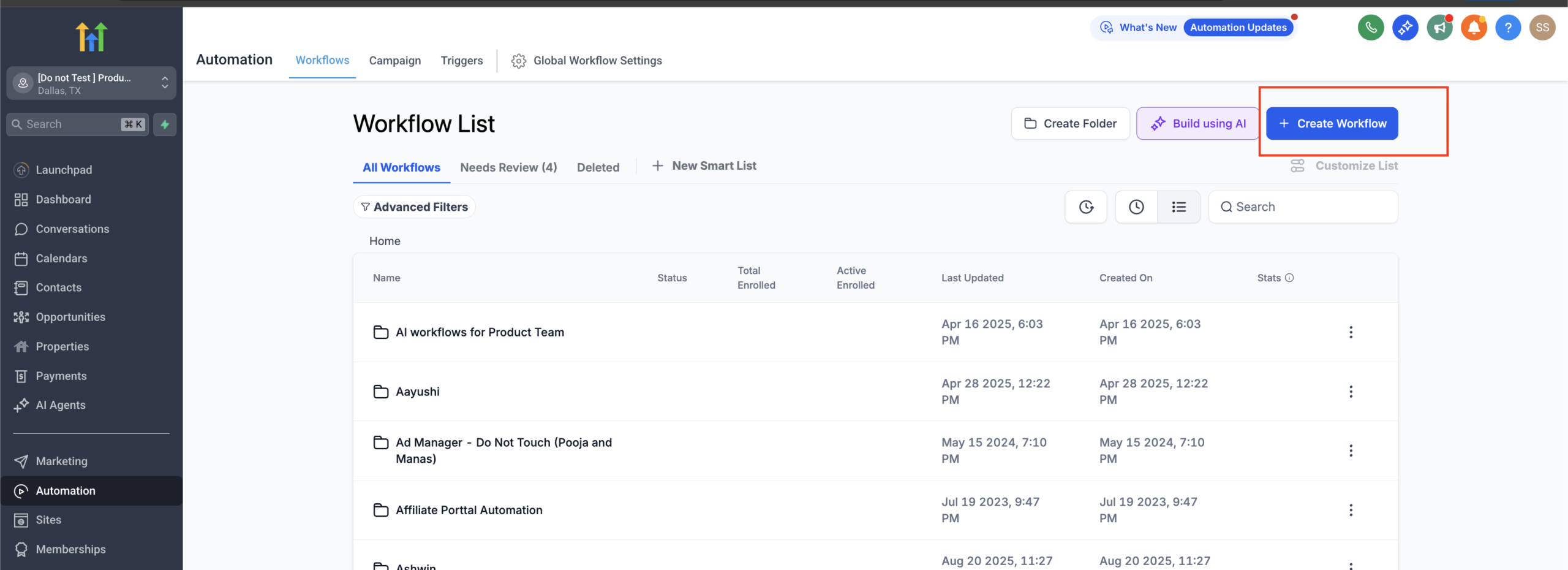
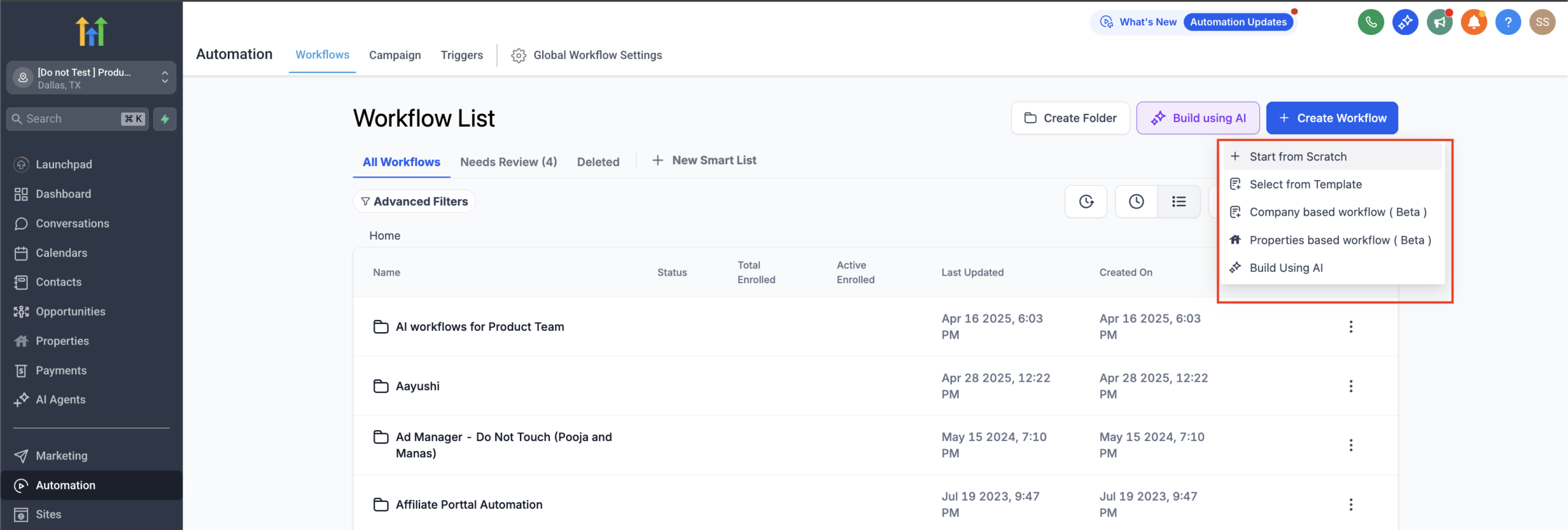
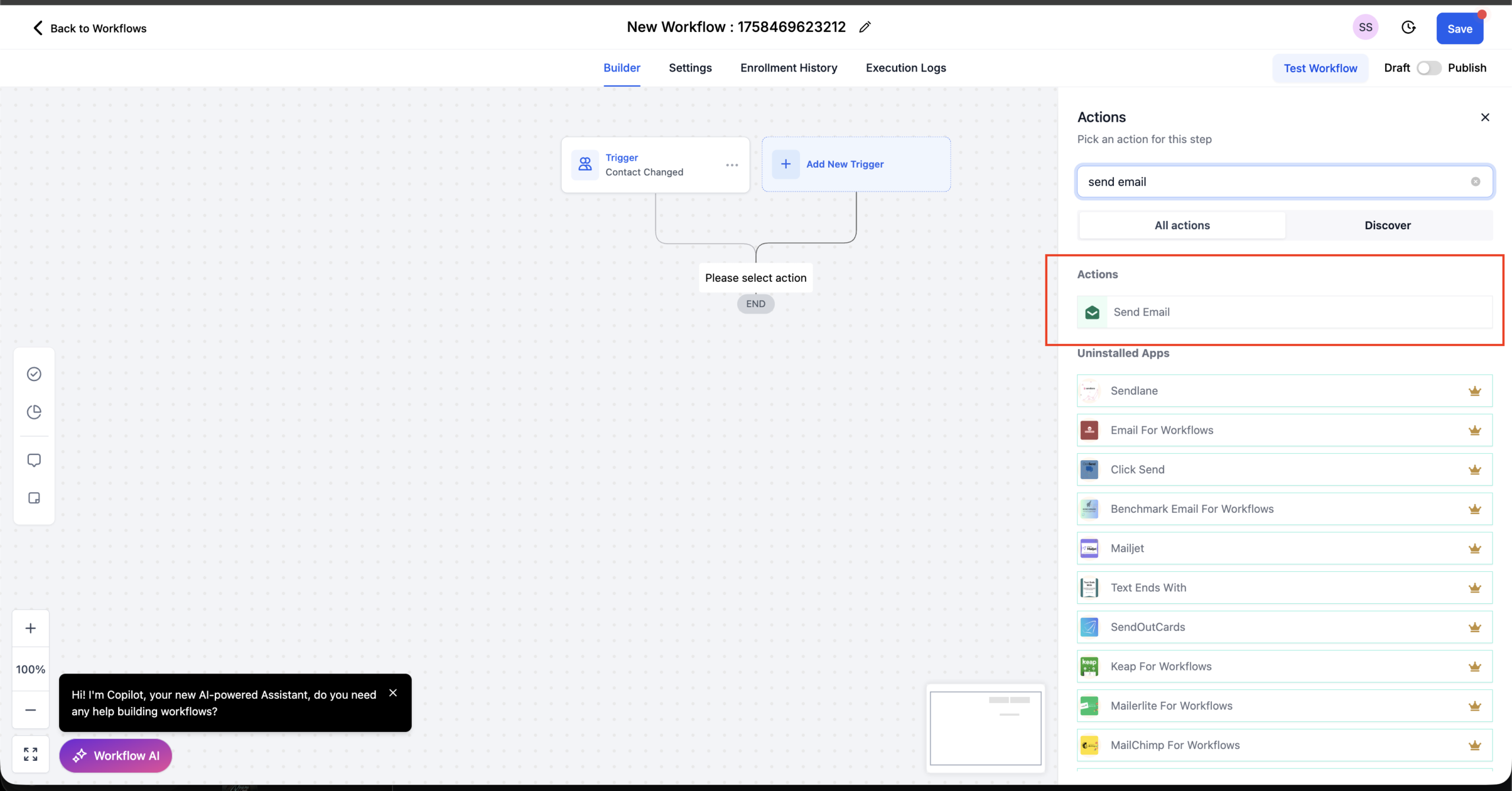
- For individual Send Email actions, only override the sender if you have a specific reason (for example, a message that must come from the account manager).
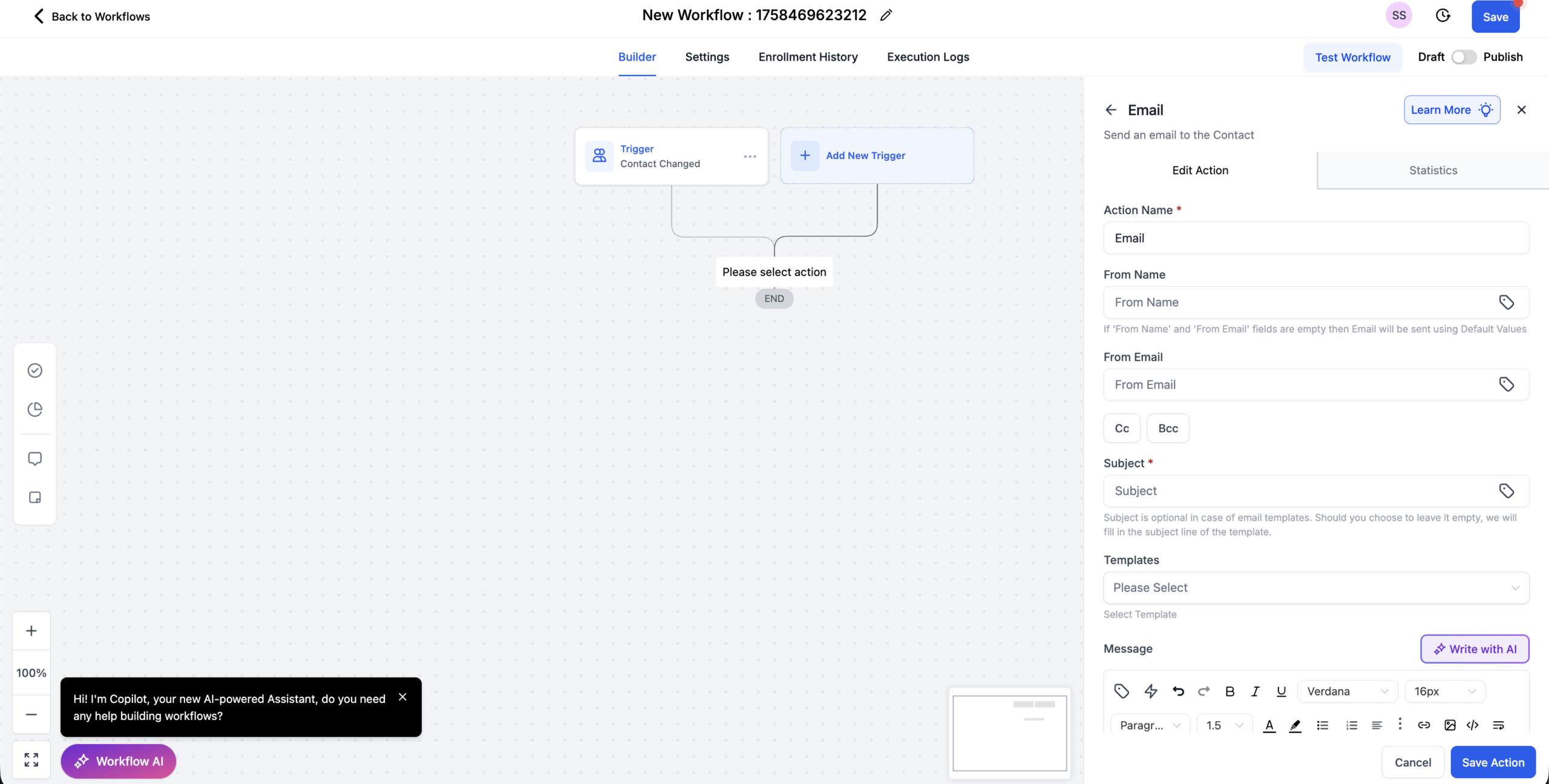
- Use the same sender across an entire journey (for example, the whole onboarding series) to build recognition.
If you’re still evaluating tools, GoHighLevel makes this type of sender control much easier than duct‑taping separate email systems together. You can explore it hands‑on here:
Explore GoHighLevel’s automation & email tools
4. Align manual email behavior with your automation
Manual emails should reinforce, not conflict with, your automated sender strategy:
- Make sure every user who sends 1:1 email has the right profile name and connected inbox.
- Train the team on when to use personal senders vs shared inboxes.
- Use contact assignment rules so replies land with the right owner.
5. Let Revset Labs wire it all together
Configuring sending priority is just one piece of a high‑performing GoHighLevel setup. Revset Labs specializes in:
- Designing end‑to‑end funnels and lifecycle journeys
- Implementing GoHighLevel workflows, triggers, and campaigns
- Hardening deliverability (DNS, sending domains, warm‑up) so your messages actually land
If you’d rather have an expert build and monitor this for you, Revset Labs can audit your current GoHighLevel account and implement a clean, scalable sending setup.
Fixing common sending‑priority issues
"Emails are coming from the wrong address"
If contacts see a different sender than you expect:
- Check the workflow or campaign settings for that email. Is the From Email set explicitly?
- If not, check whether the contact is assigned and what email is on that user’s profile.
- If the contact is unassigned, update the workflow or set a sensible location email.
"Outlook shows a strange From line"
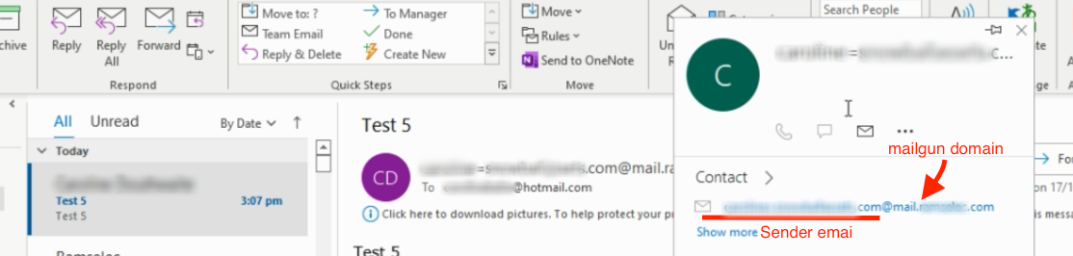

Some Outlook clients display a more verbose From line (for example including the underlying sending domain). This is usually cosmetic, but if it looks off:
- Confirm your sending domain and DNS are configured correctly.
- Use a professional From Name so the identity is easy to recognize even if Outlook adds extra detail.
"Gmail shows ‘sent via’ or ‘on behalf of’"
The "sent via" label typically appears when:
- Your SPF/DKIM/DMARC records aren’t aligned, or
- You’re sending from one domain using another service’s server.
In GoHighLevel, make sure you:
- Connect a dedicated, authenticated sending domain.
- Avoid mixing personal free inboxes (like @gmail.com) with your branded domain in automations.
If you’re not sure whether your setup is clean, this is a great moment to have Revset Labs run a quick deliverability and infrastructure check.
Turning sending priority into a growth lever
Most teams treat sender setup as a one‑time technical chore. In reality, it’s a growth lever:
- A consistent From Name and From Email improves recognition and open rates.
- Correct priority rules ensure replies reach the right person or team, not a forgotten inbox.
- Clean infrastructure protects your domain reputation so future campaigns keep landing in primary inboxes.
GoHighLevel gives you the control to get this right across manual and automated emails. When you pair that with a clear funnel strategy and automation system, you get compounding returns from every send.
If you’re ready to go deeper:
- Test‑drive the platform: Start your GoHighLevel free trial
- Bring in Revset Labs as your AI automation and marketing partner to design, build, and optimize the entire system around it.