
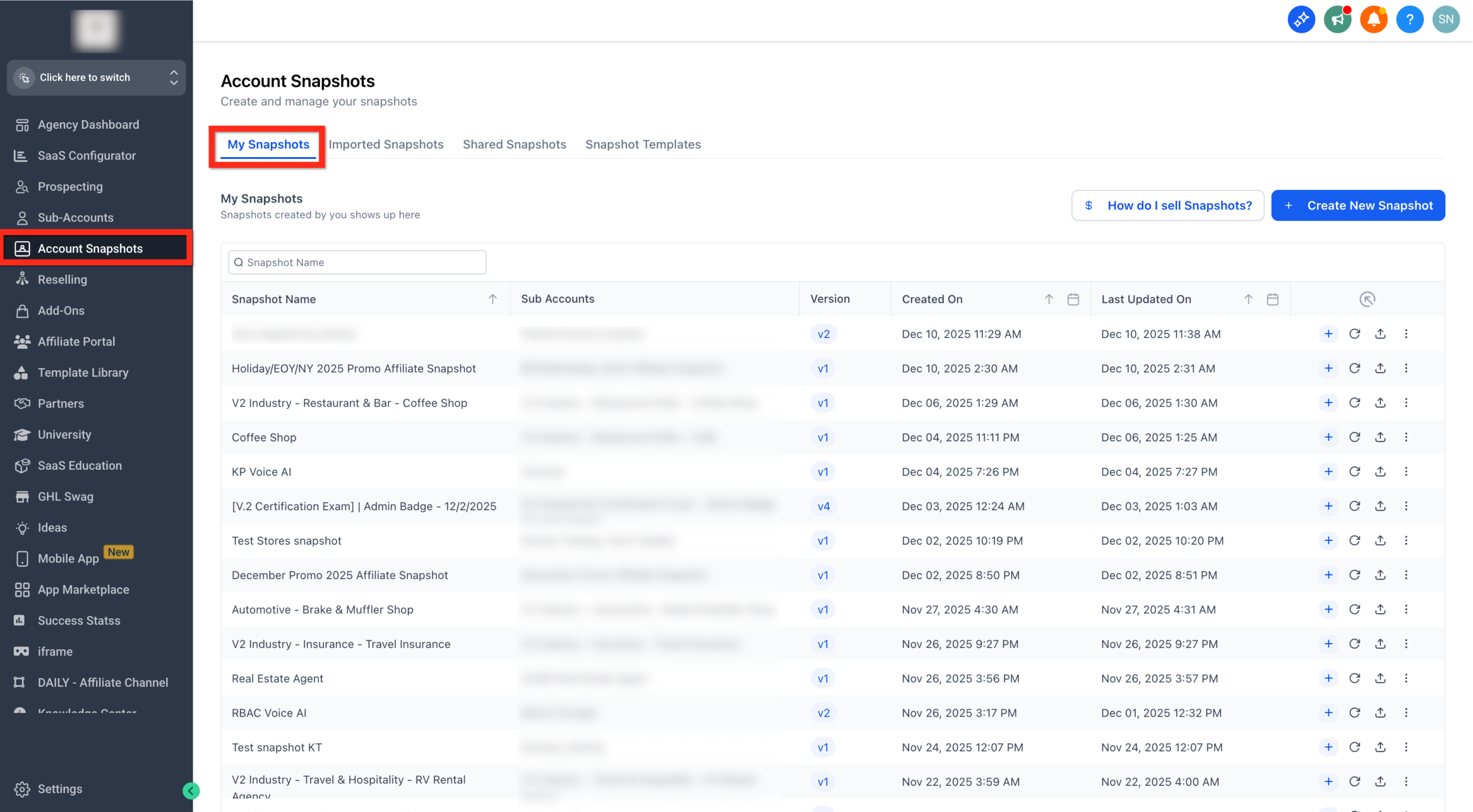
Snapshots in GoHighLevel let you package funnels, workflows, automations, and settings into a single bundle you can deploy into any account. When you know how to share those snapshots correctly, you stop rebuilding the same system from scratch and start rolling out consistent client experiences in minutes.For agencies and SaaS teams building on top of GoHighLevel, snapshot sharing is the backbone of scalable onboarding: every new sub-account gets the same proven setup, and your internal best practices turn into reusable, sellable assets.This guide walks you through exactly how to share snapshots in GoHighLevel, how each share link type works, and how to protect your IP while you grow.If you’re not in GoHighLevel yet and want to follow along in your own account, you can start a free GoHighLevel trial here.## What Snapshot Sharing in GoHighLevel Actually Does for YouWhen you share a snapshot, you’re giving another GoHighLevel account the ability to import a curated package of assets in one move. A snapshot can include:- Funnels and websites- Pipelines and opportunity stages- Workflows and automations- Forms, surveys, calendars, triggers, and templates- Custom fields and other configurationInstead of manually recreating the same stack for every client or sub-account, you:- Launch faster: New accounts can go from blank to production-ready in minutes.- Stay consistent: Every client gets the same proven automation and funnel setup.- Protect your IP: Assets Protected snapshots prevent recipients from duplicating or re-sharing your high-value assets.- Scale SaaS offers: If you’re layering a SaaS product or template library on top of GoHighLevel, snapshots are how you provision the product experience.If you’re still evaluating platforms for your agency or SaaS, GoHighLevel is built for this kind of repeatable deployment. You can start a free GoHighLevel trial using this link and test snapshot sharing with a sandbox account.Revset Labs is an AI automation and marketing agency that helps teams design these "snapshot-first" systems—so you’re not just sharing assets, you’re sharing a scalable offer.## Before You Start: Prerequisites for Sharing a SnapshotBefore you share anything, make sure you have:- Agency access: You need to be in Agency View with permissions to manage snapshots.- An existing snapshot: Either create a new snapshot from a sub-account or use an existing one in your library.- Clarity on who should receive it: Are you sharing with a single client, multiple partner agencies, or buyers from the Marketplace?- A plan for updates: Decide whether you’ll periodically refresh the snapshot and re-share links when things change.> Note: Snapshot share link types are available on all GoHighLevel plans, so you don’t need a specific tier just to share snapshots.## Step-by-Step: How to Share a Snapshot in GoHighLevelAt a high level, sharing a snapshot looks like this: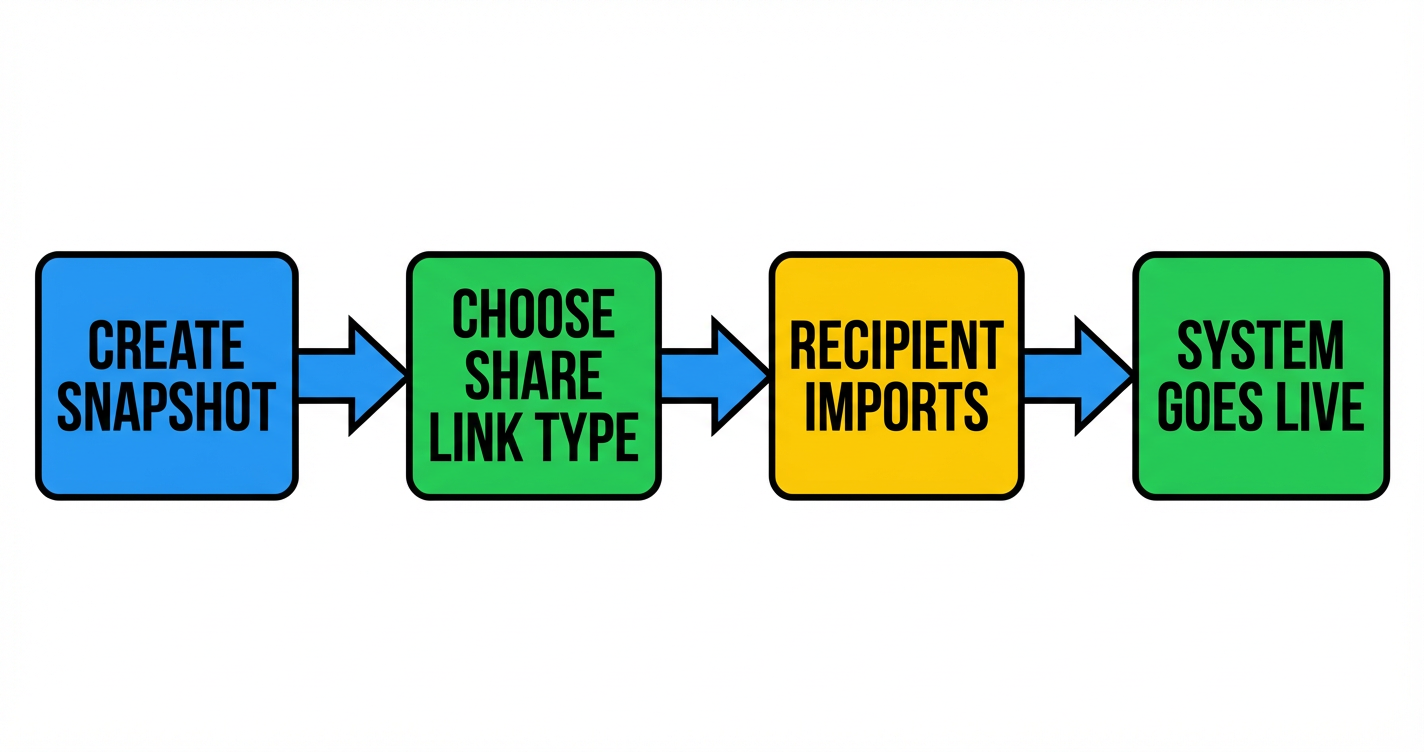 ### Step 1: Open your snapshot library1. Go to Agency View.2. In the left-hand navigation, open Account Snapshots.3. Click My Snapshots to see all snapshots available in your agency.
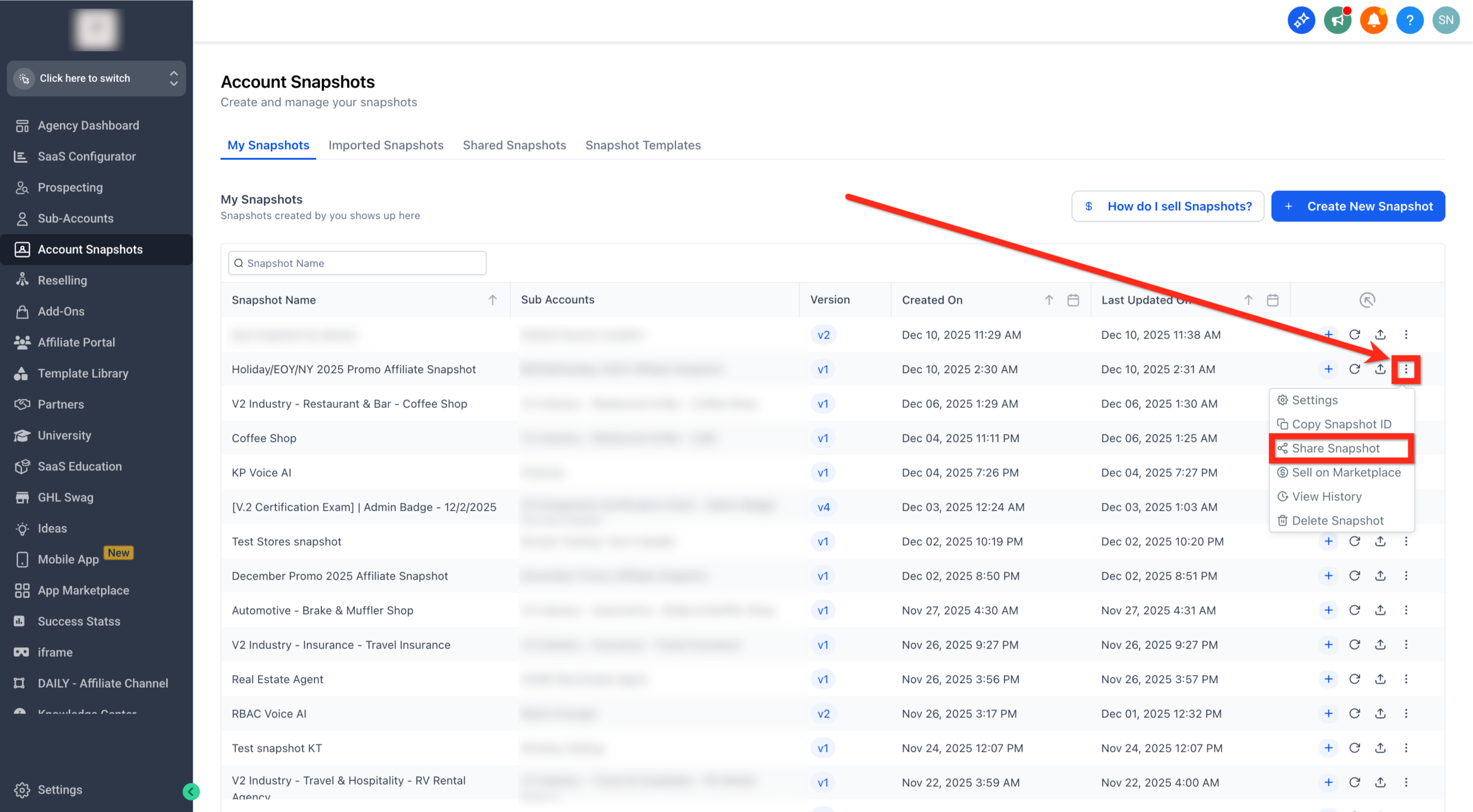
 If you need to create a new snapshot first, build out a "golden" sub-account and then create a snapshot from it so you’re always sharing a clean, up-to-date configuration.### Step 2: Choose the snapshot you want to share1. Find the snapshot you want to distribute.2. Click the three dots (⋯) next to the snapshot name.3. Select Share Snapshot from the dropdown.
 This opens the sharing panel where you’ll choose how tightly you want to control access.### Step 3: Pick the right share link typeIn the sharing panel, choose the option that matches your use case:- Permanent Link – A reusable link that allows unlimited imports until you revoke it.- One-Time Link – A single-use link that expires after the first successful import.- Email Link – A one-time link that’s automatically emailed to a specific address.- Agency-Restricted Link – A reusable link that only works for agencies whose relationship numbers you specify.- Sub-Account Restricted Link – A link that only works for the exact sub-account you select.- Marketplace Share Link – A link used when you sell snapshots via the GoHighLevel App Marketplace.You’ll find deeper guidance on when to use each option in the next section, but for now, select the one that best matches how you intend to share the snapshot.
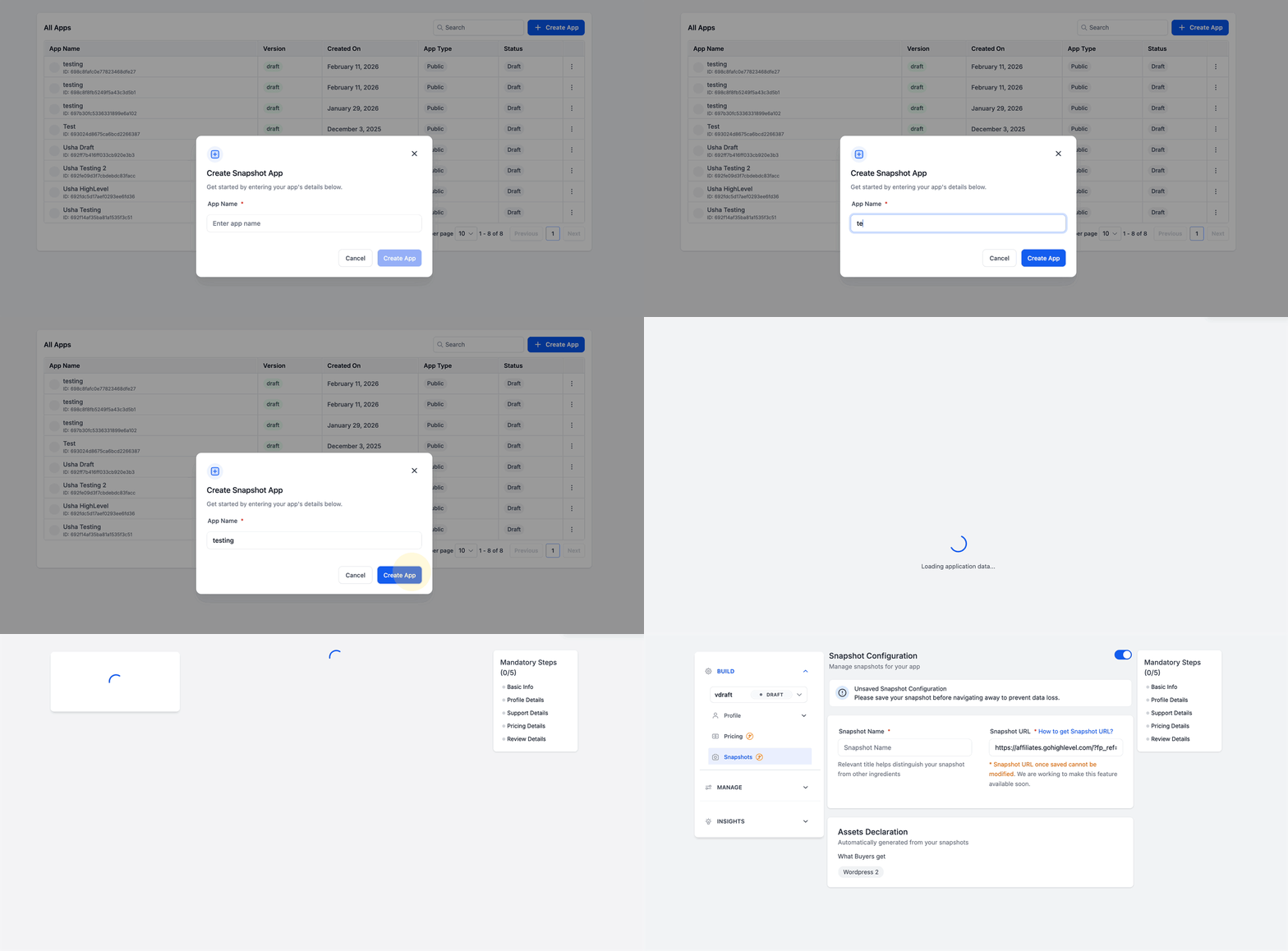 ### Step 4: (Optional) Turn on Assets ProtectedIf the snapshot contains proprietary funnels, copy, or automations you don’t want others to duplicate or re-share:1. Toggle Assets Protected on.2. Confirm that recipients will be able to use the assets inside their account but won’t be able to repackage or resell them as new snapshots.This is especially important if you’re selling snapshot-based products or giving partners access to a high-value internal system.### Step 5: Generate and send the link1. Click Get Link (or the equivalent action in the sharing panel).2. Copy the generated URL.3. Send it through your preferred channel (email, chat, client portal, or Marketplace listing).
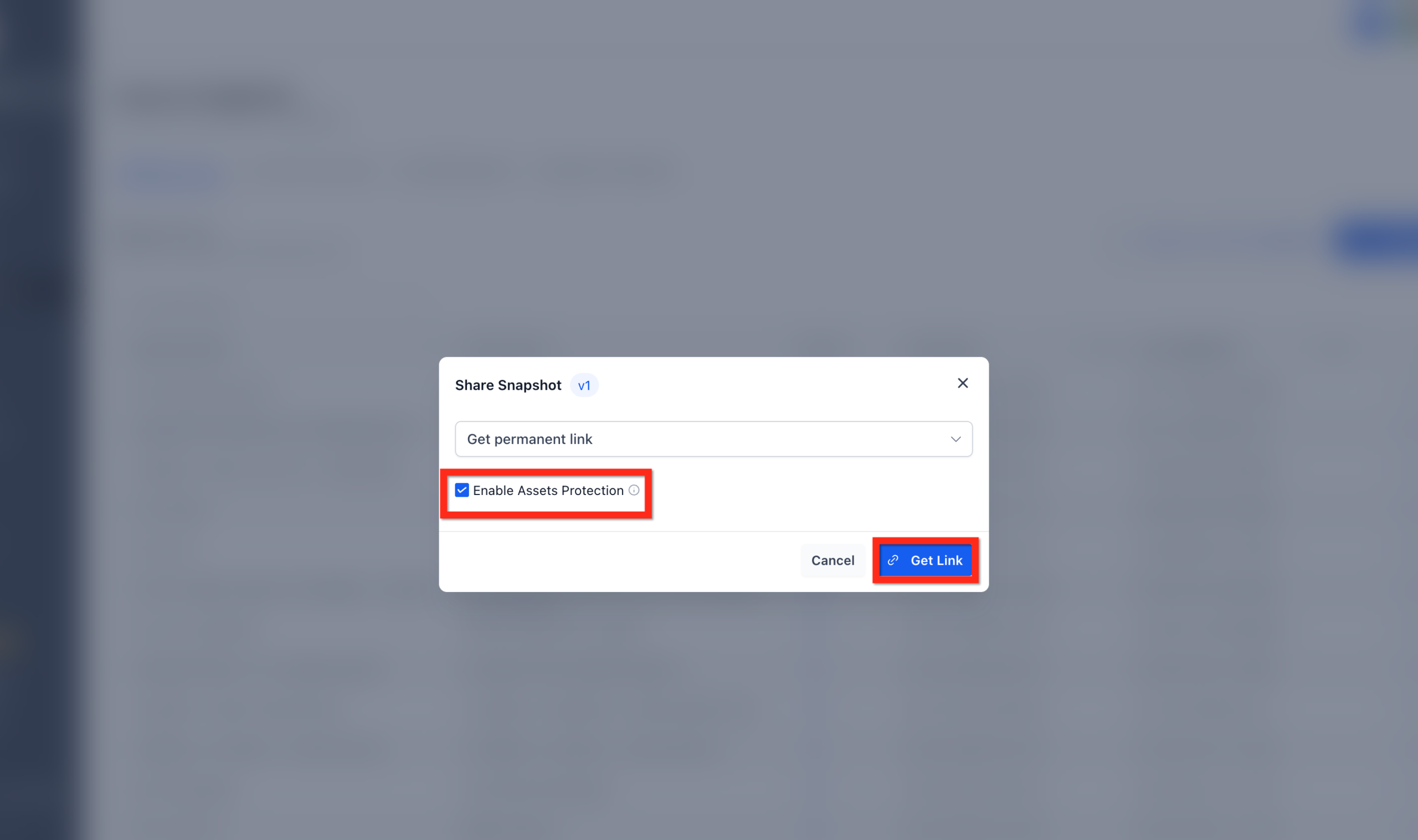 When the recipient opens the link while logged into GoHighLevel, they’ll be prompted to import the snapshot into one of their accounts. Once the import finishes, they can configure any account-specific details (like domains, integrations, or offer-specific copy) before going live.## Snapshot Link Types and When to Use EachChoosing the right link type is what keeps your snapshot strategy safe and scalable.### Permanent LinkWhat it is: A reusable link that anyone with access can use to import the snapshot multiple times.Best for:– Internal use across your own sub-accounts- Long-term partners you fully trust- Training environments where multiple imports are expectedWatch out for:– Anyone who gets the URL can import the snapshot until you revoke it.### One-Time Share LinkWhat it is: A link that stops working after the first successful import.Best for:– One-off client projects- Paid snapshot deliveries where a single import is part of the offer- Situations where you want tight control without managing relationship numbersWatch out for:– If the client loses access before importing, you’ll need to generate a new link.### Email LinkWhat it is: A one-time link emailed directly to a specific address.Best for:– Clients who prefer everything in their inbox- Snapshot deliveries tied to onboarding or support ticketsWatch out for:– Make sure the recipient knows they must be logged into the correct GoHighLevel account before clicking the link.### Agency-Restricted LinkWhat it is: A reusable link that only works for agencies whose relationship numbers you specify.Best for:– Strategic partners and white-label resellers- Ongoing collaboration where partners may need to import into multiple sub-accountsWatch out for:– You’ll need to manage and update the list of allowed relationship numbers over time.### Sub-Account Restricted LinkWhat it is: A link that can only import the snapshot into a single designated sub-account.Best for:– High-value systems where you only want one specific client to have access- Internal QA environments where you want strict control over where the snapshot landsWatch out for:– If the client creates a new sub-account later, you’ll need a new link.### Marketplace Share LinkWhat it is: A link used for selling snapshots on the GoHighLevel App Marketplace. Marketplace listings typically include built-in IP protection.Best for:– Agencies and SaaS builders turning their frameworks into paid products- Snapshot libraries you want to monetize at scaleWatch out for:– Make sure your onboarding and documentation are strong—marketplace buyers expect a clear path from import to live.## Real Examples: How Agencies and SaaS Teams Use Snapshot SharingHere are a few ways high-performing teams use snapshot sharing in GoHighLevel:- Niche agencies: Build a complete "starter account" for a niche (for example, dental, gyms, coaches) and use snapshots to deploy the same funnel, pipeline, and automations for every new client.- White-label SaaS: Package your GoHighLevel setup as a SaaS product where new signups automatically receive a snapshot that matches their plan or use case.- Internal enablement: Use snapshots to spin up training environments for your team or to test new funnel variations without touching production accounts.If you’d rather not build all of this from scratch, Revset Labs can help you design and implement a snapshot strategy, from the underlying automations to the go-to-market offer. Pairing that with a GoHighLevel free trial via this link gives you a fast way to validate your model.## FAQ: Sharing Snapshots in GoHighLevel**Are all snapshot link types available on every GoHighLevel plan?**Yes. All snapshot share link types (permanent, one-time, email, agency-restricted, sub-account restricted, and Marketplace) are available across the standard GoHighLevel plans.**If I update a snapshot, will previously shared versions update automatically?**No. Snapshots are static at the time they’re shared. If you update the underlying snapshot later, you’ll need to push changes to your own sub-accounts or re-share the updated snapshot for external accounts.**How do I push snapshot updates to sub-accounts inside my agency?**From Agency View, open your snapshot, apply the changes, and then push updates to linked sub-accounts. Those accounts will receive the new version while keeping any account-specific configuration you’ve chosen not to overwrite.**How do I share an updated snapshot with external agencies or clients?**Refresh or update the snapshot, then generate a new share link (or Marketplace listing) and send it to your partners. Treat this like shipping a new version of your product.**What should I check if a recipient doesn’t see new items after importing a snapshot?**First, confirm that the snapshot was updated before you generated the share link. If the update happened afterward, the import will only include the older state. Also verify that the recipient imported into the correct sub-account.## Next Steps: Turn Your Snapshot Into a Repeatable OfferUsed well, snapshots are more than a convenience—they’re how you turn your best systems into a repeatable client or SaaS offer.To move forward from here:- Decide which snapshot link type fits your primary use case.- Protect high-value assets with Assets Protected where it makes sense.- Standardize a "golden" sub-account that becomes the source of truth for your snapshots.If you want a partner to help design the automations, funnels, and onboarding experience behind your snapshots, Revset Labs can support you end-to-end. And if you still need a GoHighLevel account to make this real, grab your free trial here and start building your first snapshot-powered offer today.
