
 GoHighLevel Snapshots Safely (For Agencies)”>

Snapshots are one of the fastest ways to standardize how you set up GoHighLevel for every client. But as you iterate, experiment, and refine your systems, you’ll eventually outgrow old snapshots or end up with naming that no longer makes sense.
This guide shows you how to safely delete snapshots you no longer need, rename ones you want to keep, and put simple naming conventions in place so your agency can scale without chaos.
Along the way, you’ll see where snapshots fit into your broader GoHighLevel strategy and how to turn them into a real asset for onboarding and retention.
If you’re not using GoHighLevel yet, you can get started with a free trial here: Start your GoHighLevel free trial.
What GoHighLevel snapshots are (and why they matter for agencies)
A snapshot in GoHighLevel is a reusable bundle of assets you can copy into any sub‑account. Depending on how you build it, a snapshot can include:
- Funnels and websites
- Workflows and automations
- Calendars and pipelines
- Form and survey templates
- Trigger links, tags, custom fields, and more
Instead of rebuilding the same system from scratch for every client, you:
- Build the full system once in a master account.
- Package it into a snapshot.
- Load that snapshot into each new client account in a few clicks.
For a serious agency, snapshots are the backbone of your productized services. That’s exactly why keeping them organized—deleting the dead weight and renaming the ones that matter—is so important.
Before you delete or rename a snapshot: quick safety checks
Before you change anything, run through this quick checklist:
-
Confirm where the snapshot is used.
A snapshot is just a template. Once you import it into a sub‑account, that account is independent. Deleting or renaming the snapshot does not delete existing client accounts, but you may lose a template you still rely on for new accounts. -
Check whether you have a newer version.
If you’ve already created a v2 or v3 of a system, you can usually delete the older version after you’re confident you’ll never need to roll back. -
Make a quick backup if you’re unsure.
You can export or recreate key pieces in a separate snapshot before deleting the old one, especially if it contains complex automations. -
Align with your team.
If multiple account managers or builders rely on your snapshot library, confirm no one is still using the snapshot you plan to delete.
Once you’re confident a snapshot is obsolete—or its name is confusing—it’s time to clean things up.
How to delete a snapshot in GoHighLevel (step‑by‑step)
Follow these steps from Agency View in GoHighLevel:
-
Go to Settings.
In the left‑hand navigation, click Settings. -
Open Account Snapshots.
Inside Settings, click Account Snapshot. This opens a list of all snapshots available to your agency. -
Choose the right tab.
Use the tabs at the top to find the snapshot:- My Snapshots – snapshots you or your team created in your agency.
- Imported Snapshots – snapshots you imported from external sources.
- Default Snapshots – base snapshots provided by GoHighLevel.
-
Locate the snapshot you want to delete.
Scroll or use search to find the exact snapshot name. -
Click the trash‑can icon.
On the right side of the row, click the garbage can icon to delete the snapshot. -
Confirm deletion.
A confirmation window will appear. Click OK to permanently delete the snapshot.
Once you confirm, that snapshot is removed from your library and can no longer be imported into new sub‑accounts.
Pro tip: Keep your main “production” snapshots clearly named (for example, with
v2.1orv3.0in the title). When you promote a new version, it’s much easier to see which older versions you can safely delete.
If you’re just getting started with GoHighLevel and don’t yet have a reliable “v1” snapshot, you can skip some of the trial‑and‑error. Spin up your first account and explore the platform with a free trial here: Try GoHighLevel free.
How to edit the name of a snapshot in GoHighLevel
Sometimes the snapshot is still useful, but the name no longer matches what it actually does. Renaming is safer than deleting—and it makes your library easier to navigate.
To edit the name of a snapshot, again start from Agency View:
-
Go to Settings → Account Snapshot.
In Agency View, click Settings, then choose Account Snapshot. -
Select the right tab (My / Imported / Default).
Use the same three tabs—My Snapshots, Imported Snapshots, or Default Snapshots—to locate the snapshot you want to rename. -
Click the pencil icon.
On the right side of the snapshot row, click the pencil icon. -
Update the Snapshot name.
In the Snapshot name field, type the new, clearer name. -
Save your changes.
Click Save to lock in the new name.
The snapshot will now appear with its updated name everywhere in your Agency View snapshot list.
Snapshot naming conventions that scale with your agency
Renaming snapshots is the perfect moment to standardize how you label them. A clear naming convention saves hours of confusion as your library grows.
A simple, scalable formula is:
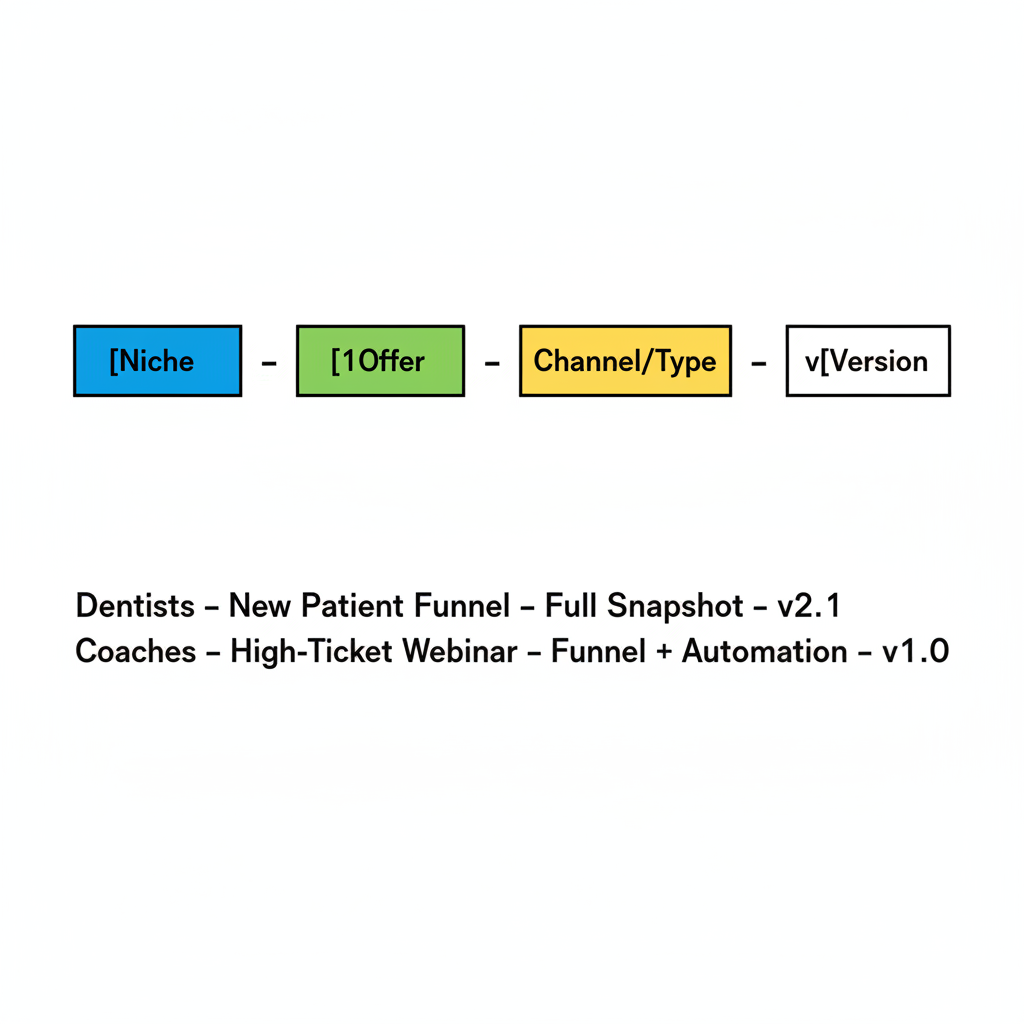
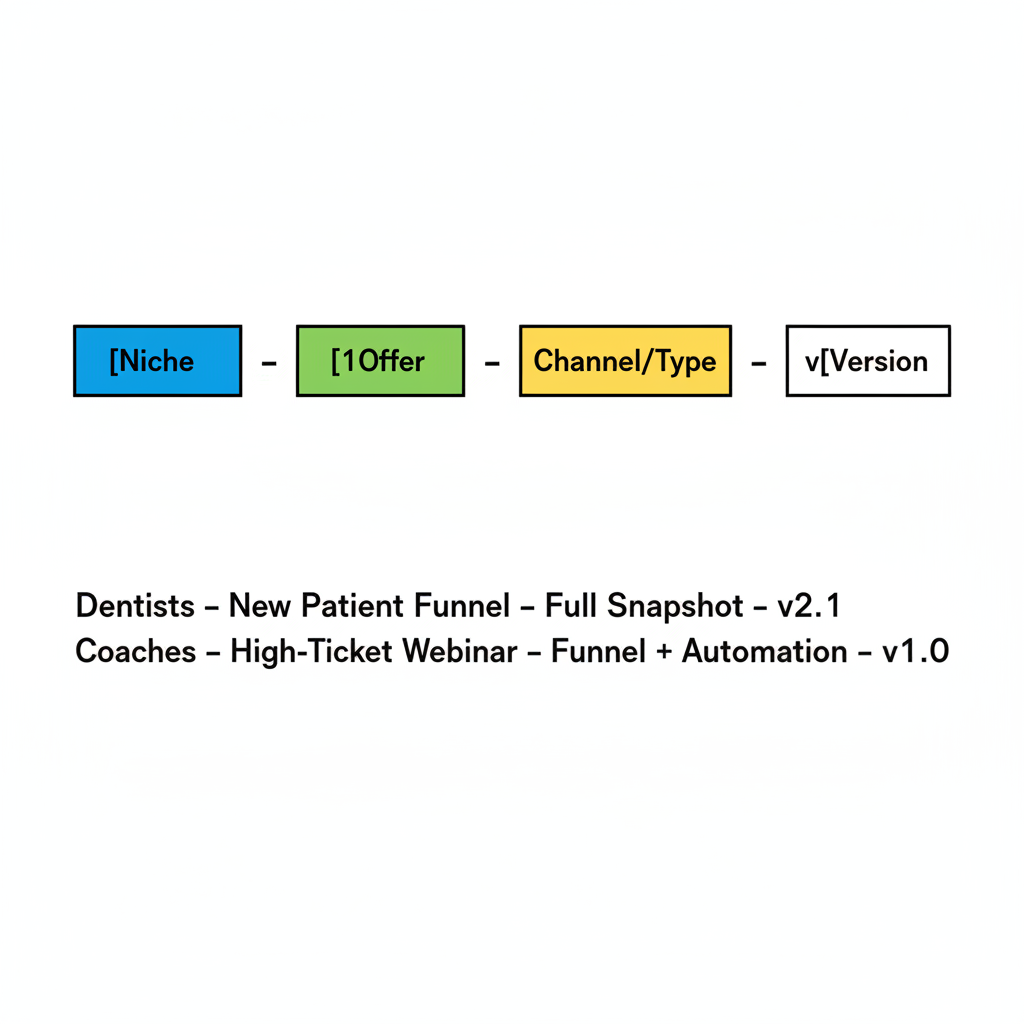
[Niche] – [Offer] – [Channel/Type] – v[Version]
For example:
Dentists – New Patient Funnel – Full Snapshot – v2.1Coaches – High‑Ticket Webinar – Funnel + Automation – v1.0
You can visualize this structure using a simple block diagram:
When you stick to a clean naming system:
- New team members can instantly understand what each snapshot does.
- Sales and delivery stay aligned on which snapshot is used for which offer.
- You can safely deprecate older versions without second‑guessing.
Delete vs. rename: how to decide
Use this simple decision framework:
-
Rename the snapshot if:
- The system is still relevant, but the name is unclear or outdated.
- You’re consolidating multiple variants into a single “best” version.
- You’ve slightly adjusted the offer or niche, but the underlying tech stack is similar.
-
Delete the snapshot if:
- The underlying strategy is obsolete (for example, an offer you no longer sell).
- You’ve fully replaced it with a newer version and won’t need to roll back.
- Keeping it around creates confusion for builders or account managers.
When in doubt, rename first and document that the snapshot is deprecated (for example, append – Deprecated to the name). After a cooling‑off period where no one uses it, you can safely delete it.
How snapshots fit into your GoHighLevel operating system
Well‑organized snapshots are a lever for:
- Faster onboarding – import a full stack for new clients in minutes, not weeks.
- More consistent delivery – every client gets the same proven funnels, automations, and reporting.
- Easier experimentation – clone a snapshot, tweak it, and promote the winner to your new “golden” version.
Combined with GoHighLevel’s workflows, calendars, conversations, and reporting, snapshots become the foundation of a repeatable agency machine.
If you’re still evaluating GoHighLevel, it’s a great time to design your first “done‑for‑you in a box” offer. You can explore the platform and start building your core snapshot with a free trial: Launch your GoHighLevel account.
How Revset Labs can help you productize your snapshots
Revset Labs is an AI automation and marketing agency that specializes in building revenue‑focused systems on top of GoHighLevel.
If you’d rather not spend weeks tinkering inside the platform, Revset Labs can help you:
- Design a clear, productized offer that maps cleanly to one or two core snapshots.
- Build and optimize those snapshots so they’re fast, stable, and easy for your team to use.
- Layer on AI‑driven follow‑up, lead qualification, and reporting so clients see value quickly.
That way, every time you onboard a new client, you’re simply:
- Spinning up a new GoHighLevel sub‑account.
- Importing the right snapshot.
- Making a few offer‑specific tweaks—and you’re live.
If that’s the kind of streamlined system you want, GoHighLevel plus a well‑designed snapshot library is a powerful combination.
By cleaning up your snapshot list, standardizing names, and using GoHighLevel’s snapshot features intentionally, you turn what used to be “random tech” into a true asset for your agency.