
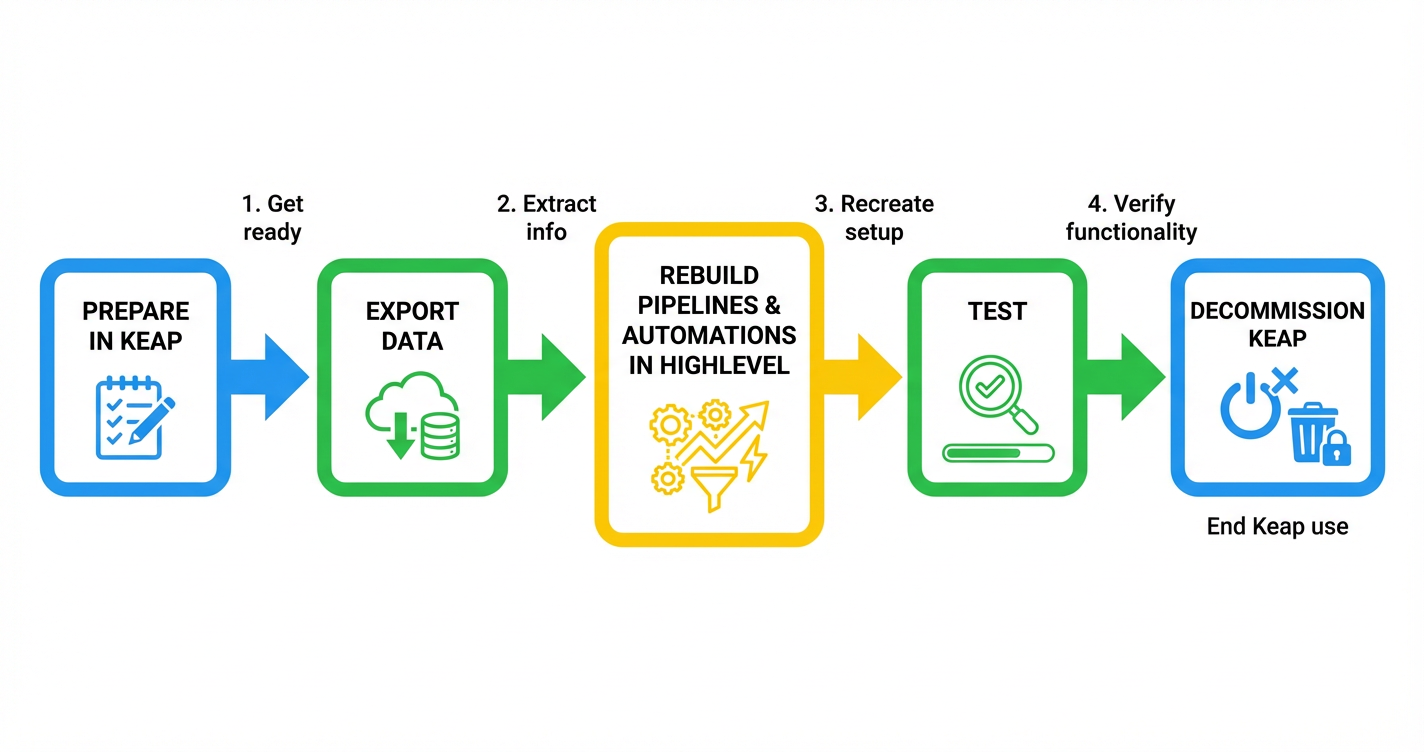
You’re moving from Keap to HighLevel because you want cleaner automation, faster execution, and a platform that can actually grow with your offers. This guide walks you through a practical, low‑risk migration so you don’t lose data, break funnels, or confuse your team.

Throughout the guide, you’ll see two key implementation options:
- Do it yourself in HighLevel using the step‑by‑step checklists below.
- Hand it off to experts at Revset Labs, an AI automation and marketing agency that builds and migrates HighLevel systems for growth‑focused businesses.
Where it makes sense, we’ll also point you to GoHighLevel as the platform of choice for your new setup. When you’re ready to try it, you can start a free trial of GoHighLevel here: Start your free GoHighLevel trial.
1. Prepare for your Keap → HighLevel migration
A clean migration starts before you touch any data. The goal of this phase is to understand what you’re moving, why you’re moving it, and what “success” looks like once you’re fully on HighLevel.
1.1 Review your current Keap setup
List out everything in Keap that is still actively used:
- Contacts & segments – lists, tags, saved searches, smart lists.
- Custom fields – contact, company, opportunity, and subscription fields.
- Pipelines & deals – stages, deal values, and probability settings.
- Automations & campaigns – nurture sequences, onboarding flows, sales follow‑ups, and re‑engagement campaigns.
- Landing pages & forms – opt‑in pages, webinar registrations, lead magnets.
- Appointments & calendars – booking links, availability rules, reminder emails/SMS.
Document this in a simple spreadsheet or whiteboard. Note which assets are mission‑critical, which are nice to have, and which can be retired.
Why this matters: If you try to migrate “everything” from Keap, you’ll drag years of clutter into HighLevel. You want a clean system, not a copy of your old mess.
1.2 Define clear migration objectives
Tie your migration to concrete goals. Examples:
- “Consolidate tools so sales, marketing, and fulfillment can all run in HighLevel.”
- “Standardize pipelines across products and sales reps.”
- “Automate 80%+ of follow‑up so we don’t rely on manual tasks.”
Prioritize outcomes over features. If a Keap feature doesn’t serve one of these objectives, question whether it should exist in your HighLevel build at all.
1.3 Back up and export your Keap data
Before you move anything:
- Export all active contacts (and recent leads) as CSV files.
- Export custom fields and keep a reference of field names, types, and example values.
- Export or screenshot key automations so you can rebuild the logic in HighLevel.
- Capture pipeline snapshots – pipeline names, stages, and open deals.
Store all of this in a shared folder used only for the migration.
If you want Revset Labs to handle this prep work, they can audit your Keap setup, design a HighLevel architecture, and create a migration plan that matches your funnel strategy rather than just copying what exists.
2. Migrate contacts and custom fields
Once your plan is clear, you’re ready to move the core of your CRM: your people and the data attached to them.
2.1 Normalize and clean your exports
Use your exported CSVs to:
- Standardize field names (for example, use
First Name,Last Name,Primary Phone,Lifecycle Stage). - Remove obviously bad records – bounced emails, obviously fake contacts, or duplicates that can’t be resolved.
- Fix inconsistent values – for example, normalize
Owner,Sales Rep, orLead Sourceso you can use them as filters in HighLevel.
A few minutes of cleanup now saves hours of debugging once HighLevel is live.
2.2 Recreate custom fields in HighLevel
In HighLevel:
- Go to Settings → Custom Fields.
- Recreate only the fields you actually need in your future system.
- Use clear, standardized names and pick the right field types (text, dropdown, date, number) so you can segment and filter later.
This is also a good moment to introduce strategic fields you may have missed in Keap, such as:
Customer Journey StagePrimary OfferSource Channel
2.3 Import contacts into HighLevel
With fields in place:
- Go to Contacts → Import Contacts in HighLevel.
- Upload your cleaned CSV.
- Map each CSV column to the right HighLevel field (including custom fields and tags).
- Run a small test import first (for example 50–100 records), verify the data looks correct, then import the full list.
If you want to speed‑run this phase and reduce the risk of mis‑mapped data, Revset Labs can handle your contact modeling and imports for you.
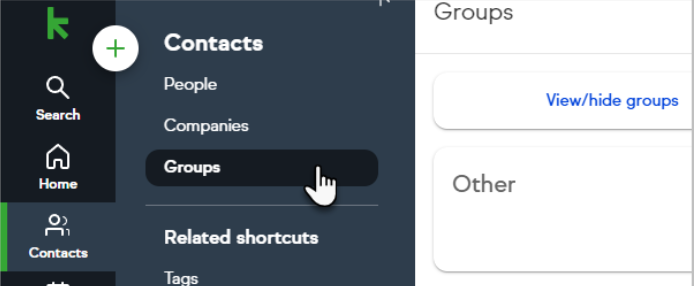
CTA: Ready to see your cleaned, segmented list in HighLevel? Start your free GoHighLevel trial and connect your first sub‑account before you move on to pipelines and automations.
3. Rebuild pipelines and deals in HighLevel
Keap’s pipeline structure rarely maps 1:1 to how modern teams sell inside HighLevel. Treat this as an opportunity to simplify and standardize.
3.1 Audit your existing Keap pipelines
For each pipeline, capture:
- Pipeline name and purpose (for example, “Inbound Demo Requests”, “Renewals”).
- Stage names and what they actually mean in practice.
- Volume and velocity – how many deals sit in each stage, and how long they stay there.
Decide which pipelines you truly need going forward and which can be merged or retired.
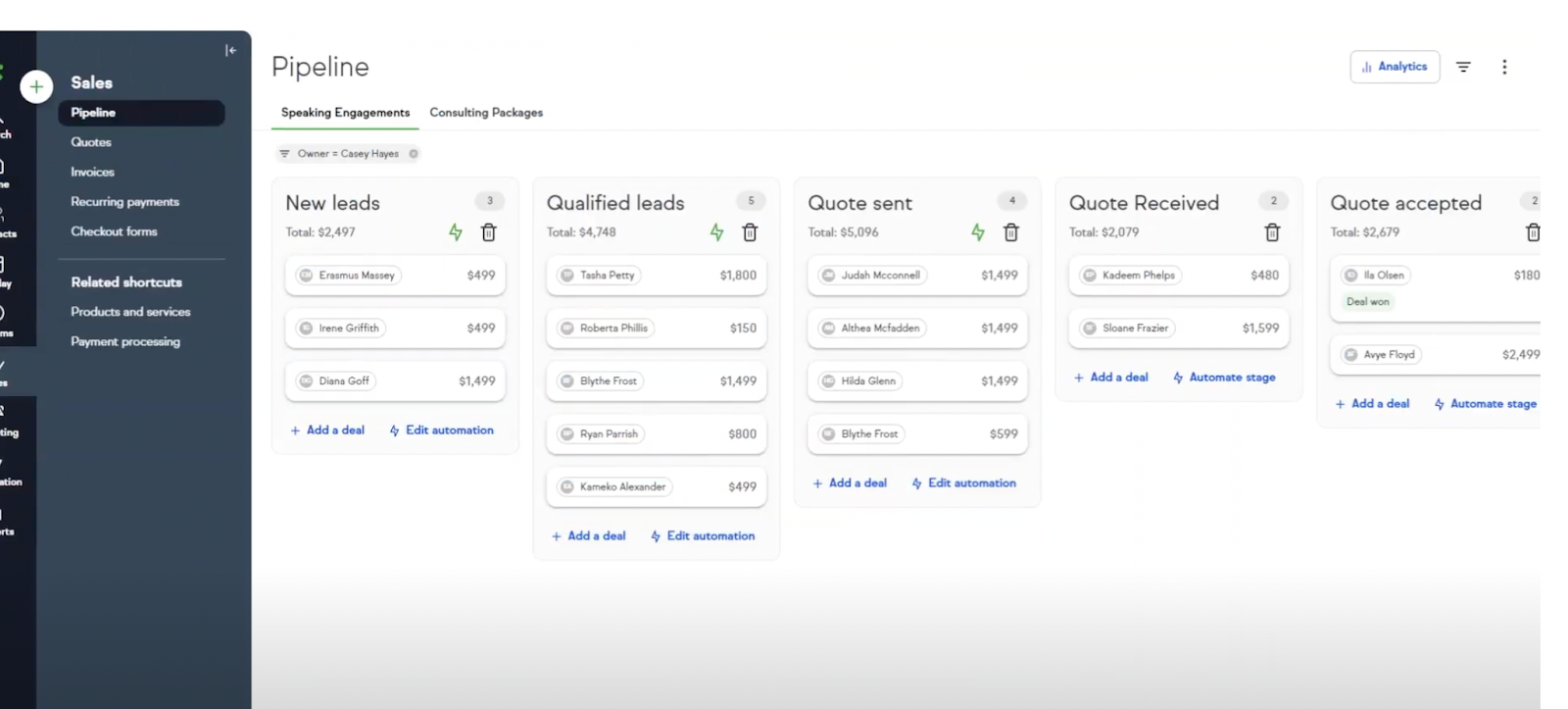
3.2 Design cleaner pipelines in HighLevel
In HighLevel:
- Go to Opportunities → Pipelines.
- Create pipelines that match your real‑world process (for example,
New Lead → Qualified → Demo Scheduled → Proposal Sent → Closed Won/Lost). - Keep stage names short and action‑oriented so your team always knows what to do next.
3.3 Move active deals into HighLevel
You don’t need to migrate every historical deal. Focus on what’s still live:
- Export current open deals from Keap.
- Import them into the appropriate HighLevel pipeline or manually add them for smaller teams.
- Double‑check owners, values, and stages so reporting stays accurate from day one.
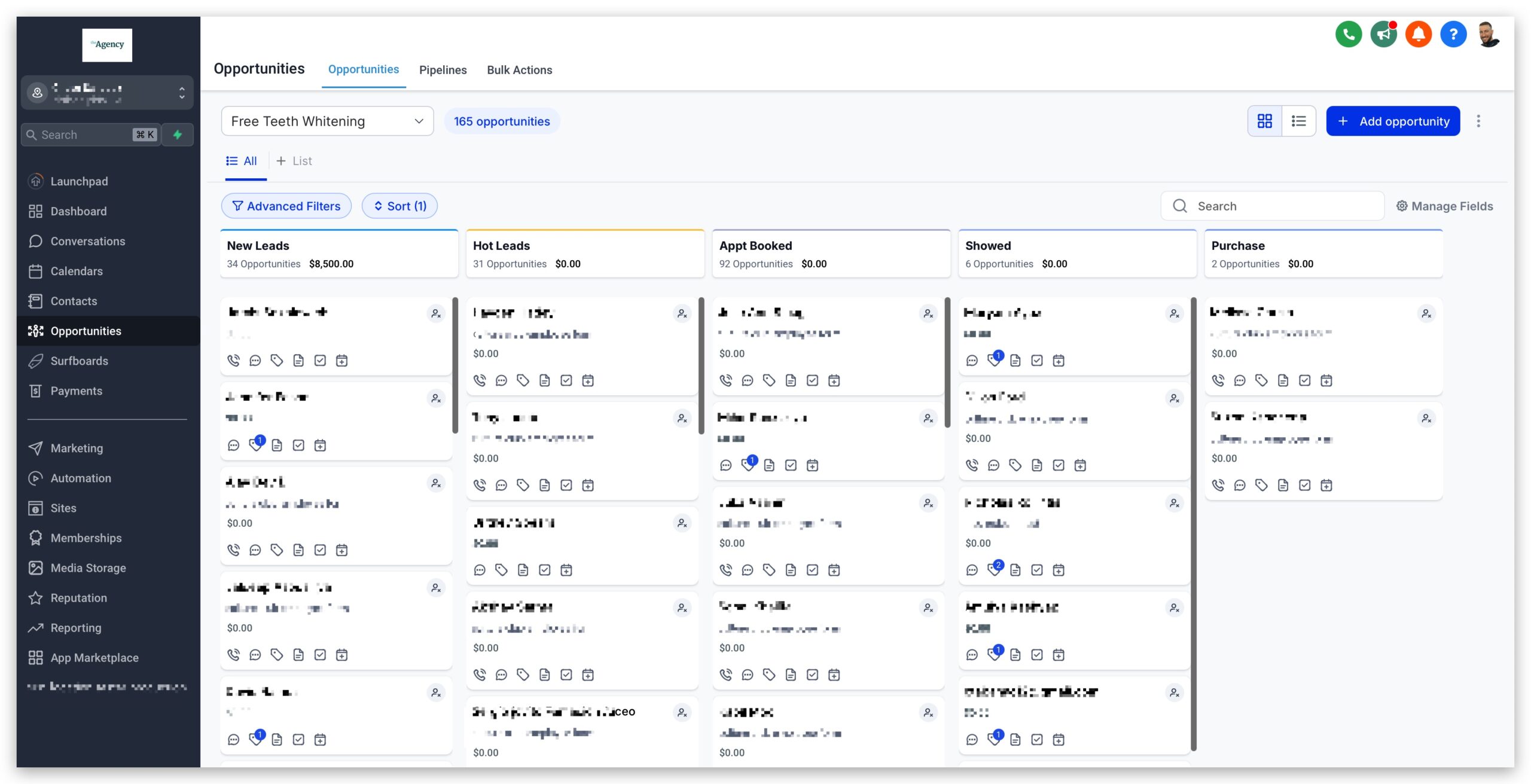
Revset Labs can help you design opportunity pipelines, routing rules, and automations around these stages so leads move from form‑fill to closed‑won with minimal manual work.
4. Recreate automations and campaigns
Automations are where most migrations either shine or fall apart. Instead of blindly copying Keap campaigns, rebuild them using HighLevel’s workflows so they’re easier to maintain.
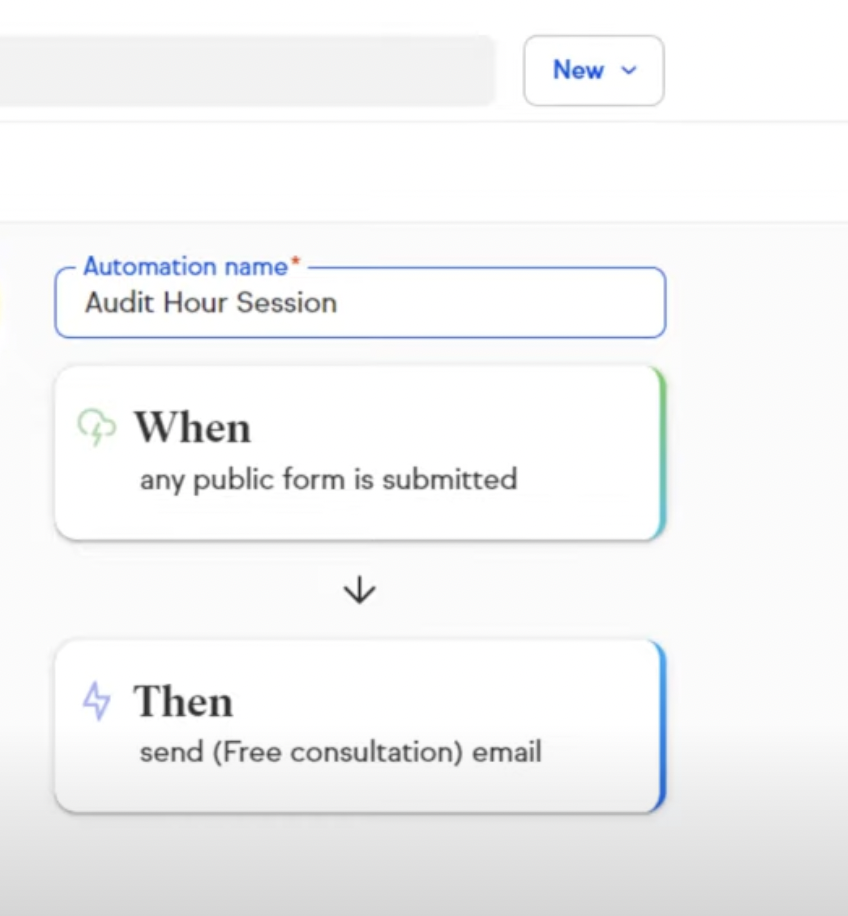
4.1 Document your critical Keap automations
For each live campaign in Keap, identify:
- Trigger – tag added, form submitted, pipeline stage changed, purchase made.
- Goal – book a call, complete onboarding, re‑activate lapsed customers.
- Channel mix – email only, email + SMS, voicemails, internal tasks.
- Key conditions – exclusions, timing rules, and frequency caps.
This becomes the blueprint you’ll rebuild in HighLevel.
4.2 Rebuild flows inside HighLevel Workflows
In HighLevel:
- Go to Automation → Workflows.
- Create one workflow per key automation (onboarding, lead nurture, show‑up sequences, upsells, reactivation, etc.).
- Recreate triggers and logic using HighLevel’s native actions (send email, send SMS, wait, if/else, move opportunity, add tag, assign user).
- Use global rules, such as “if contact books an appointment, remove them from generic nurture” to avoid over‑messaging.
4.3 Test before you flip the switch
Before you go live:
- Run test contacts through each workflow.
- Verify messages, delays, and branching logic.
- Confirm appointments, pipeline updates, and tags are applied correctly.
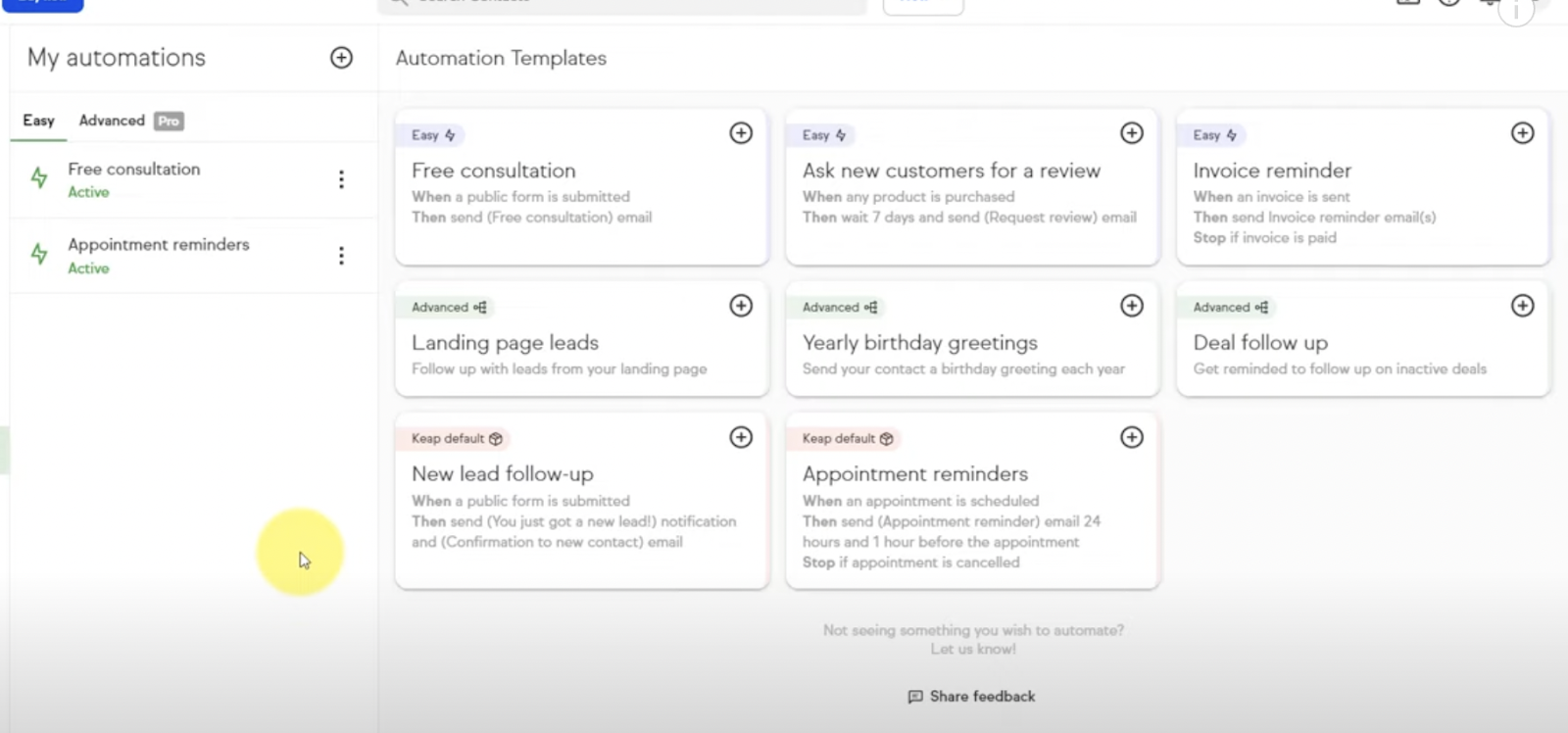
When you’re ready to scale, GoHighLevel becomes the central engine for these automations. If you want a done‑for‑you build that bakes in best practices from day one, Revset Labs can design and implement these workflows directly in your HighLevel sub‑accounts.
CTA: Want automation that actually converts, not just sends emails? Spin up a GoHighLevel account and let Revset Labs architect campaigns that match your offers and sales process.
5. Rebuild landing pages and forms
Your funnels and forms are the front door to your CRM. The goal here is to replicate (and improve) your best‑performing Keap assets inside HighLevel.
5.1 Recreate landing pages in HighLevel
For each active Keap page:
- Note the URL, offer, headline, and core sections.
- Identify any Thank You pages and post‑opt‑in redirects.
Then, in HighLevel:
- Go to Funnels & Websites and create a funnel or website for each major offer.
- Rebuild the layout, tightening copy and updating design where needed.
- Connect forms and buttons to the right HighLevel forms, calendars, or checkout steps.
5.2 Recreate public forms and embed them
In HighLevel:
- Navigate to Funnels & Websites → Forms.
- Create a form that mirrors each live Keap form (fields, required values, checkboxes, consent text).
- Configure form actions – add tags, start workflows, update pipelines.
- Swap old Keap embeds on your site with HighLevel forms.

This is a great time to introduce progressive profiling and cleaner form logic so your lead data is more actionable.
6. Move appointments and calendars
If your calendar experience is clunky today, use the migration as an excuse to fix it.
6.1 Map existing appointment types
From Keap, list out:
- Each appointment type (strategy call, onboarding, demo, support, etc.).
- Duration and padding rules.
- Who can be booked and in which time zones.
6.2 Recreate calendars inside HighLevel
In HighLevel:
- Go to Calendars → Appointment Types.
- Create calendars that match your mapped appointment types.
- Connect them to the right user(s) and pipelines.
- Configure reminder emails/SMS and follow‑up workflows.
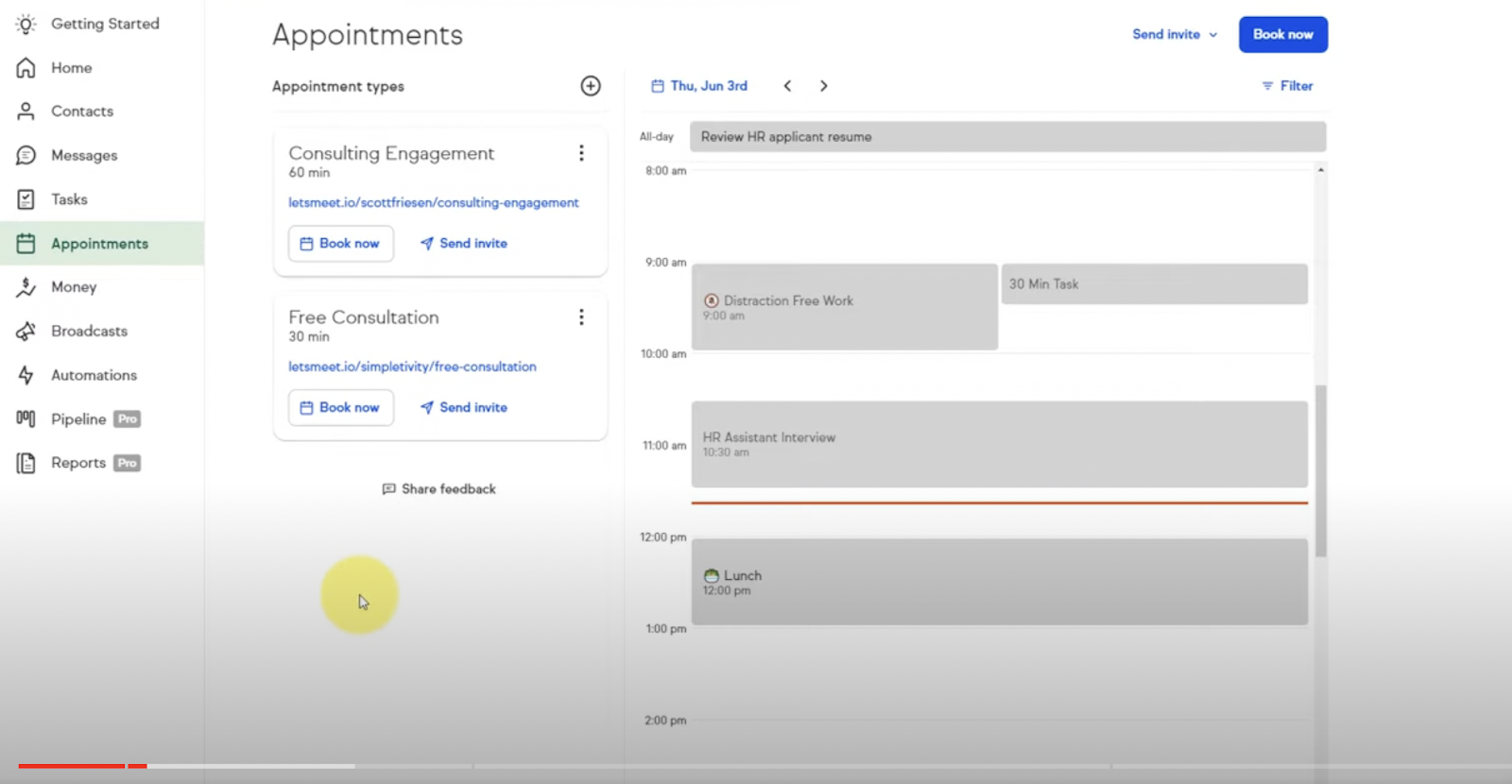
Once your calendars are live, update any booking links in your funnels, emails, and website.
CTA: HighLevel’s calendar + workflow combo is one of the biggest updates from Keap. Start your free GoHighLevel trial and let it handle confirmations, reminders, and no‑show follow‑ups automatically.
7. Run final checks and train your team
Before you shut Keap off, you want proof that HighLevel can handle the workload.
7.1 Validate data and workflows
Work through this checklist:
- Randomly sample contacts and deals to confirm data came over correctly.
- Submit test forms and bookings to ensure they create the right contacts and opportunities.
- Walk through key automations (onboarding, nurture, win‑back) with test contacts.
- Verify that tags, custom fields, and stages are being updated as expected.
7.2 Train your team on the new system
Host short sessions for:
- Sales – working opportunities, updating stages, and logging notes.
- Marketing – launching campaigns, building new workflows, and tracking performance.
- Operations/Success – managing onboarding tasks and renewal cycles.
Record simple Loom videos or internal SOPs so new team members can ramp quickly.
Revset Labs can help you codify these into a proper HighLevel playbook, so training doesn’t depend on any single person.
7.3 Monitor and optimize
For the first 30–60 days after go‑live:
- Watch conversion rates at every funnel step.
- Pay attention to reply rates, show‑up rates, and time‑to‑close.
- Log any edge cases or exceptions that the new automations don’t handle well.
Use what you learn to tweak workflows and pipelines inside HighLevel rather than trying to rebuild Keap behavior exactly.
8. Decommission Keap safely
Once HighLevel is reliably running your day‑to‑day, you can start backing out of Keap.
8.1 Run a short transition period
For 1–2 weeks, many teams choose to:
- Keep Keap live but stop sending it new leads.
- Mirror critical actions (like bookings or purchases) in both systems.
- Compare reports to ensure nothing is being dropped.
8.2 Take a final backup and cancel Keap
When you’re confident HighLevel is stable:
- Take a final export of contacts and any remaining data you might need for compliance.
- Store that archive securely.
- Follow Keap’s official cancellation process.
8.3 Post‑migration review
Finally, review your migration:
- Did you hit the objectives you set in Step 1?
- Which funnels or automations performed better after moving to HighLevel?
- What technical debt from Keap did you successfully avoid bringing over?
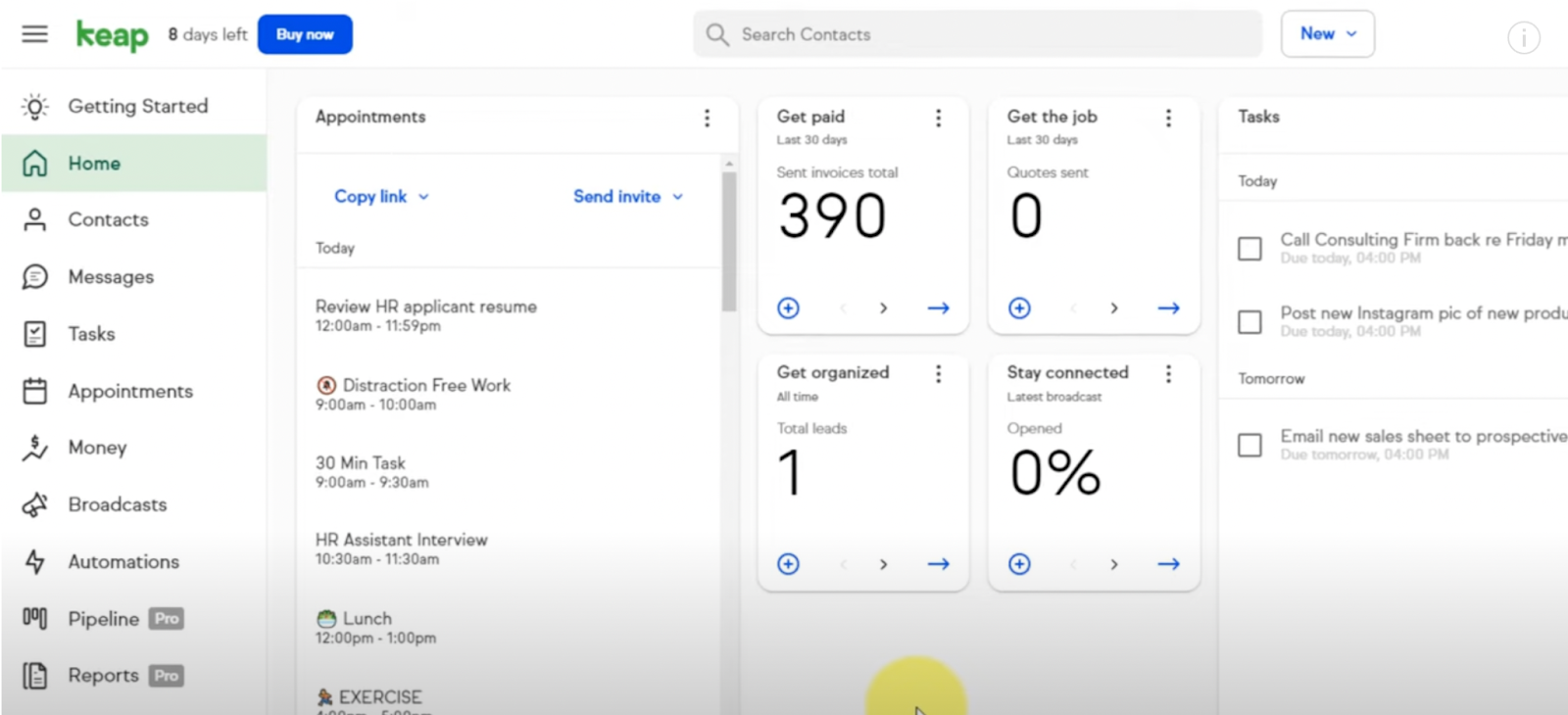
Turn these insights into an internal migration checklist you can reuse as you launch new offers or sub‑accounts in HighLevel.
Where Revset Labs fits in
If you’d rather not own every technical detail of this migration, Revset Labs can help you:
- Audit your current Keap setup and design a cleaner, more profitable HighLevel architecture.
- Map and migrate contacts, custom fields, pipelines, and historical deals.
- Rebuild key automations as modern HighLevel workflows designed to drive revenue, not just activity.
- Launch, test, and optimize your new system so the move from Keap to HighLevel feels like a revenue upgrade—not just a software switch.
When you’re ready to make the leap, combine this step‑by‑step guide with expert implementation and a battle‑tested platform. Start by spinning up your HighLevel account here: Launch your GoHighLevel account, then loop in Revset Labs to turn it into a growth engine.