
You’re moving from Kajabi to HighLevel because you’ve outgrown a simple course platform and want an all‑in‑one system that can run your CRM, automations, funnels, and reporting in one place.

This guide walks you through a clean, low‑risk migration path so you don’t lose revenue, break live experiences, or confuse your team. Use it as a working checklist as you rebuild your stack inside GoHighLevel.
If you haven’t already, open your GoHighLevel account in another tab so you can follow along and implement as you read. You can start a free trial here: https://www.gohighlevel.com/?fp_ref=getfreetrail
Revset Labs (an AI Automation and Marketing Agency) uses this exact sequence when we migrate clients off Kajabi. Feel free to adapt it to your own business model.
1. Preparation for Migration
Before you touch a single setting, get clear on what you’re moving, why you’re moving it, and how you’ll know the migration is successful.
Step 1: Review your current Kajabi setup
List out everything that currently lives in Kajabi:
- Courses and products (including modules, lessons, downloads, assessments)
- Offers, pricing options, and payment plans
- Opt‑in forms, landing pages, and funnels
- Email broadcasts, sequences, and automations
- Tags, segments, and pipelines
- Integrations (Zapier, Stripe, PayPal, calendars, etc.)
For each item, mark:
- Keep as‑is (recreate in HighLevel)
- Simplify (clean up during migration)
- Retire (archive and do not rebuild)
This is also the right time to document known issues (for example messy tags, duplicate offers) so you don’t blindly copy them into your new GoHighLevel account.
Step 2: Define clear migration goals
Decide what “success” looks like 30–60 days after you fully switch to HighLevel. Common goals:
- One central CRM instead of scattered lists
- Fewer tools (Kajabi + email + calendar + checkout → consolidated in GoHighLevel)
- Faster launch process for new offers or funnels
- Better reporting on leads, pipeline, and revenue
Write down the non‑negotiables, for example:
- No disruption to current paying students
- No lost recurring revenue
- Inbox and support workflows stay responsive during cutover
When you get into the weeds of migrating courses or automations, come back to these goals to avoid over‑engineering.
Step 3: Prepare backups and access
You shouldn’t rely on any one platform as your only source of truth.
- Export Kajabi contacts (CSV)
- Export course content or keep a local copy of core lessons and downloads
- Screenshot complex automations and offer settings
- Back up your current website theme if you’re using Kajabi pages
Make sure you also have:
- Owner‑level access to Kajabi
- Admin access to your GoHighLevel account
- Logins for Stripe/PayPal and any connected tools
Want a second set of eyes on your plan? Revset Labs can review your existing Kajabi setup and map it into a streamlined HighLevel architecture so you migrate once, the right way.
2. Migrate Courses
Your courses are often the most revenue‑sensitive part of the move. HighLevel’s course and membership tools can handle everything Kajabi does, but you want to migrate methodically.
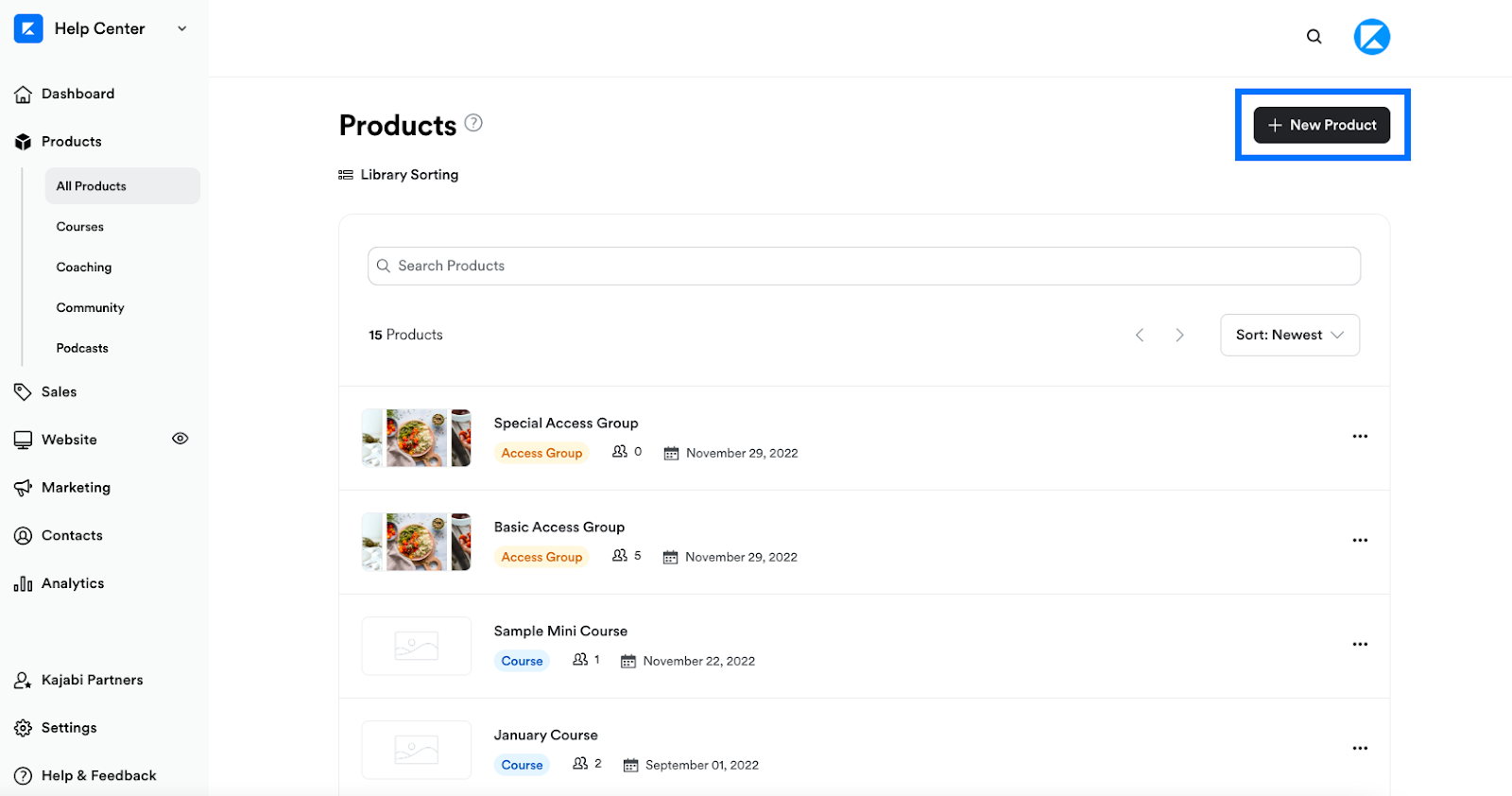
Step 1: Set up HighLevel for course success
In GoHighLevel:
- Go to Sites → Memberships → Products
- Decide whether you’ll mirror your Kajabi structure 1:1 or simplify (for example, merging micro‑offers into one flagship program)
- Create the core products that will hold your lessons and modules
Use this moment to standardize naming conventions and access levels. Clean structure now makes future automation far easier.
Step 2: Move courses from Kajabi to HighLevel
If you’re using HighLevel’s Kajabi course importer (where available):
- In HighLevel, go to Sites → Memberships → Products → Import.
- Connect your Kajabi account and select the courses you want to bring over.
- Start the import and wait for the process to complete.
If you’re rebuilding manually:
- Export or download your lesson content from Kajabi (videos, PDFs, text).
- Recreate your course outline in HighLevel products with clear modules and lessons.
- Upload videos and assets, keeping file names and lesson titles consistent.
- Map existing students to your HighLevel contacts so access stays in sync with billing.
Where it makes sense, add bonus touchpoints you didn’t have before—such as in‑course checklists, embedded booking widgets, or short “what to do next” videos.
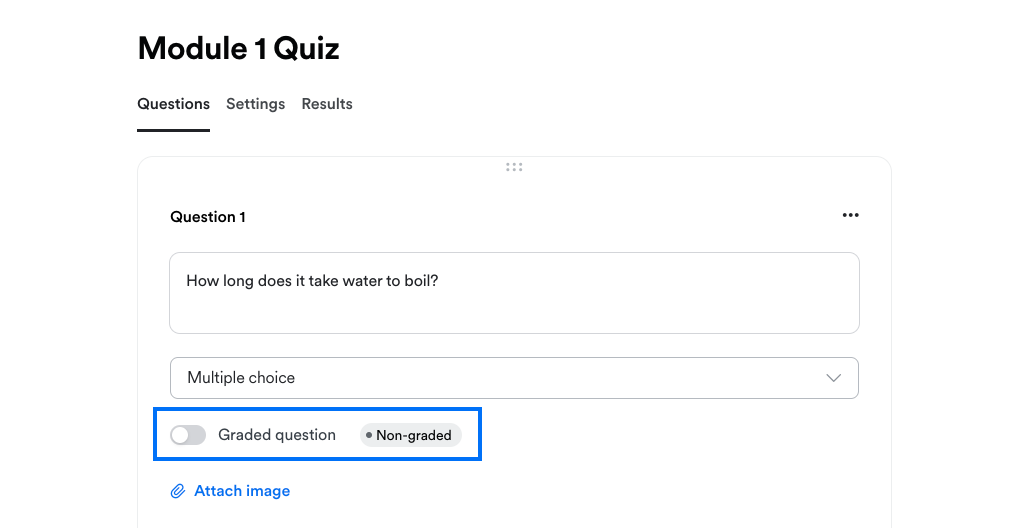
Step 3: Recreate assignments, quizzes, and completion logic
In HighLevel you can use assessments, progress tracking, and automation triggers to replace and uplevel what Kajabi was doing.
- Add assessments at key milestones and set optional passing scores
- Use completion events to trigger tags, rewards, or upsell sequences
- Build simple “stuck?” automations that nudge students who stall on certain modules
This is a great place to leverage GoHighLevel’s automation power. For example, when a student completes a flagship course, you can automatically:
- Invite them to a group coaching program
- Grant access to an implementation sprint
- Create a pipeline opportunity for your sales team
To see how far you can push this, start your GoHighLevel trial and test these workflows on a small segment first: https://www.gohighlevel.com/?fp_ref=getfreetrail
3. Migrate Contacts
Contacts are the backbone of your business. Treat this step like a data‑quality project, not just a copy‑paste.
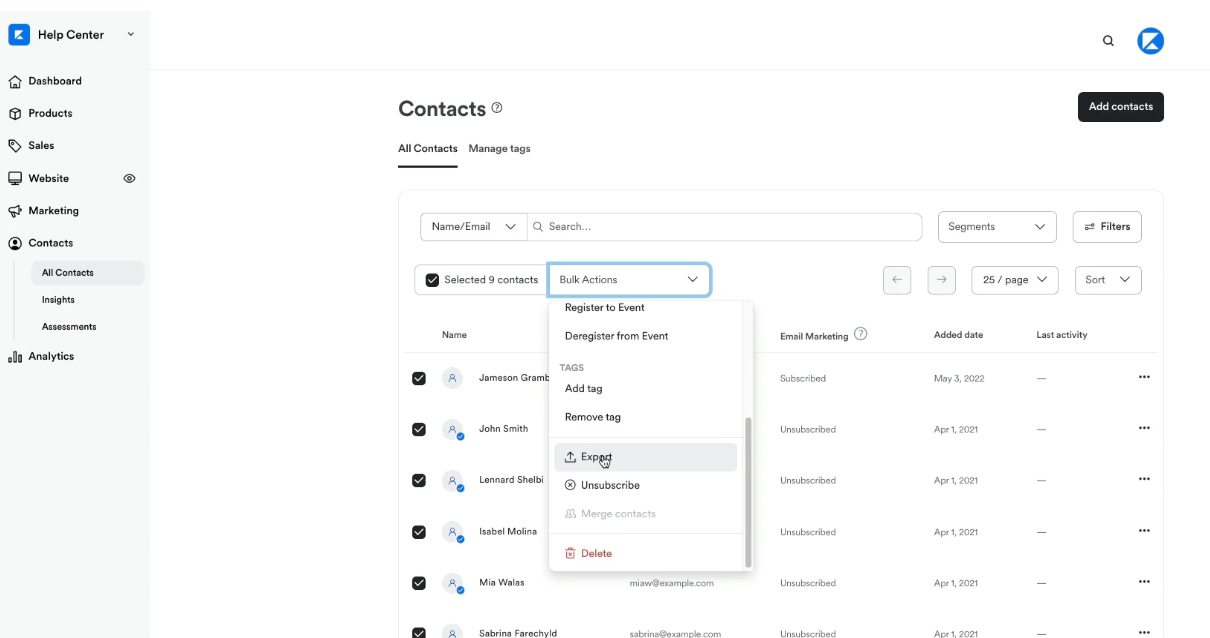
Step 1: Export your Kajabi contacts
From Kajabi:
- Export all active contacts as a CSV
- Consider exporting separate lists for buyers, subscribers, and trial users
- Include key fields such as first name, last name, email, products purchased, tags, and last activity
Step 2: Clean and prepare your CSV
Before importing into HighLevel:
- Remove obvious duplicates and dead addresses (bounces, spam complaints)
- Standardize tag naming (for example,
course-name_student,lead-magnet_X,webinar_Y) - Split full names into first/last where you can
- Create columns you know you’ll want in HighLevel (lead source, lifecycle stage, key interests)
This is also a perfect time to retire unengaged contacts or at least label them for a re‑engagement campaign instead of dumping everything into one big list.
Step 3: Import contacts into HighLevel
In GoHighLevel:
- Go to Contacts → Import Contacts.
- Upload your cleaned CSV.
- Map each column to the correct field in HighLevel (standard fields plus custom fields where needed).
- Map or create tags that will be useful for future segmentation.
- Run the import and spot‑check a sample of records.
Once your data is in GoHighLevel, set up smart lists and saved filters that match how you actually market and sell (for example, active members, churned buyers, high‑value leads).
4. Migrate Calendars
If you were using Kajabi to handle bookings, you’ll now centralize that inside GoHighLevel so your CRM, pipelines, and automations all see the same calendar data.
Like HighLevel, Appointments in Kajabi support one time and recurring events. Migrate 3rd party calendars such as Google Calendar and Microsoft Outlook to prevent double booking in HighLevel Calendars.
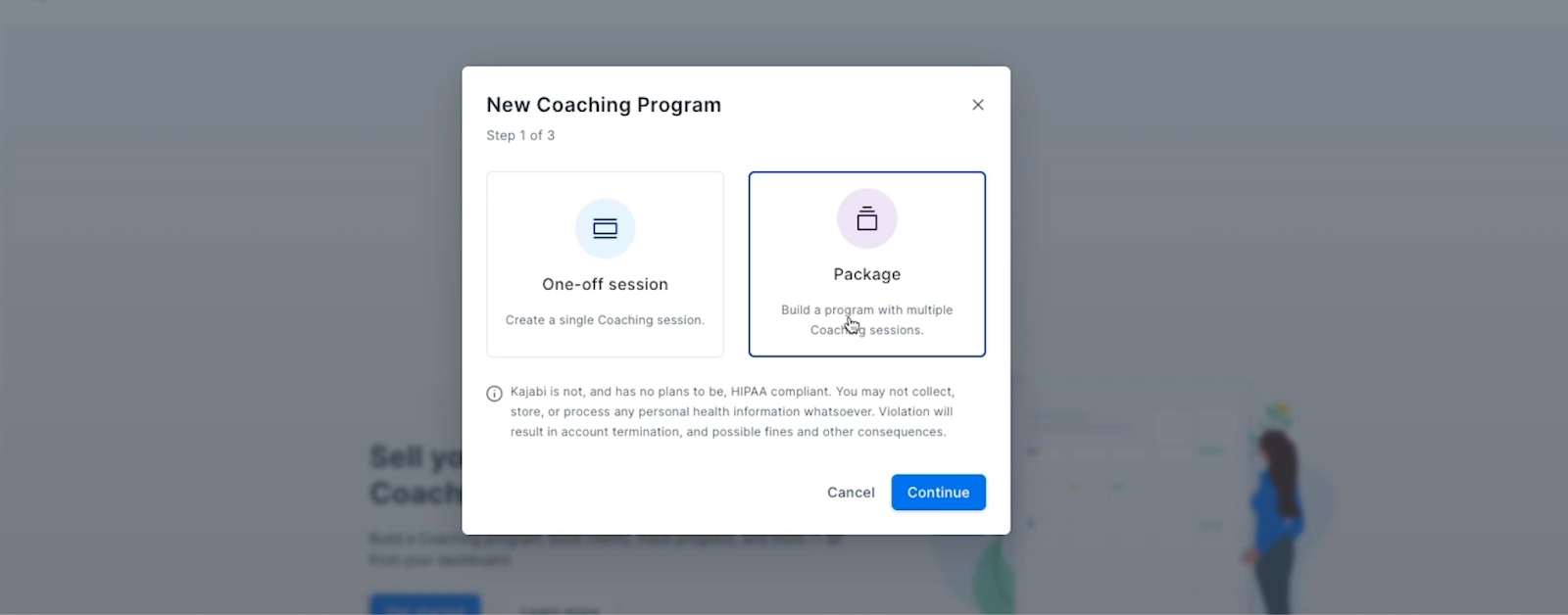
Step 1: Audit and export existing bookings
- List all the ways people currently book with you (sales calls, onboarding sessions, coaching calls, group events)
- Export any upcoming booked sessions from Kajabi or your connected calendar tool
- Note the URLs, confirmation emails, and reminders Kajabi is currently sending
Step 2: Rebuild calendars in HighLevel
In GoHighLevel:
- Go to Settings → Calendars and create calendars for each booking type.
- Connect your primary Google or Outlook calendar.
- Configure availability, buffers, and intake form questions.
- Customize confirmation and reminder templates so they feel on‑brand.
Once calendars are live, swap the links in your site, funnels, and emails so all new bookings flow through HighLevel.
If this feels like a lot of wiring, this is an easy win to delegate—Revset Labs routinely sets up calendar systems tied directly into pipelines and automations so your team just sees qualified appointments show up.
5. Migrate Offers & Automation
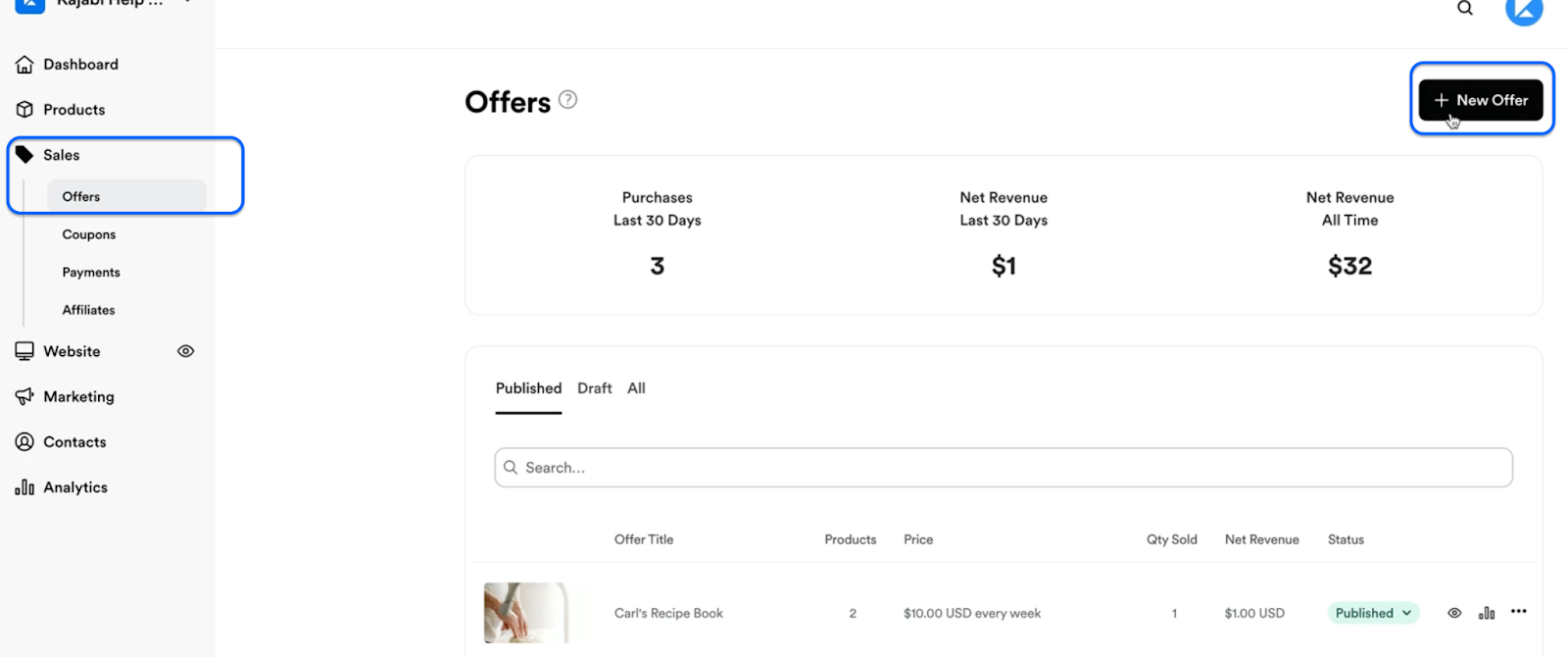
Step 1: Review existing offers and workflows in Kajabi
List out:
- Active offers and price points
- Upsells, order bumps, and coupons
- Email sequences tied to specific products or tags
- Automations that grant/revoke access, apply tags, or send notifications
Identify what actually performs and what you can safely retire.
Step 2: Bring key assets into HighLevel
Where it makes sense, copy over:
- Your best‑performing email templates (welcome, nurture, launch, win‑back)
- Strong landing page copy and structure
- Tested upsell flows
You can paste copy directly into HighLevel’s email builder and funnel pages, then enhance it with additional personalization and dynamic fields.
Step 3: Recreate offers in HighLevel
In GoHighLevel:
- Connect Stripe/PayPal.
- Create products and price points that mirror your simplified offer structure.
- Attach these products to order forms or checkout pages in your funnels.
- Map successful purchases to the right tags, course access, and pipelines.
Where possible, standardize pricing and naming conventions so you’re not juggling dozens of one‑off SKUs.
Step 4: Rebuild and upgrade automations
Use HighLevel Workflows to centralize logic that was previously scattered across Kajabi.
- Build entry triggers for key events (new lead, new purchase, cart abandonment, membership cancellation)
- Recreate core sequences (welcome, onboarding, nurture, upsell, win‑back)
- Add decision branches so messages adapt based on behavior (opened, clicked, attended, completed)
Because GoHighLevel is your CRM as well as your automation engine, you can layer in:
- Pipeline updates and tasks for your sales team
- Internal notifications for key milestones
- Automatic review requests, referrals, or case‑study asks
Many Revset Labs clients use migration as an excuse to completely re‑design their automation map around revenue. If you want help designing a profit‑first workflow architecture inside HighLevel, that’s exactly what we do.
Step 5: Test everything
Before sending real traffic:
- Run through each core journey as a test contact (opt‑in → purchase → onboarding → completion)
- Verify that tags, access, and pipeline stages update correctly
- Check that confirmation and reminder emails fire on schedule
- Confirm that payments, receipts, and invoices look correct
This is also a good moment to run a small beta migration: invite a small group of existing customers to experience the new HighLevel journey and gather feedback.
6. Migrate Website and Funnels
HighLevel can replace Kajabi landing pages, opt‑in funnels, webinar flows, and even full marketing sites.
Use HighLevel’s Website Builder to recreate the pages from your Kajabi site, including the homepage, product pages, and contact pages. Customize the design to match your brand, leveraging HighLevel’s templates and blocks.
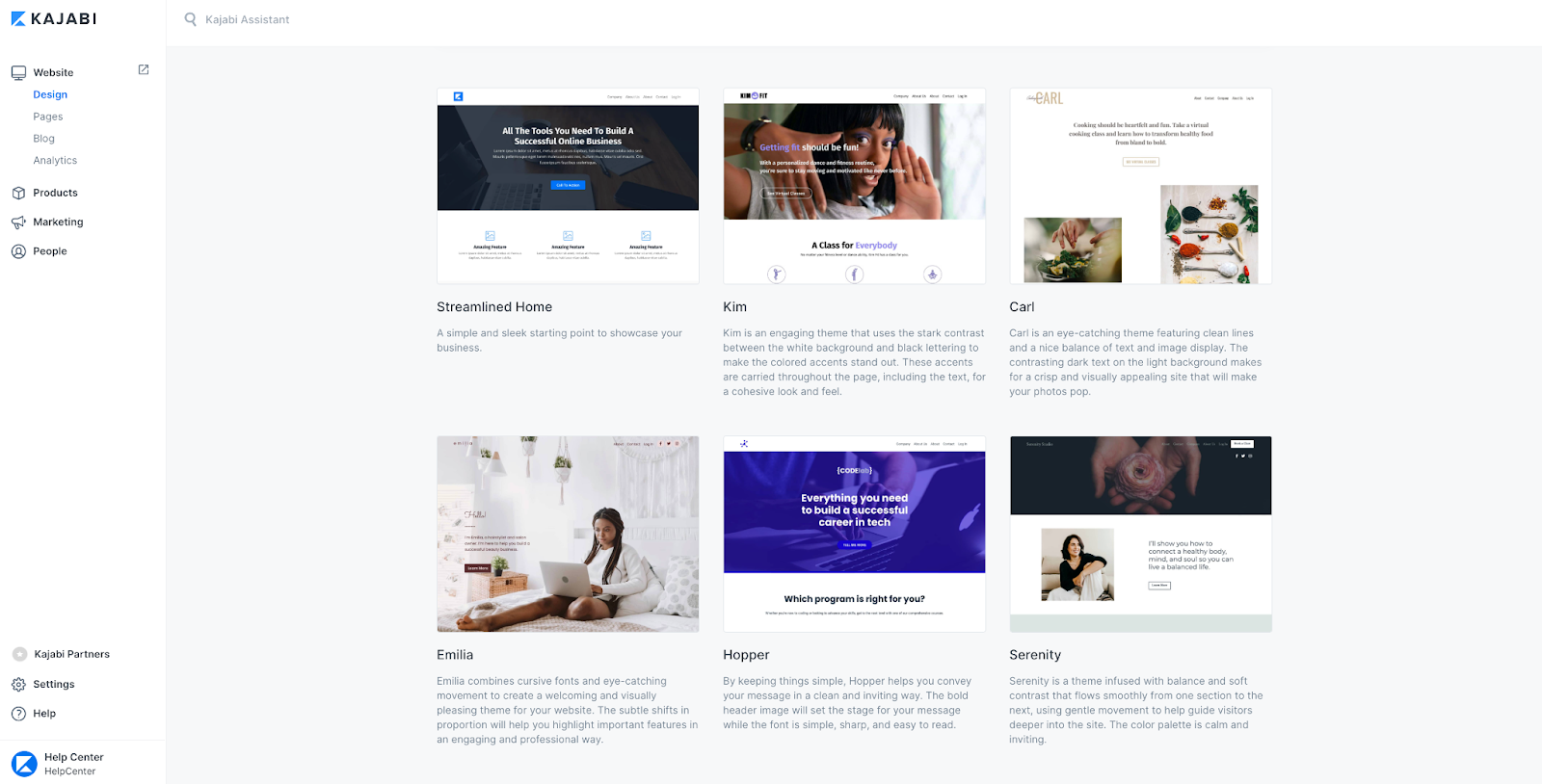
Step 1: Recreate Website Pages and Funnels in HighLevel
In GoHighLevel:
- Go to Sites → Funnels & Websites.
- Create funnels or websites that mirror your existing customer journeys.
- Use the template library to speed up layout and design—then paste in your proven copy from Kajabi.
- Connect forms, calendars, and checkout products you created in earlier steps.
Keep URLs as close as possible to your current structure, or set redirects when you cut over from Kajabi so existing links don’t break.
Step 2: Save, Draft, and Publish Your Pages
When you’re ready to go live:
- Point your DNS records (A and/or CNAME) to HighLevel as recommended in their documentation
- Add your domain inside Settings → Domains in GoHighLevel
- Attach the domain or subdomain to the right funnel or website
Once DNS has propagated, run through each key path (opt‑in, checkout, booking) on desktop and mobile.
Step 3: Connect your domain
When you’re ready to go live:
- Point your DNS records (A and/or CNAME) to HighLevel as recommended in their documentation
- Add your domain inside Settings → Domains in GoHighLevel
- Attach the domain or subdomain to the right funnel or website
Once DNS has propagated, run through each key path (opt‑in, checkout, booking) on desktop and mobile.
7. Final Checks and Team Training
With the big pieces in place, treat the next 1–2 weeks as a stabilization period.
Step 1: Validate your data and flows
- Compare active member counts in Kajabi vs. HighLevel
- Spot‑check contact records to ensure tags, purchases, and notes look correct
- Verify that subscription billing is running from the correct system
Step 2: Train your team inside HighLevel
For each role (sales, support, marketing, ops), create a short, focused playbook:
- Where they work day‑to‑day (pipelines, conversations, campaigns)
- What they do when a customer asks for access, a refund, or a plan change
- How to log notes so everyone else can see the full client picture
Record short loom‑style videos walking through key screens. Encourage your team to live primarily in GoHighLevel so adoption sticks.
Step 3: Monitor and optimize
For the first month after cutover, review weekly:
- Lead volume and opt‑in conversion
- Show‑up and close rates for sales calls
- New subscriptions vs. churn
- Course engagement and completion
Use this data to tweak funnels, emails, and workflows. Because everything now runs through HighLevel, small optimization passes can compound into meaningful revenue gains.
If you want help building a data‑driven optimization rhythm after migration, Revset Labs can plug in as your ongoing growth and automation partner.
8. Cancel Kajabi Subscription (Without Surprises)
Once you’re confident HighLevel is running everything reliably, you can plan your Kajabi shutdown.
Step 1: Run a transition overlap period
For 2–4 weeks:
- Keep Kajabi active but stop sending new customers there
- Route new opt‑ins, purchases, and bookings through GoHighLevel
- Watch for edge cases (for example, long‑term payment plans or legacy bundles)
Step 2: Communicate clearly with customers
Let active members know what’s changing and what they need to do (often very little):
- Where they’ll log in going forward
- Any changes to how they access content or community
- Who to contact if something doesn’t look right
Reassure them that their access and payment details are protected and that the move is about giving them a better experience.
Step 3: Cancel Kajabi and simplify your stack
When you’re satisfied that:
- All core revenue paths are running through HighLevel
- Your courses, contacts, and automations are stable
- Your team is comfortable working inside GoHighLevel
…you can safely cancel Kajabi and remove a major expense from your stack.
At this point you’re not just on a new platform—you’ve:
- Consolidated tools into a single source of truth
- Upgraded your automations, funnels, and reporting
- Opened the door to more advanced AI‑driven workflows
And if you’d like this entire migration and optimization process handled for you, Revset Labs can design and implement a done‑for‑you GoHighLevel system while you stay focused on delivery and growth.
Ready to build your new system on HighLevel? Start your free trial and follow this guide step‑by‑step: https://www.gohighlevel.com/?fp_ref=getfreetrail