
 GoHighLevel (Step-by-Step Guide)”>
You’ve signed into GoHighLevel and you’re staring at the Funnels section wondering, “What exactly do I need to do to get a funnel live that actually converts?”
This guide walks you step by step through how to launch a funnel in GoHighLevel—from choosing the right starting point and customizing your pages, to connecting a domain and wiring up follow-up automations.
Along the way, you’ll see where GoHighLevel does the heavy lifting for you and where a partner like Revset Labs can help if you’d rather have an expert build the system for you.
If you don’t yet have access, you can follow along by spinning up a trial:
Start your free GoHighLevel trial
What a GoHighLevel funnel actually looks like
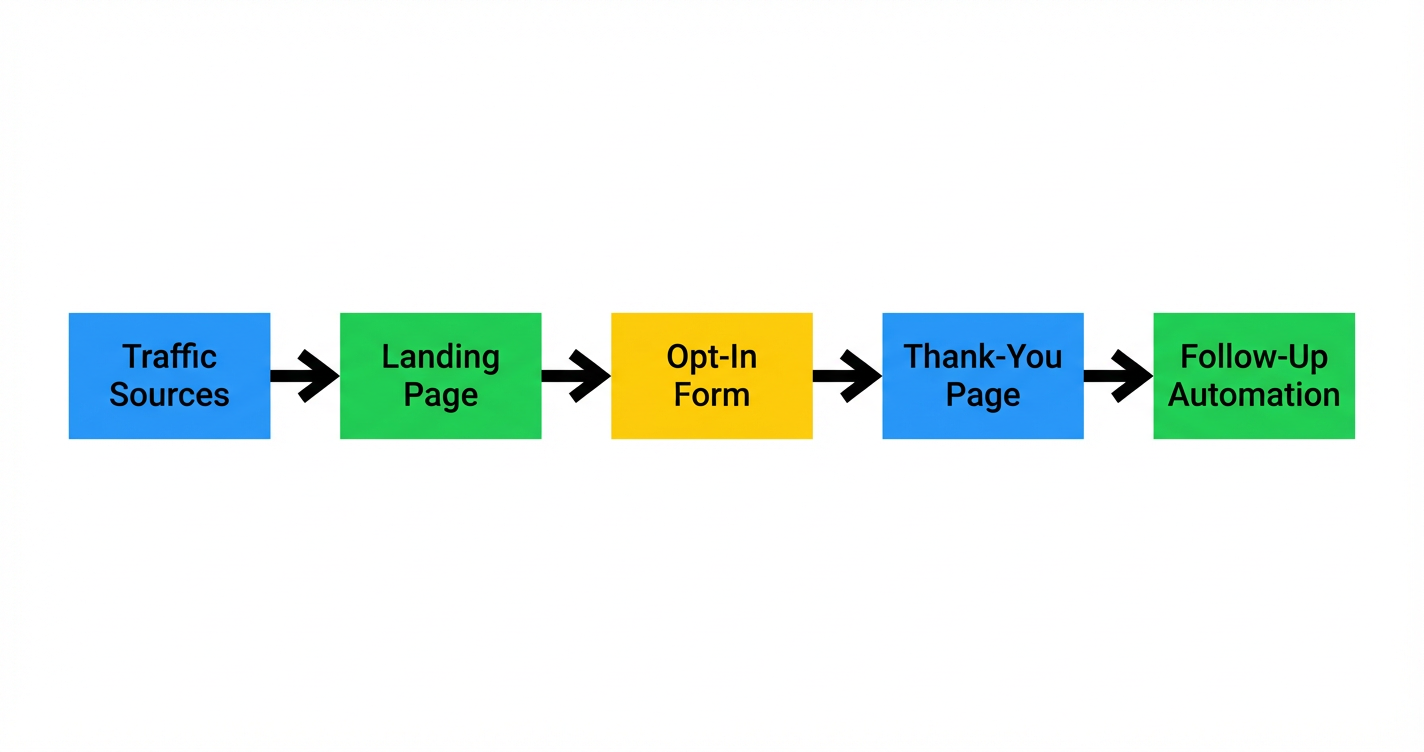
Before you click any buttons, it helps to picture the core flow your funnel will run:
- Traffic sources – Ads, emails, social posts, or organic traffic send people to your landing page.
- Landing page – A focused page that explains the offer and gives a single clear action.
- Opt-in form – The form that captures name, email, phone, or other key details.
- Thank-you page – Confirms the action and often gives a next step (book a call, join a webinar, download content).
- Follow-up automation – Emails, SMS, tasks, and pipeline moves that nurture the lead until they buy.
Here’s a simple visual of that flow:
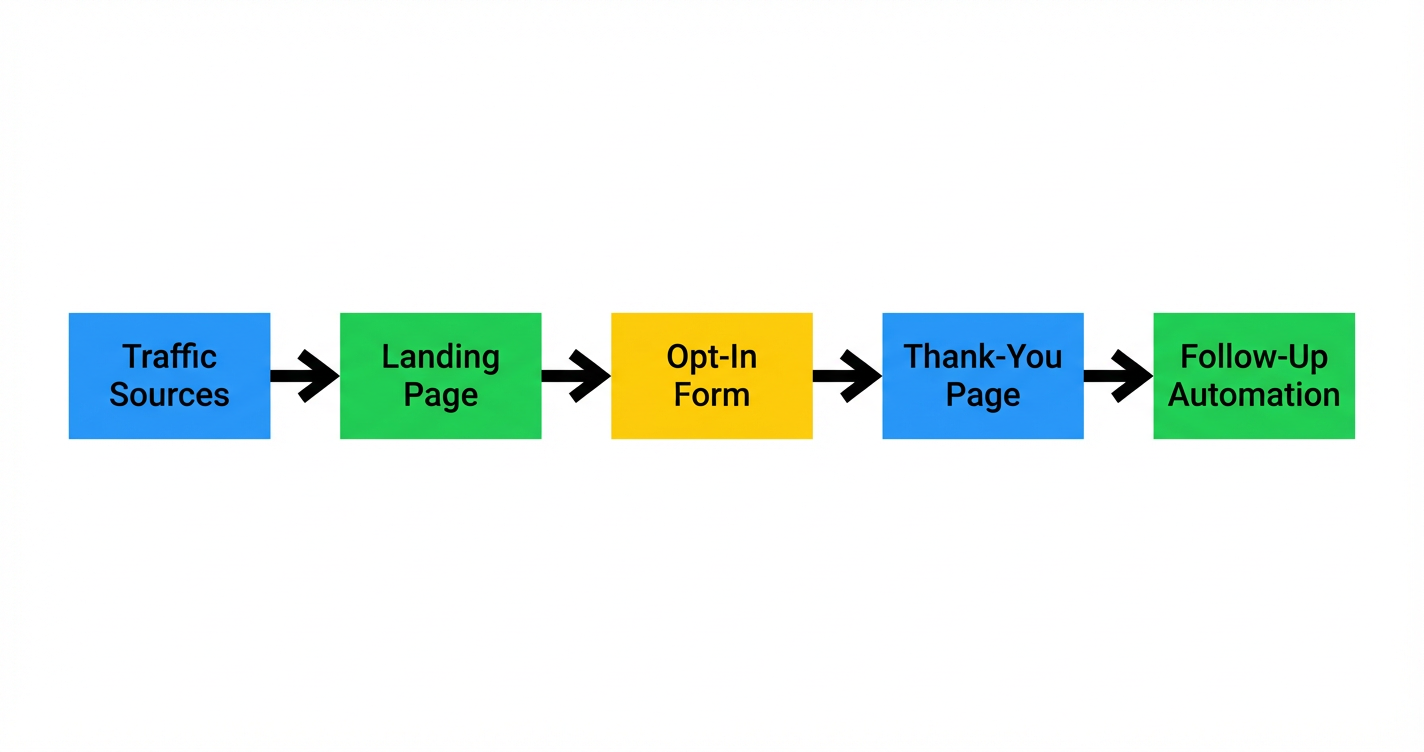 GoHighLevel funnel flow: traffic → landing page → opt-in form → thank-you page → follow-up automation”>
Everything you’ll build in the GoHighLevel funnel builder maps back to this sequence.
Step 1 – Decide how you’ll create your funnel (blank, AI, or template)
GoHighLevel gives you three main ways to start a funnel.
- From Blank – You design every page and step yourself.
- Funnel AI – GoHighLevel helps generate a funnel based on prompts about your offer and audience.
- From Templates – You pick a pre-built funnel from the Template Library and customize it.
To access these options:
- In GoHighLevel, go to Sites → Funnels.
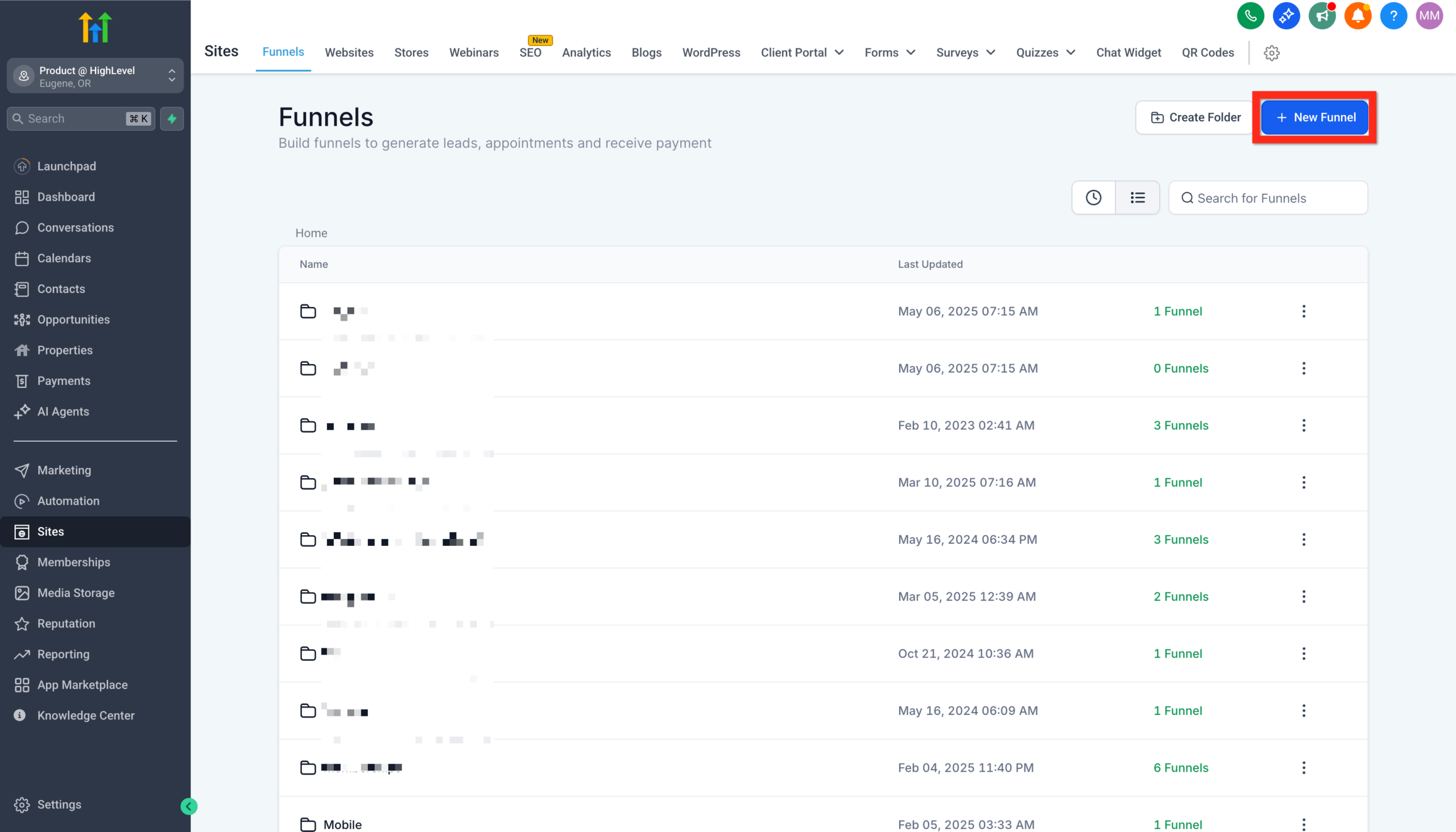 GoHighLevel dashboard” title=”GoHighLevel Funnels Navigation”>
 - Click New Funnel.
- Choose From Blank, Funnel AI, or From Templates.
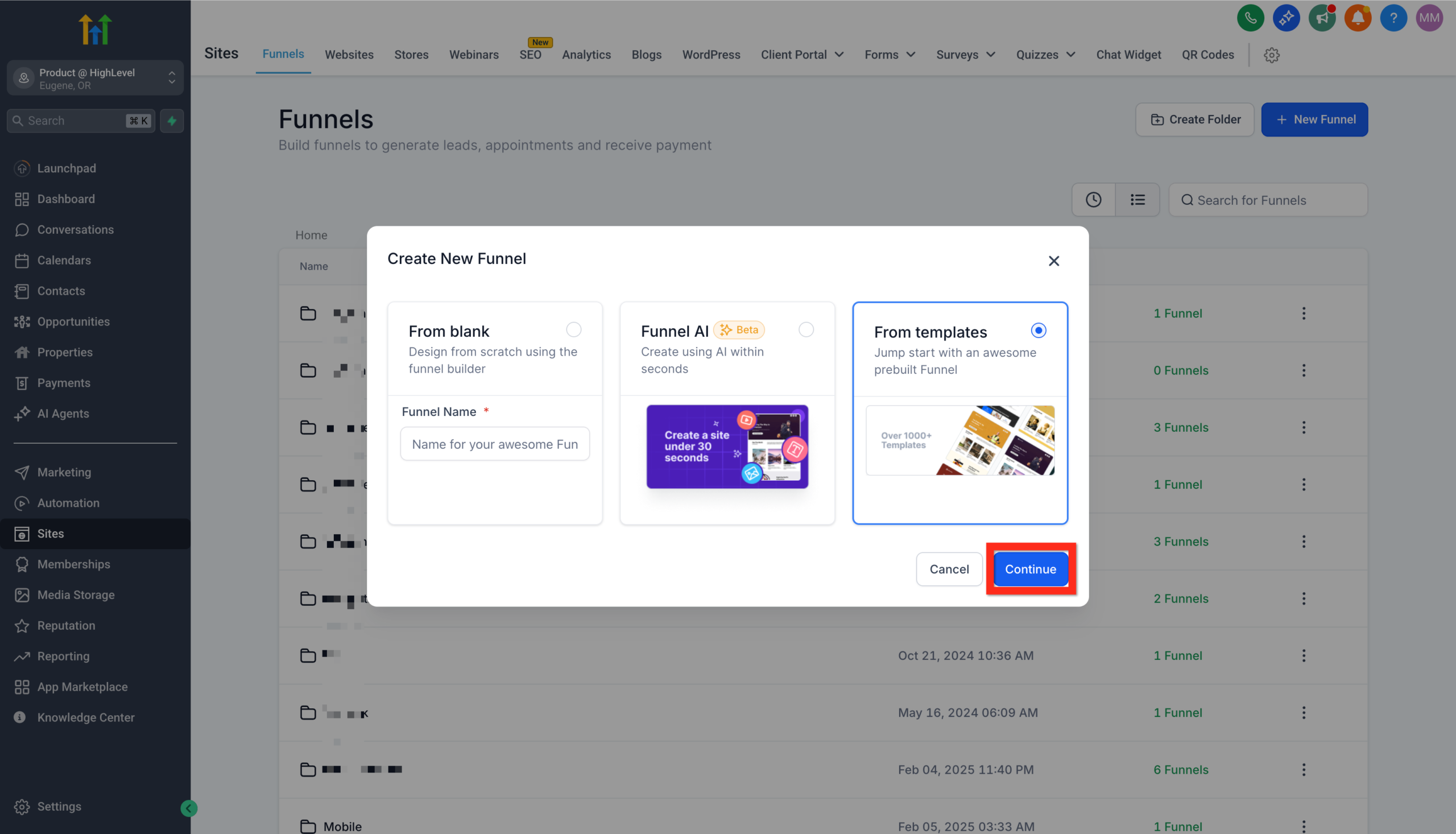 GoHighLevel: From Blank, Funnel AI, and From Templates” title=”GoHighLevel New Funnel Options”>
Which option should you pick?
- Choose From Templates if you want the fastest path to a live, professional-looking funnel.
- Choose Funnel AI if you have a rough idea of your offer and want help generating copy and structure you’ll refine later.
- Choose From Blank if you already have a detailed wireframe or you’re migrating a proven funnel design from another tool.
If you’re brand new to GoHighLevel, starting from a proven template and then customizing the details usually gives you the best balance of speed and control.
Revset Labs tip: For most small teams, the goal of your first build is not perfection—it’s getting a real funnel live so you can collect data. You can always iterate towards “pixel perfect” later.
If you’re still evaluating the platform, this is a perfect place to get your hands dirty inside a trial account:
Launch GoHighLevel with a free trial and test the funnel builder
Step 2 – Create a funnel from a template (the fastest starting point)
Templates give you a pre-built flow that you can adapt to your offer instead of designing every section from scratch.
To launch a funnel from a template:
- Go to Sites → Funnels.
- Click New Funnel → From Template → Continue.
- Browse or search the Template Library using filters that match your goal (for example, lead generation, webinar registration, bookings, or product sales).
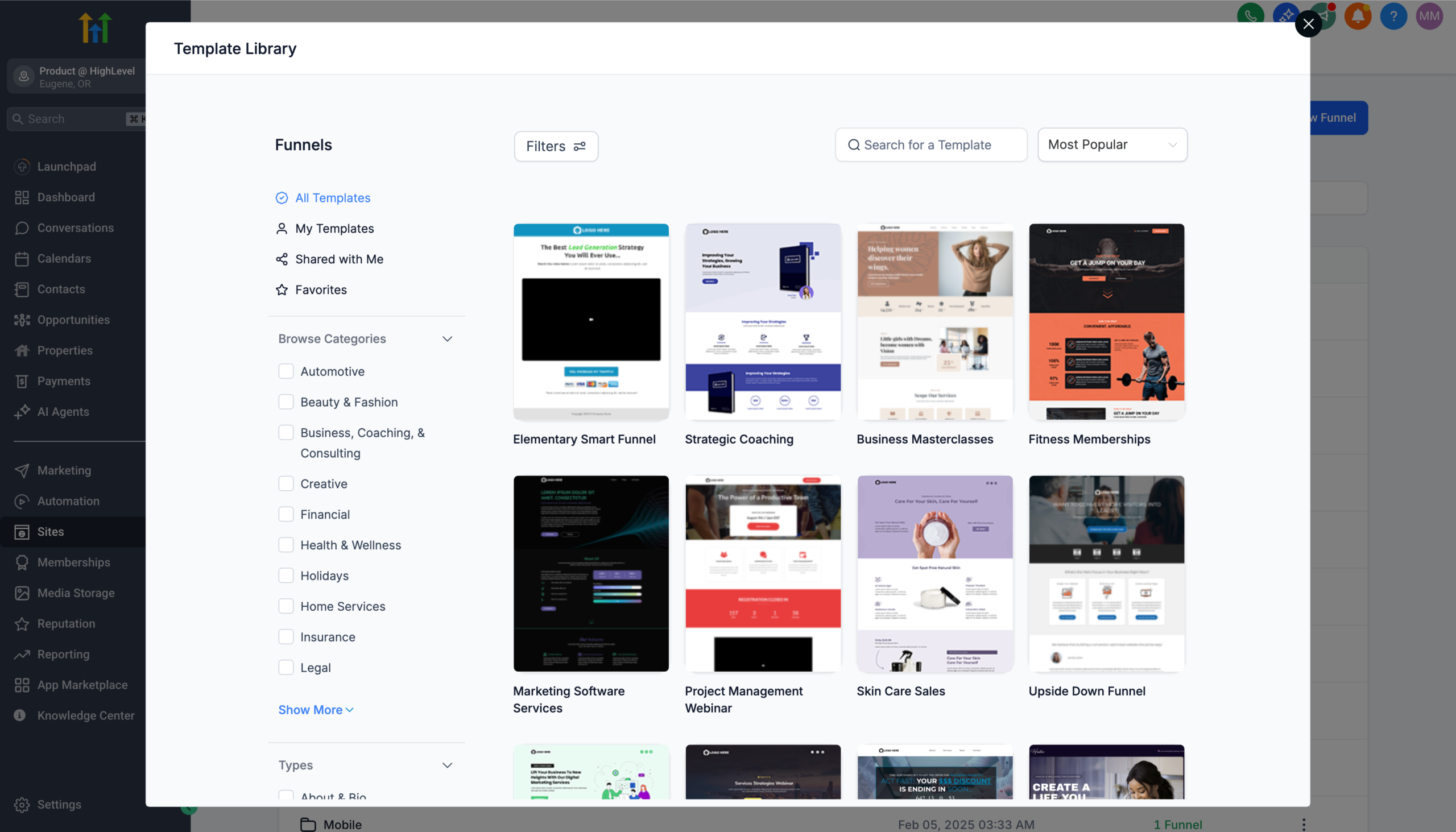 GoHighLevel Template Library interface, showing various funnel templates and filtering options” title=”GoHighLevel Template Library”>
 - Preview a few templates to see:
- How many steps they have.
- Whether they focus on leads, bookings, or purchases.
- How the content is laid out on mobile and desktop.
- Click Continue on the template that’s closest to your desired outcome.
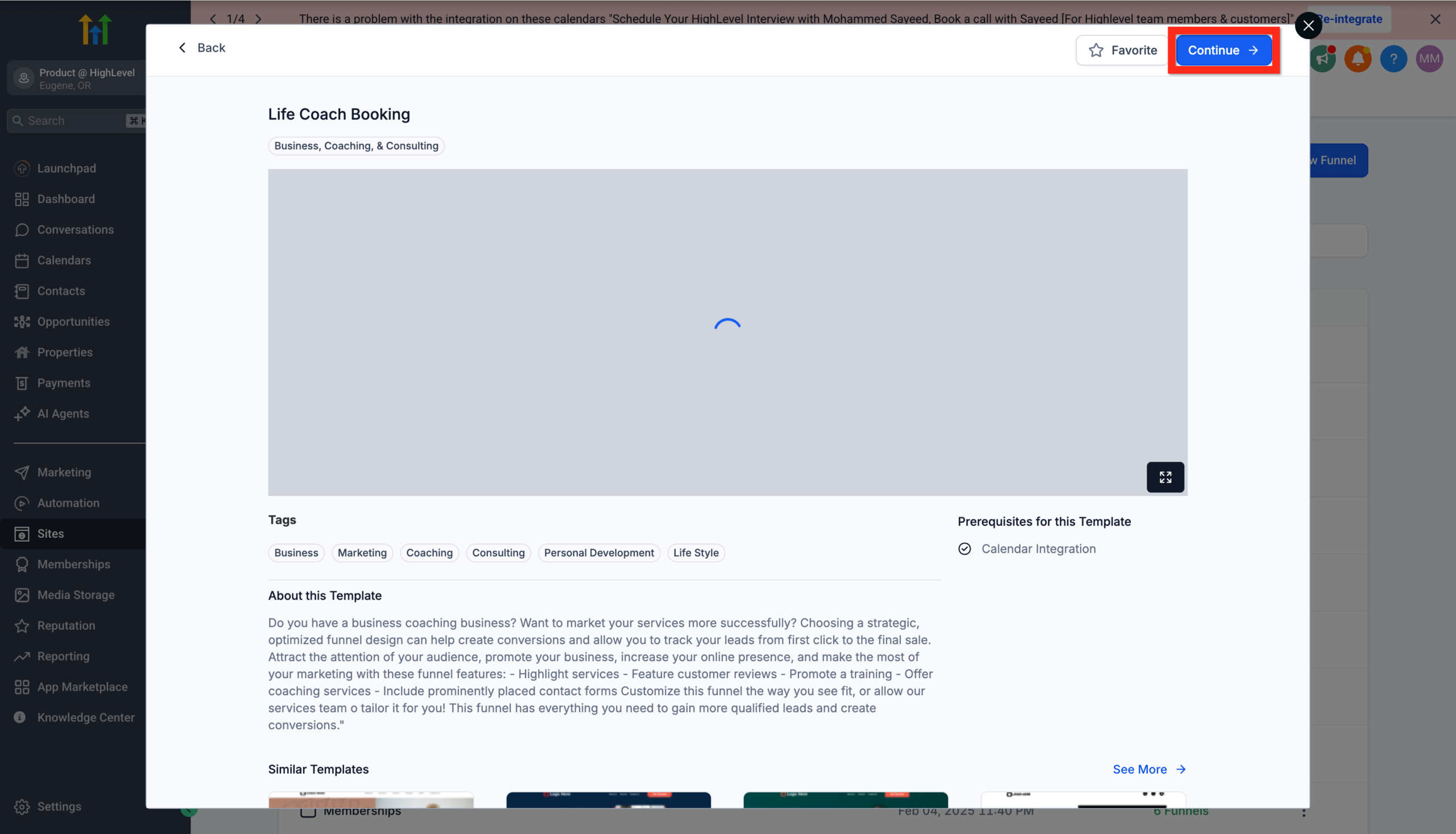 GoHighLevel” title=”Funnel Template Preview”>
 - Give your funnel a clear internal name (for example,
Discovery Call Funnel – US,Lead Magnet – Agency Owners). - Click Save to create the funnel.
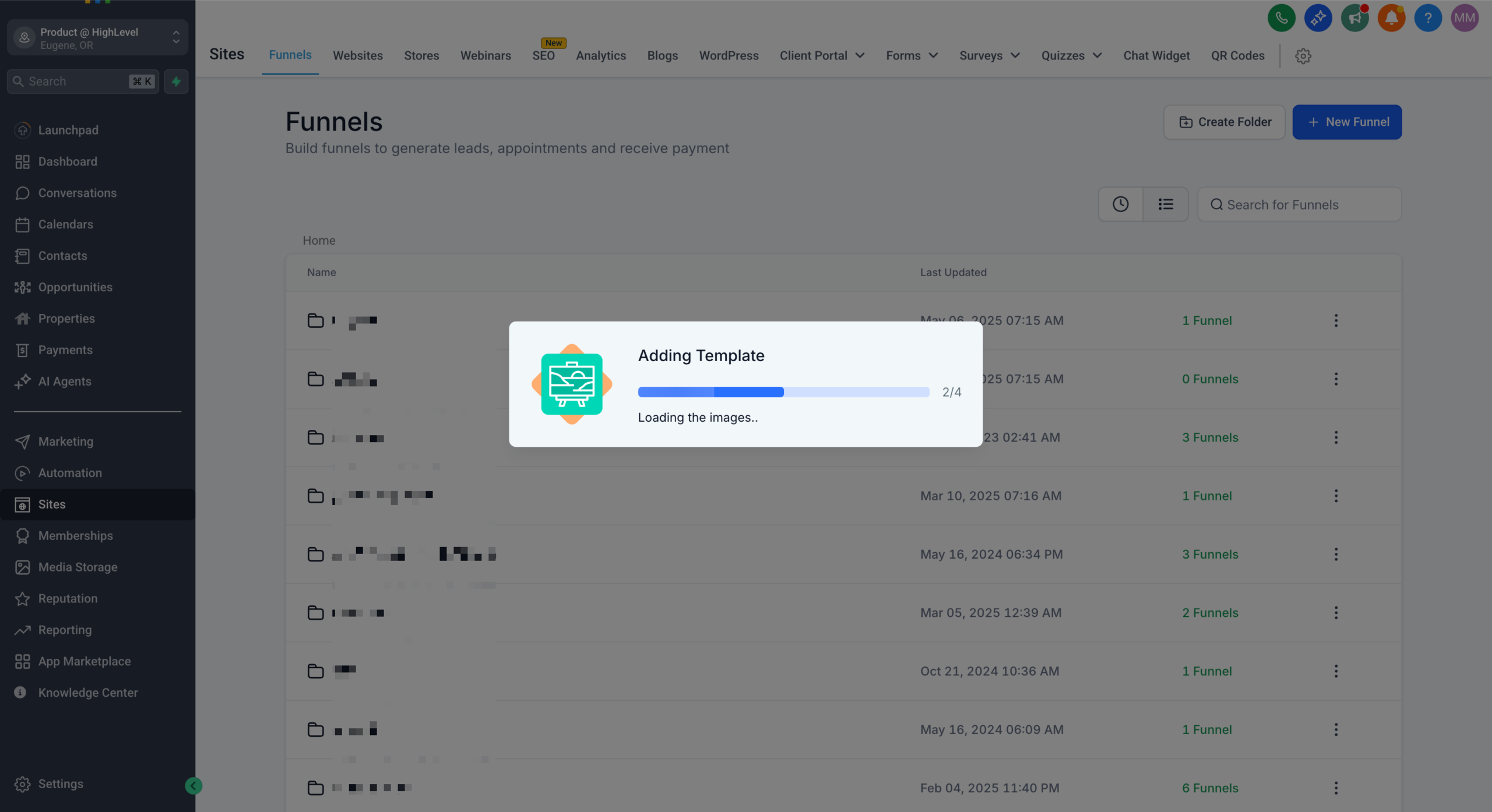 GoHighLevel Funnel Editor interface, displaying tools for customizing a funnel template” title=”GoHighLevel Funnel Editor”>
You now have a ready-to-edit funnel with landing pages, thank-you pages, and often pre-wired forms already in place.
When you’re working with Revset Labs, this is usually the point where we align the template with your existing brand, copy, and offers so you get to a “version 1.0” funnel in hours instead of weeks.
Step 3 – Build the opt-in form that powers your funnel
Your funnel lives or dies on the form. GoHighLevel lets you create forms inside the funnel editor or via the global Form Builder.
To create or edit your opt-in form from a template funnel:
- Open your funnel from Sites → Funnels and click into the step that contains your form.
- In the page editor, click on the form element.
- Either:
- Use the existing form, or
- Click to create a new form from the picker.
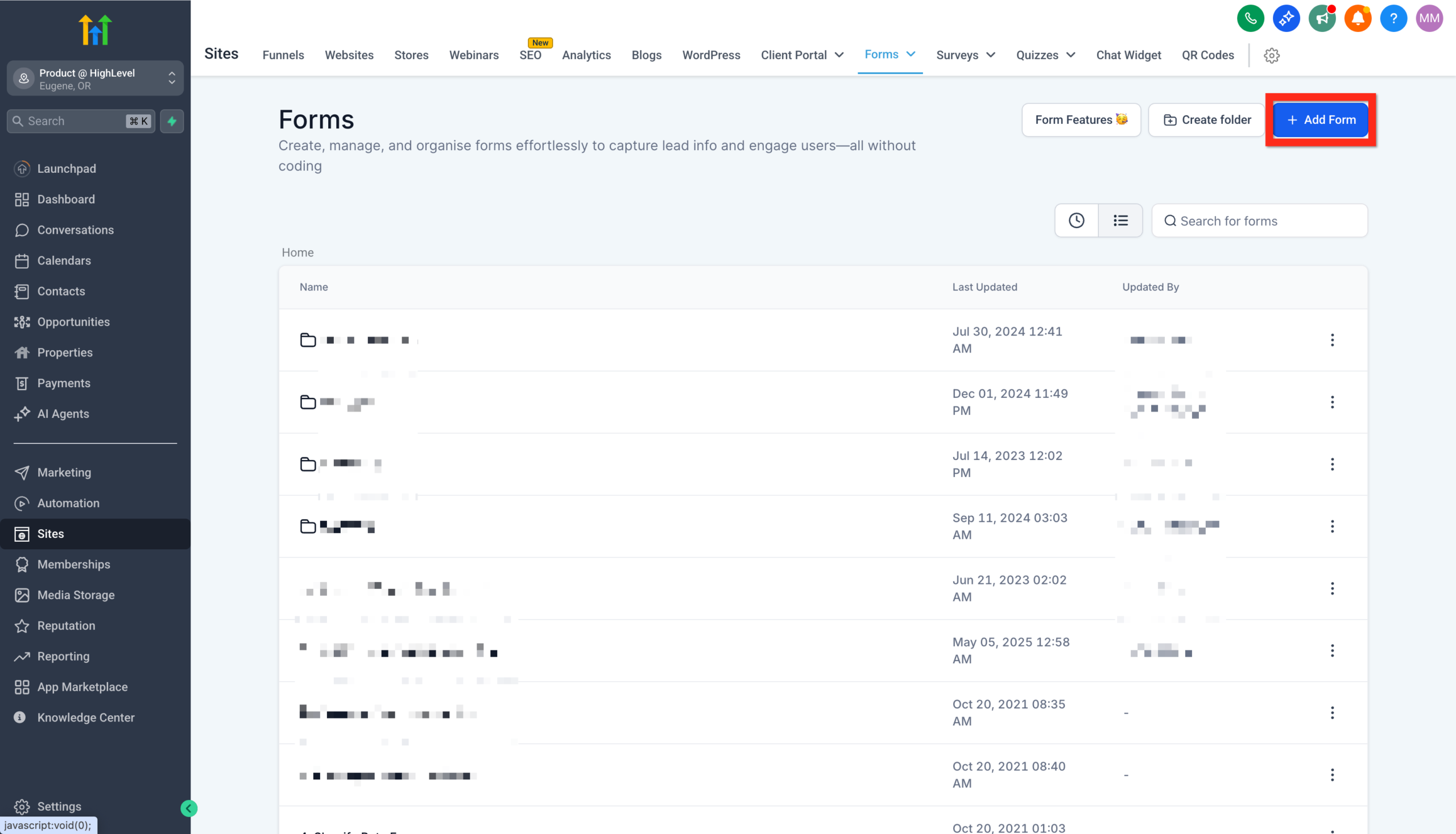 GoHighLevel Form Builder, highlighting the 'Add Form' button to create a new lead capture form” title=”GoHighLevel Add Form”>
- Edit the fields in the Form Builder so you only ask for what you truly need (usually name, email, and sometimes phone).
- Style the form so it matches your brand—buttons, fonts, and colors.
- Click Save.
Form best practices for GoHighLevel funnels:
- Keep it short: Every extra field lowers conversion, especially on mobile.
- Make the button copy specific: “Get the Playbook” beats “Submit”.
- Match your follow-up: If you’re planning SMS follow-up, collect phone numbers and consent clearly.
Because forms create and update contacts, it’s worth understanding the bigger picture of contact management. When you’re ready to go deeper, pair this guide with:
- Getting Started – Create and Manage Contacts in GoHighLevel
- Getting Started – Import Existing Contacts into GoHighLevel
Those companion articles show how your funnel leads tie into the rest of your CRM.
Step 4 – Edit and optimize your funnel pages
With your template and form in place, now you’ll customize the copy, layout, and structure.
- From Sites → Funnels, click your funnel name.
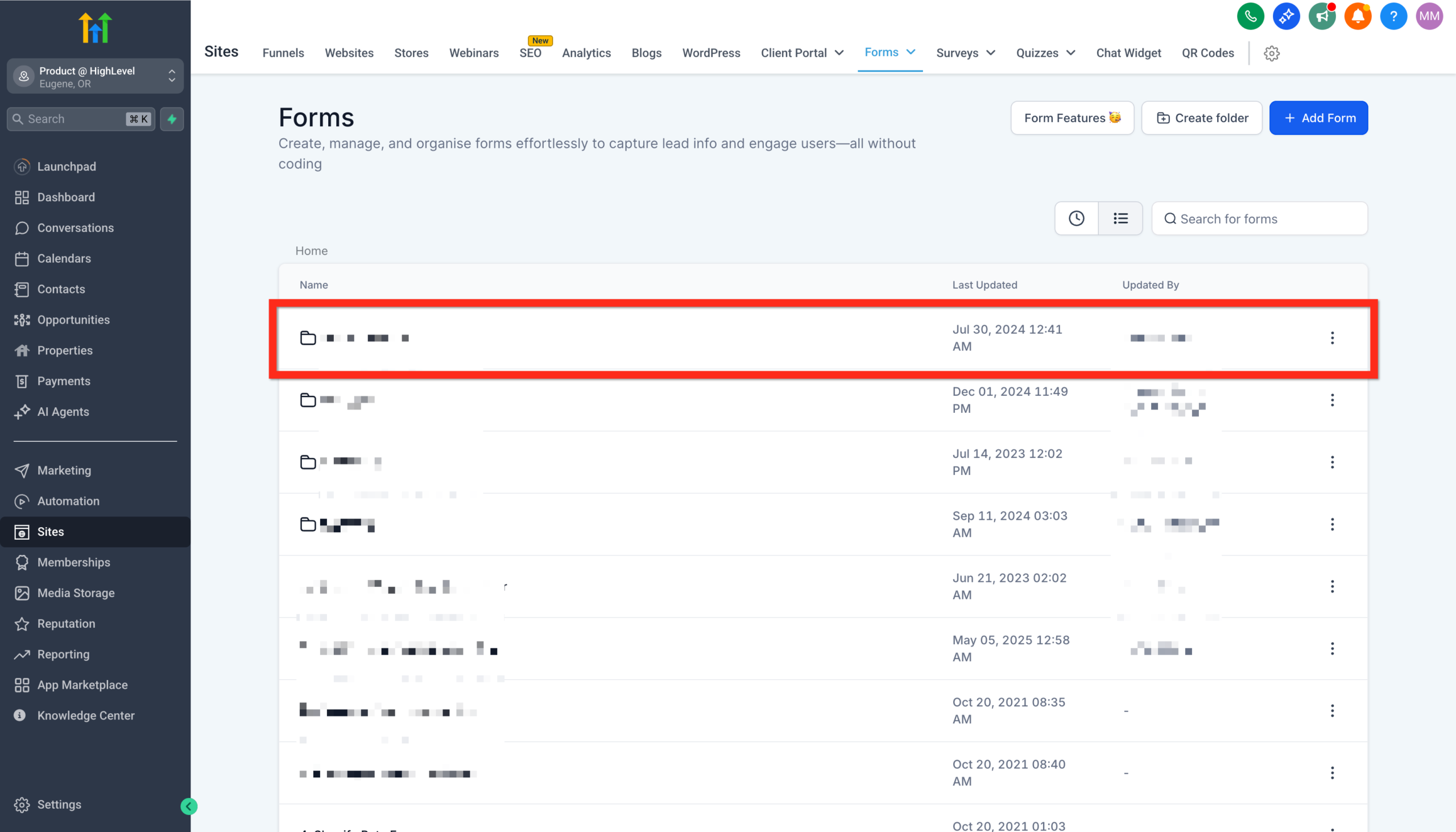 GoHighLevel Funnel List, showing existing funnels available for selection and editing” title=”GoHighLevel Funnel List”>
 - Choose the landing page step and click Edit Page.
- Use the drag-and-drop page builder to:
- Update headlines and body copy so they match your specific offer and audience.
- Swap placeholder images for your own brand visuals.
- Remove any sections that distract from your main call-to-action.
- Switch to the mobile view and tweak spacing and font sizes so the page is easy to read on phones.
- Repeat for your thank-you page and any additional steps.
What to focus on for conversion:
- A single clear call-to-action on each page.
- Social proof (testimonials, logos, or short proof statements) close to your form.
- A “what happens next” section so visitors know exactly what to expect after opting in.
You can always iterate later with split tests, but even a simple, clean version is enough to start collecting leads.
Step 5 – Add a domain to your GoHighLevel funnel
A custom domain makes your funnel look trustworthy and on-brand instead of a generic system URL.
To connect a domain to your funnel:
- In GoHighLevel, go to Settings → Domains.
- Click Connect a Domain.
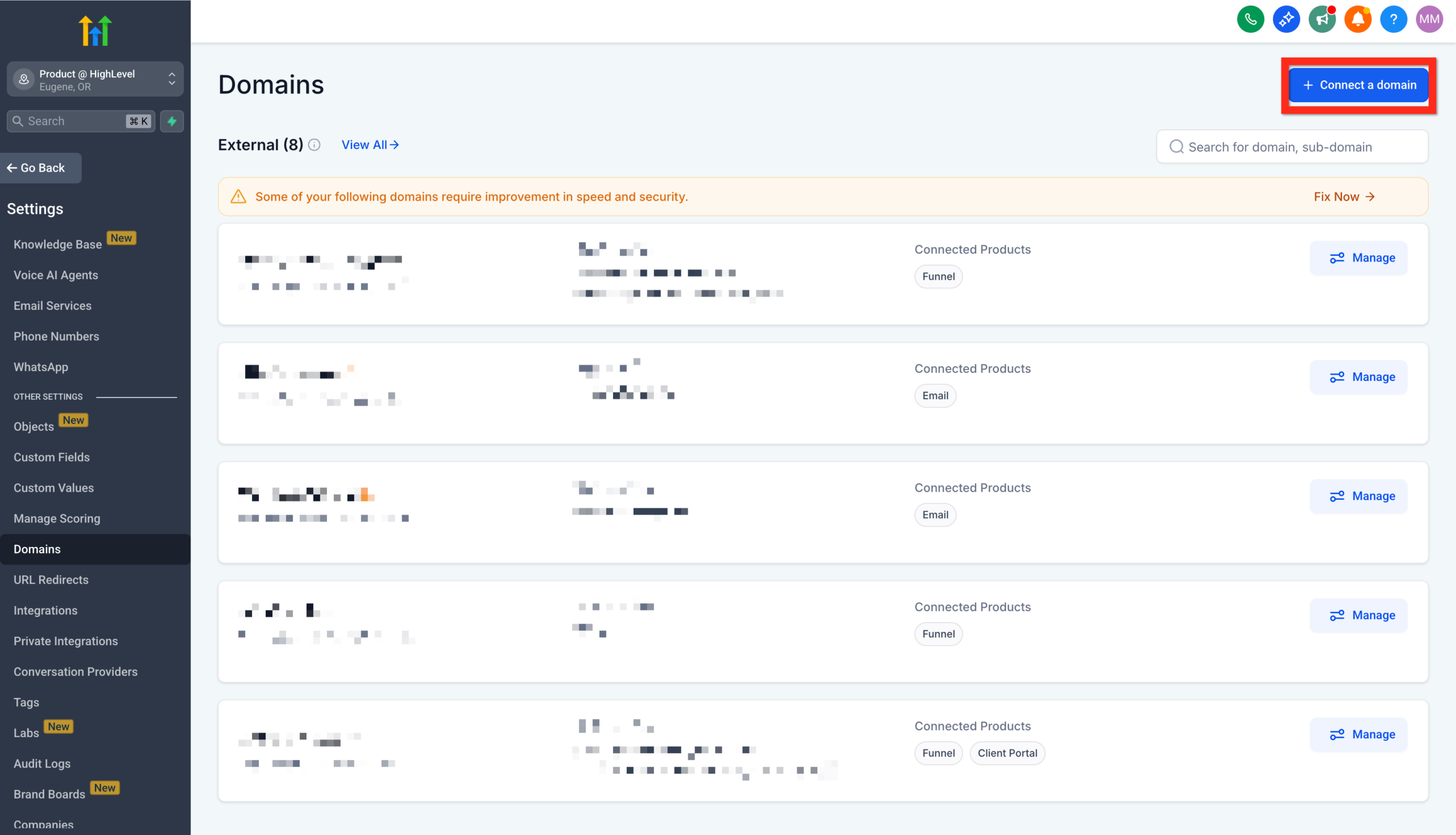 GoHighLevel Settings > Domains, showing the 'Connect a Domain' button to add a custom domain” title=”GoHighLevel Connect Domain”>
 - Enter the domain or subdomain you want to use (for example,
funnels.yourbrand.comorget.yourbrand.com). - Click Continue and follow the DNS instructions for your domain provider (GoDaddy, Cloudflare, Namecheap, etc.).
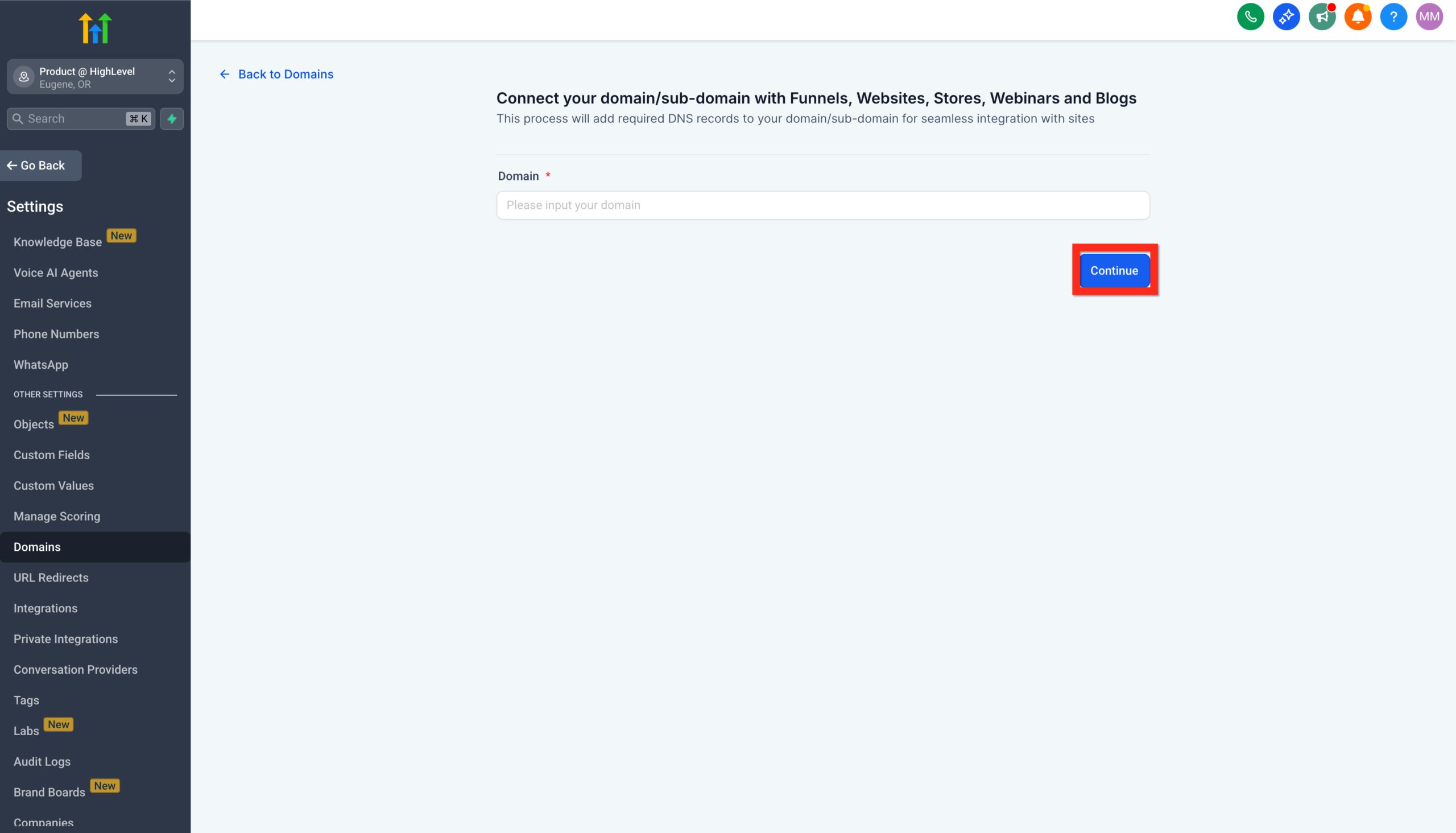 GoHighLevel domain connection wizard, prompting to enter a custom domain name” title=”GoHighLevel Domain Input”>
 - Once your DNS records are added, click Verify Records inside GoHighLevel.
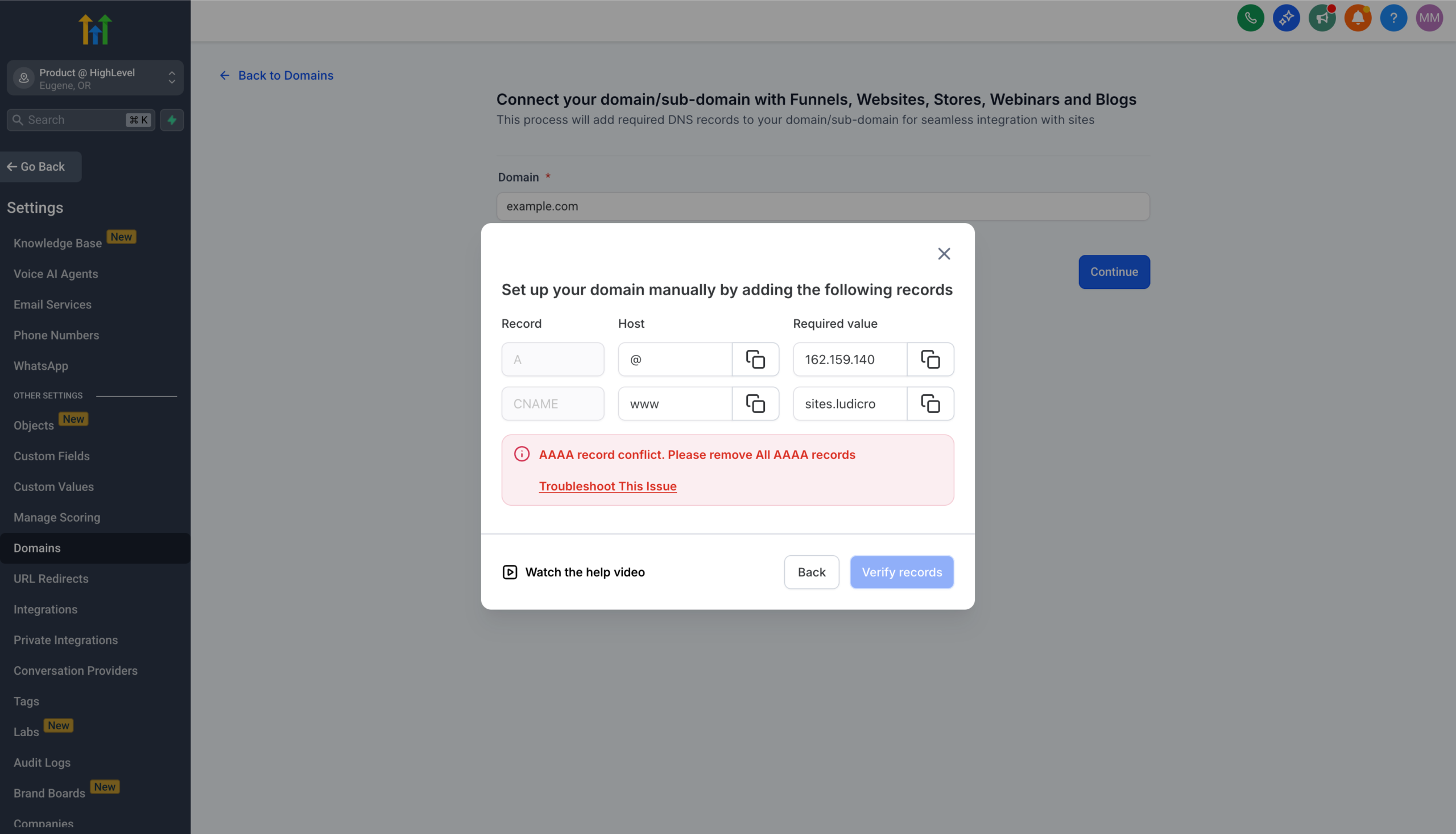 GoHighLevel's domain verification process, showing instructions for setting up DNS records and the 'Verify Records' button” title=”GoHighLevel DNS Verification”>
 - Go back to Sites → Funnels, open your funnel settings, and select the domain you just connected.
- Choose the default funnel step for that domain (usually your landing page) and save.
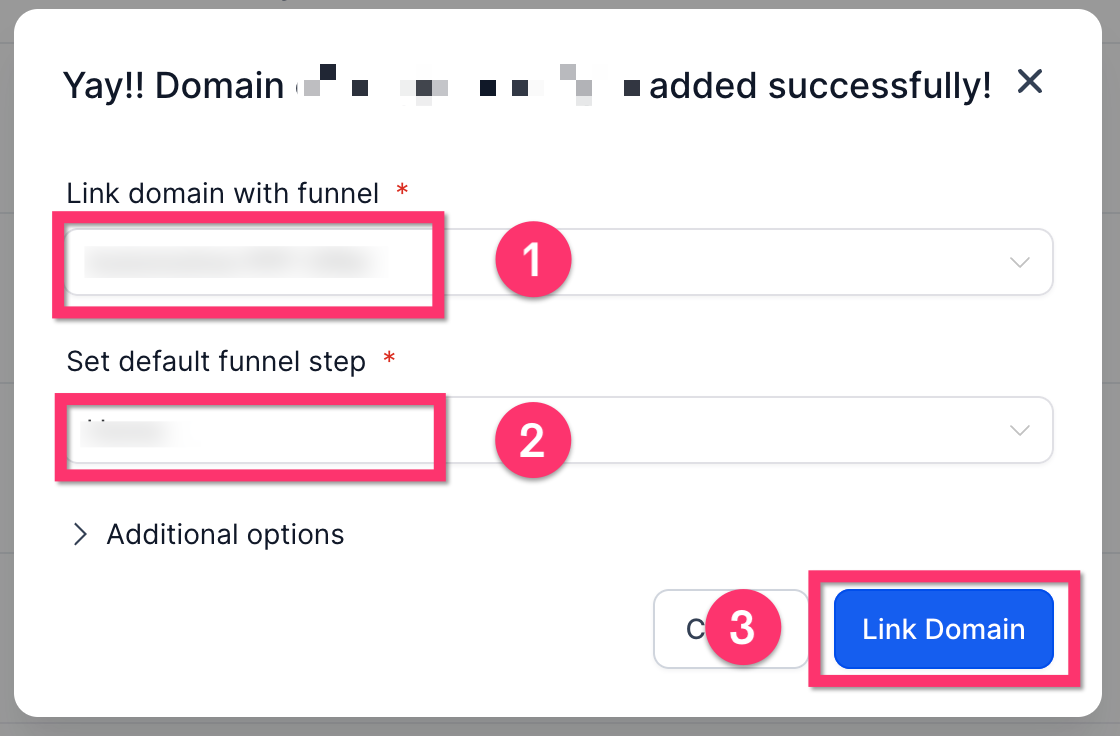 GoHighLevel settings” title=”GoHighLevel Link Domain to Funnel”>
From now on, visitors will see a clean, branded URL instead of a generic link.
If you’d like someone to handle the technical setup—DNS, domains, SSL, and mapping everything to the right funnel—Revset Labs can take this off your plate while you focus on the offer and traffic.
What to do after your funnel is live
Once your funnel is connected to a domain and you’ve tested each step, you’re ready to turn traffic on.
Here’s how to make sure every new lead is put to work inside GoHighLevel:
-
Wire up follow-up automations
- In Workflows, create a sequence that triggers when a contact submits your funnel form or lands in a specific pipeline stage.
- Add welcome emails, SMS messages, and tasks for your team to follow up.
-
Connect pipelines and opportunities
- Create a dedicated pipeline (for example,
Funnel – Discovery CallorFunnel – Lead Magnet). - Use your workflow to automatically create and move opportunities as leads engage.
- Create a dedicated pipeline (for example,
-
Track performance
- Set up simple dashboards or reports to watch:
- Funnel step conversion rates.
- Cost per lead (from your ad platforms).
- Show-up and close rates if your funnel books calls.
- Set up simple dashboards or reports to watch:
-
Iterate intentionally
- Change one major thing at a time: headline, offer, or traffic source.
- Give each change enough data before declaring it a win or loss.
When you’re ready to bring in existing contacts for remarketing or upsell campaigns, follow the workflow in our Import Existing Contacts guide so everything ends up in consistent segments and automations.
Common mistakes when launching a GoHighLevel funnel
Avoid these pitfalls that slow down first-time funnel launches:
-
Building too many steps on day one
Your first funnel doesn’t need five upsells, multiple downsells, and three tripwires. Start with a simple two-step or three-step flow and layer complexity later. -
Ignoring mobile
A majority of your traffic will likely be on phones. Always check the mobile view and make sure forms, buttons, and text are easy to interact with. -
Launching without follow-up
A funnel without follow-up automations is just a pretty landing page. Even a basic three-email or three-SMS sequence is better than silence. -
No clear ownership
Decide who on your team owns monitoring the funnel daily—checking leads, pipelines, and replies. -
Treating GoHighLevel as “just a funnel builder”
The real power comes from connecting funnels to contacts, pipelines, and automations so every lead is nurtured intelligently.
Revset Labs often comes in here to redesign funnels for clarity, plug leaks in follow-up, and build dashboards so you know exactly what each funnel is doing for your revenue.
Where GoHighLevel and Revset Labs fit together
GoHighLevel gives you the all-in-one toolkit to:
- Build funnels, websites, and landing pages.
- Manage contacts and pipelines.
- Run email, SMS, and chat.
- Automate follow-up from first click to closed deal.
Revset Labs is an AI Automation and Marketing Agency that turns that toolkit into a working growth system.
Typical projects around funnels include:
- Designing and launching your first (or next) high-converting funnel in GoHighLevel.
- Mapping funnels to the right contact fields, tags, and pipelines.
- Building AI-powered workflows that auto-qualify leads and summarize conversations.
- Setting up reporting so you can see which funnels and campaigns actually move the needle.
If you’d like expert help to go from “we have GoHighLevel” to “we have a reliable funnel engine,” Revset Labs can handle strategy, build, and optimization with you.
In the meantime, you can get hands-on with everything you’ve just read by starting a trial account and following this guide step by step:
Start your GoHighLevel free trial and launch your first funnel
FAQs: Launching a funnel in GoHighLevel
Do I need a custom domain before I can launch a GoHighLevel funnel?
No. You can technically launch a funnel on a GoHighLevel-hosted URL. However, connecting a custom domain or subdomain makes your funnel look more professional and can improve trust and click-through rates.
What’s the difference between building a funnel from scratch, with templates, or using Funnel AI?
Building from scratch gives you full control but takes longer. Templates give you a proven structure you can customize. Funnel AI helps generate copy and layouts based on prompts. For most users, starting with a template and then refining is the fastest path to a solid first funnel.
How many steps should my first GoHighLevel funnel have?
Most getting-started funnels work well with 2–3 core steps: a landing page, an opt-in form (often on that same page), and a thank-you page. You can add more complex sequences—like upsells or webinars—after you’ve validated your main offer.
Can I edit a funnel after it’s live?
Yes. You can edit pages, forms, and workflows at any time. Just be careful when changing URLs or form fields that are already connected to automations and reports.
How does this funnel connect to my contacts and CRM?
Every form submission in your funnel creates or updates a contact in GoHighLevel. From there, workflows can add tags, move opportunities into pipelines, and start nurture sequences.